Skip to content

Monday, 24 July 2023

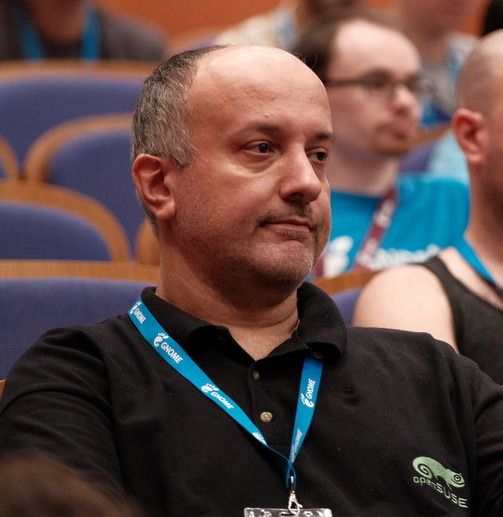
My conference badge On Friday Akademy 2023 came to a close. This was the second time I attended the conference physically after the online editions of 2020 and 2021 and I want to give short retrospective this blog post.

Talks

Akademy started with two days full of talks on Saturday and Sunday and I have to say sometimes it was hard to choose between the two parallel tracks. Overall it provided a nice mixture between what happens in the community, learning how people solved problems and learning from them (for example Ingo fixing accessibility in Kleopatra) and insight into new technologies (I had never heard of Slint before). Apart from the two standout keynotes about Kdenlive and the Libre Space Foundation I want to highlight Joseph’s talk about Internal Communication at KDE which it turns out also projects outwards for example to new potential contributors. The talk itself was well structured and presented and had engaged with the audience nicely as well.

This year I did not submit a talk myself but stood in for Albert for an update about what’s happening in the KDE Free Qt Foundation and in the KDE e.V. KDE Free Qt Working Group during the KDE e.V. Working Group reports. since he had a talk at the same time in the other room.

I also tried something new and held a panel in the “KDE Wayland Fireside chat” together with Aleix, David Edmundson, Vlad and Xaver which was intended to be an opportunity to interact for people with their favourite KDE Wayland developers. I think it turned out nicely with very good online participation - probably half of the question came from chat! The size of the physically audience was maybe less than what I would expected beforehand but we had very strong opposition with the lighting talks happening at the same time in room 1 while we were the last session in room 2. Speaking of them, I am looking very much forward to watch the recording of them and all the other talks that I missed because I was in another room.

BoFs and all the other things

After the talks come the BoFs, where people meet, discuss, plan, roadmap and workshop together. My personal self-selected schedule consisted among other things of a whole lot of KF6, Plasma 6 and to round it out more KF6. We discussed what is left to do, challenges left, and even potential roadmaps to release. Here the strong presence of people from the Qt Group proved valuable as they could help with some challenges we are facing and were interested in some problems we faced along the way. We even discovered that we share common interest into improving some areas of Qt.

Thursday was dominated by Wayland discussions. It started with a discussion on input methods and virtual keyboards where we recapped what’s happening upstream, how this fits to our needs and vision of Plasma. Afterwards we discussed some challenges of Qt on Wayland with regards to its QInputDevice API. This session showed again how useful it is to have Qt and KDE people in the same room as the discussion switched quickly from outlining missing features to making gestures and scrolling work nicely in Qt and for application developers in a Wayland world using existing infrastructure.

But Akademy is not only the things that are on the official schedule. It’s meeting familiar and new faces at the welcome and social events. It’s going on to the day trip together. It’s having a spontaneous Itinerary almost BoF in hacking room. It’s going to and having dinner together after an exhausting day. And of course it’s sometimes also just hanging out and chilling with cool people. So thanks to the KDE e.V, the Akademy team and all the volunteers who made this awesome event possible.

Akademy, KDE’s annual conference, recently took place in Thessaloniki, Greece. Lots of people were super excited about the prospect of getting GUI Testing off the ground based on the Selenium tech I built last year. Since KDE produces cross-platform applications an obvious question arose though…

What about Windows?

It’s surprisingly easy! Indeed the most time consuming part is probably getting your hands on a Windows Development Virtual Machine. Once you have a Windows installation we need to only spin up our toolchain and off we go. Here’s a handy command list:

\# Download and install WinAppDriver: https://github.com/microsoft/WinAppDriver/releases

winget install openjs.nodejs
winget install python.python.3.11

npm install --location=global appium
# restart terminal to apply PATH change
set-executionpolicy -scope currentuser remotesigned # allow script execution
appium driver install --source=npm appium-windows-driver

pip install appium-python-client
appium # start server, needs firewall exception on first start

Before we go further into the nitty gritty of testing on Windows I suggest you read the earlier blog post Selenium + AT-SPI = GUI Testing, since a lot of the concepts are the same regardless of platform.

First let us get our ducks in a row.

What Accerciser is to Linux is inspect.exe to Windows, namely an inspector tool for applications. You can find it in your Windows SDK folder %ProgramFiles(x86)%\Windows Kits\10\bin\10.0.22000.0\x64\inspect.exe or there abouts. Opening it greets you with this beauty:

Ignoring the verbosity for a moment we’ll note that it contains similar information to Accerciser on Linux, albeit in a more flat overview. Most importantly what is called the AutomationId is constructed from QObject objectNames, similar to the Accessible IDs on Linux. This is insofar interesting as it means we have a couple of avenues for cross-platform element locating - specifically we could match elements by their name (e.g. the text of a Label or Button), or more uniquely by their objectName-based ID (applicable to all QObjects).

For the purposes of this post we’ll do some trivial testing on Filelight and try to make it work for both Linux and Windows by using the element names. Relying on objectNames is more reliable but unfortunately requires some retrofitting in the source code. To avoid having to build Filelight on Windows we’ll work with what we have got: names. Let’s write our test. Don’t forget to install Filelight first :)

First thing, as always, is our setup boilerplate

#!/usr/bin/env python3

# SPDX-License-Identifier: MIT
# SPDX-FileCopyrightText: 2023 Harald Sitter <sitter@kde.org>

import unittest
import sys
from appium import webdriver
from appium.options.windows import WindowsOptions
from appium.options.common import AppiumOptions
from appium.webdriver.common.appiumby import AppiumBy
from selenium.webdriver.support.wait import WebDriverWait
from selenium.webdriver.support import expected\_conditions as EC

class SimpleFilelightTests(unittest.TestCase):
    @classmethod
    def setUpClass(self):
        options = WindowsOptions()
        options.app('KDEe.V.Filelight\_7vt06qxq7ptv8!KDEe.V.Filelight')
        self.driver = webdriver.Remote(
            command\_executor='http://127.0.0.1:4723',
            options=options)

    @classmethod
    def tearDownClass(self):
        self.driver.quit()

if \_\_name\_\_ == '\_\_main\_\_':
    unittest.main()

The only really interesting bit here is how we specify the application on Windows. Since Filelight is a store application we can start it by the Application User Model ID (AUMID) instead of a path; this is pretty much the same as starting by-desktop-file-id on Linux.

Now then. With the boilerplate out of the way we can write an incredibly simple test that simply switches pages a bit: If we click on ‘Scan Home Folder’ it should take us to the scan page and clicking there on ‘Go to Overview’ should take us back to the overview page.

    def test\_scan(self):
        self.driver.find\_element(by=AppiumBy.NAME, value="Scan Home Folder").click()
        overview = WebDriverWait(self.driver, 120).until(
            EC.element\_to\_be\_clickable((AppiumBy.NAME, "Go to Overview"))
        )
        overview.click()
        WebDriverWait(self.driver, 4).until(
            EC.element\_to\_be\_clickable((AppiumBy.NAME, "Scan Home Folder"))
        )

Cool. We now can test Filelight on Windows. Next we should try to make this test also work for Linux. Thankfully we only need to switch out our app name for a desktop file id.

    def setUpClass(self):
        if sys.platform == 'nt':
            options = WindowsOptions()
            options.app = 'KDEe.V.Filelight\_7vt06qxq7ptv8!KDEe.V.Filelight'
        else:
            options = AppiumOptions()
            options.set\_capability('app', 'org.kde.filelight.desktop')

Putting it all together we get our final test which runs on both Linux and Windows.

\# Windows
# start appium in a terminal
python .\\test.py

# Linux selenium-webdriver-at-spi-run ./test.py


The complete test code:

#!/usr/bin/env python3

SPDX-License-Identifier: MIT

SPDX-FileCopyrightText: 2023 Harald Sitter sitter@kde.org

import unittest import sys from appium import webdriver from appium.options.windows import WindowsOptions from appium.options.common import AppiumOptions from appium.webdriver.common.appiumby import AppiumBy from selenium.webdriver.support.wait import WebDriverWait from selenium.webdriver.support import expected_conditions as EC

class SimpleCalculatorTests(unittest.TestCase):

@classmethod
def setUpClass(self):
    if sys.platform == 'nt':
        options = WindowsOptions()
        options.app = 'KDEe.V.Filelight\_7vt06qxq7ptv8!KDEe.V.Filelight'
    else:
        options = AppiumOptions()
        options.set\_capability('app', 'org.kde.filelight.desktop')

    self.driver = webdriver.Remote(
        command\_executor='http://127.0.0.1:4723',
        options=options)

@classmethod
def tearDownClass(self):
    self.driver.quit()

def test\_scan(self):
    self.driver.find\_element(by=AppiumBy.NAME, value="Scan Home Folder").click()
    overview = WebDriverWait(self.driver, 120).until(
        EC.element\_to\_be\_clickable((AppiumBy.NAME, "Go to Overview"))
    )
    overview.click()
    WebDriverWait(self.driver, 4).until(
        EC.element\_to\_be\_clickable((AppiumBy.NAME, "Scan Home Folder"))
    )

if __name__ == ‘__main__’: unittest.main()


Discuss this blog post on [KDE Discuss](https://discuss.kde.org/t/writing-selenium-appium-tests-on-windows/3145).

Saturday, 22 July 2023

Sunday, 16 July 2023

During this week Akademy 2023 is going on in Thessaloniki, Greece. It’s always awesome, to see many old friends and getting together with that amazing hacker community which is KDE.

There, me and Niccolò gave a talk about what;s happening in Plasma 6 and what will change, Noccolò on more visual things, about some changes we are cooking on the UI and on the visual themes. Here you can find a recording of the talk (alongside all the others of the day)

I talked more about the work I’ve bein doing in the Plasma shell during the last couple of months: code rafactors and how the API for writing plasmoids will change.

There were many things we were not quite happy about and now with the major release is the occasion for streamlining many things.

Now, It’s very important those changes are are well communicated, and easy to do for developes, because there are *a lot* of 3rd party plasmoids on the KDE store, which people are using and enjoying.

Let’s go trough the most important changes:

Dataengines

Dataengines were an API designed in early KDE 4 times, especially one of for our first offereings of Plasmoid API which was the pure JavaScript API, which existed long before the QML existed.

But now in a QML world, their API doesn’t really fit, instead is a much better fit having a QML extension which offers classes with all the needed properties, data models and signals that provide access to the needed data, such as tasks, notifications etc.

Dataengines are now deprecated and moved into a separed library, called “plasma5support” which will be still available for the time being, but consider porting away from it as we plan to eventually drop it.

Base Plasmoid API

The way plasmoids are declared in QML changed a bit: we used to have a magical “plasmoid” context property available from anywhere. This was an instance of a QQuickItem which was both the item where all the plasmoid contents were *and* a wrapper for some of the api for the central plasmoid object: the C++ class Plasma::Applet.

Now the access to plasmoid is an attahced property, the (uppercase) “Plasmoid”, which is directly the access to the instance of the central Plasma::Applet, without an in-between wrapper anymore.

The central QQuickItem is now called “PlasmoidItem”, and must be the root item of the plasmoid, just alike ApplicationWindow is for applications.

PlasmoidItem will have the purely graphical properties, such as the “compactRepresentation” or “fullRepresentation”

Here is a very minimal example of a plasmoid main file under plasma6:

import org.kde.plasma.plasmoid 2.0
PlasmoidItem {
    Plasmoid.title: i18n("hello")
    fullRepresentation: Item {....}
}

Actions

Plasmoids can export actions to their right mouse button menu, such as “mute” for the mixer plasmoid and so on.

In Plasma 5 we had an imperative API to add those actions, which was again coming from that old pure JS API, which really looked a bit out of tune in QML. In Plasma 6 the API has been replaced with a completely declarative API, in this form:

PlasmoidItem {
    Plasmoid.contextualActions: [
        PlasmaCore.Action {
            text: i18n("Foo")
            icon.name: "back"
            onTriggered: {...}
        },
        PlasmaCore.Action {
             ...
        }
    ]
}

PlasmaCore.Action is actually a binding to QAction (not the internal QML action type), so that it can be shared between C++ and QML easily

SVG theming

Plasma Themes don’t really have changed for now (and you can expect any old theme from the store to keep working), but the C++ and QML API for them has been moved to a standalone framework called KSvg. Plasma Svgs have quite some interesting features over the pure QtSvg API, such as disk caching of the rendered images, stylesheet recoloring to system colors and the 9 patch rectangular stretched images of FrameSvg.

Some applications were interested in using that, but couldn’t due to the long dependency chain of plasma-framework, so now they can be used as a much more manageable compact framework, offering both the usual C++, QPainter based api and QML bindings.

import org.kde.ksvg 1.0 as KSvg
FrameSvg {
    imagePath: "widgets/background"
}

Kirigami all the way down

Designing Kirigami in the beginning we lifted two concept from the Plasma API (which again we couldn’t use directly due to the dependency chain) Theme and Units

Theme gives access to the named system colors, and Units to standard spacing and animation durations.

Over the years the Kirigami version got way more advanced then the Plasma version, and having this code duplication didn’t make much more sense, to in Plasma6 whenever referring to a named color or an unit, the Kirigami version should be used, as the Plasma version is going away.

import org.kde.kirigami 2.20 as Kirigami
RowLayout {
    spacing: Kirigami.Units.smallSpacing
    Rectangle {
        color: Kirigami.Theme.backgroundColor
        bordere.color: Kirigami.Theme.textColor
    }
}

Wednesday, 12 July 2023

We're happy to announce the new release 5.11.0 of KPhotoAlbum, the KDE photo management program!

Most notably, this release can be built against Exiv2 0.28, which introduced some breaking changes. Older versions are still supported as before.

Other things that have been changed and fixed (as listed in the ChangeLog) are:


Changed

  • Recalculate Checksums in the Maintenance menu and Refresh Selected Thumbnails in the thumbnail context menu have been unified to do exactly the same.
  • Simplified logging categories: kphotoalbum.XMLDB was merged into kphotoalbum.DB

Fixed

  • Fix issue where non-empty time units in the date bar were incorrectly greyed out (#467903)
  • Fix bug with the date bar showing and selecting incorrect date ranges (#468045)
  • Fix crash when the annotation dialog is opened from the viewer window and the viewer is closed before the annotation dialog (#470889)
  • Fix inconsistent UI where menu actions would not immediately be updated to reflect a change (#472109, #472113)

The list of contributors is quite short this time, it was only Johannes and me ;-) Anyway, thanks to everybody working on KPA in any way, to everybody having contributed in the past and for all future work!

Have a lot of fun with KPhotoAlbum 5.11.0 :-)

— Tobias

Tuesday, 11 October 2022

This year, I had the amazing opportunity to attend KDE Akademy in person for the first time! The host city was Barcelona. It is my second time visiting the city but it was my first time to attend KDE Akademy. Actually it was my first KDE event.

For KDE friends who don't know me, I mainly contribute to openSUSE, GNOME, Nextcloud, ownCloud and GNU Health. I have fewer contributions to Fedora, Ubuntu and ONLYOFFICE and a few here and there to FOSS projects.

Question. Why did you attend KDE Akademy? Two were the reasons. The first and main reason was to see the organization of the conference from the inside, since my University will host the next KDE Akademy. The second reason was to "introduce" myself to the KDE community, since I contribute to other projects. Actually, I know a person from the KDE board but community is not only one person.

The only familiar person I could meet was openSUSE's community manager. Unfortunately he couldn't attend, so he asked me to represent openSUSE. The duties were to have a booth and present something openSUSE related for 3 minutes. I had an idea to propose my friend George to do his first presentation to an open source conference and start his open source journey. He was very excited and he did it.

Day 0

There was a welcome event on Friday for us, where attendees got to know each other. Unfortunately, my flight was delayed and I arrived too late to attend the event. So I stayed at the hotel and tried to rest for my first Akademy day. I felt like going to school.

Day 1

The first thing we had to do was set up our booth. Well, the only promo material we had was stickers. I think all geeks like stickers so it was the best gift for everyone. I love stickers, not only from openSUSE but from other projects as well.
Stathis at openSUSE booth
During setting up the booth, I met the rest of the guys from the sponsors like Ubuntu, Fedora, Qt and Slim Book.

I attended quite a few interesting talks:Food at the coference wasn't the best for my taste. Maybe it's me. But the most interesting part of the conference was the fact that I had the chance to meet realy important people, developers that changed my point of view on softare developement.

You can see the first day, Room 1 here:

Day 2

After having fun the first day, I was excited for the second day. The first reason was that George and I (actually only George) will have the sponsor talk and the second reason was that the fact that the organizers would announce the place of next year's Akademy. Of cource that place is Thessaloniki and my University.

I attended quite a few interesting talks:You can see the second day, Room 1 here:
Unfortunately I didn't have any team to join the next BoFs days. I had a small hope that we could setup the working environment for the next Akademy but that didn't happen.

We didn't join the trip to the mountain. We went to see the city. It was my second time and I skipped some sites.

I really loved my first KDE Akademy. I would like to thank KDE ev that sponsored my trip to attend the Akademy.

I have a lot of stuff to work here with the organizing committee.
We are working to host you all next year.

Wednesday, 17 August 2022

KDE Akademy 2022
Happy traveller is back. Happy open source conference guy is ready for another trip. This time my destination is KDE Akademy and Barcelona. It's my first time attending to Akademy and I am soooooo excited. It's also my second time in Barcelona. Thanks to my highschool, I have been to Barcelona participating in the Erasmus + mobility program (article in Greek). According to the legent, maybe me kissing weird things in Girona worked just fine (click to see the picture).

You don't need to be a "KDE expert" to join, I know I am not. If you're interested in KDE you should really attend if you can (in person if possible), and not only the weekend of talks, but the whole week! And you should register today!

For those of you who know me, I used to attend conferences alone. This time we are 3 people from my university, the University of Macedonia. We have a newly formed Open Source Team and I would like to bring more people with me, to join global communities.

I will keep this short. More to come soon.

I would like to thank KDE and the community for the opportunity to join such a big conference. I am so happy that I will meet you in person after those 2 years of COVID-19 era.

Thursday, 25 August 2016

The function evolution…

I would like to show the evolution of one function in rolisteam code.
This function is called when the user (Game Master) closes a map or image.

The function must close the map or image and send a network order to each player to close the image or plan.

At the beginning, the function looked like that.
Some code line and comments were written in French. No coding rules were respected.
Low-level code for networking. The function was very long.

[pastacode lang=”cpp” message=”” highlight=”” provider=”manual” manual=”%20%2F%2F%20On%20recupere%20la%20fenetre%20active%20(qui%20est%20forcement%20de%20type%20CarteFenetre%20ou%20Image%2C%20sans%20quoi%20l’action%0A%20%20%20%20%20%20%20%20%2F%2F%20ne%20serait%20pas%20dispo%20dans%20le%20menu%20Fichier)%0A%20%20%20%20%20%20%20%20QWidget%20*active%20%3D%20workspace-%3EactiveWindow()%3B%0A%0A%20%20%20%20%20%20%20%20%2F%2F%20Ne%20devrait%20jamais%20arriver%0A%20%20%20%20%20%20%20%20if%20(!active)%0A%20%20%20%20%20%20%20%20%7B%0A%20%20%20%20%20%20%20%20%20%20%20%20%20%20%20%20qWarning(%22Close%20map%20action%20called%20when%20no%20widget%20is%20active%20in%20the%20workspace%20(fermerPlanOuImage%20-%20MainWindow.h)%22)%3B%0A%20%20%20%20%20%20%20%20%20%20%20%20%20%20%20%20return%3B%0A%20%20%20%20%20%20%20%20%7D%0A%0A%20%20%20%20%20%20%20%20%2F%2F%20On%20verifie%20pour%20le%20principe%20qu’il%20s’agit%20bien%20d’une%20CarteFenetre%20ou%20d’une%20Image%0A%20%20%20%20%20%20%20%20if%20(active-%3EobjectName()%20!%3D%20%22CarteFenetre%22%20%26%26%20active-%3EobjectName()%20!%3D%20%22Image%22)%0A%20%20%20%20%20%20%20%20%7B%0A%20%20%20%20%20%20%20%20%20%20%20%20%20%20%20%20qWarning(%22not%20expected%20type%20of%20windows%20(fermerPlanOuImage%20-%20MainWindow.h)%22)%3B%0A%20%20%20%20%20%20%20%20%20%20%20%20%20%20%20%20return%3B%0A%20%20%20%20%20%20%20%20%7D%0A%0A%20%20%20%20%20%20%20%20%2F%2F%20Creation%20de%20la%20boite%20d’alerte%0A%20%20%20%20%20%20%20%20QMessageBox%20msgBox(this)%3B%0A%20%20%20%20%20%20%20%20msgBox.addButton(QMessageBox%3A%3AYes)%3B%0A%20%20%20%20%20%20%20%20msgBox.addButton(QMessageBox%3A%3ACancel)%3B%0A%20%20%20%20%20%20%20%20msgBox.setIcon(QMessageBox%3A%3AInformation)%3B%0A%20%20%20%20%20%20%20%20msgBox.move(QPoint(width()%2F2%2C%20height()%2F2)%20%2B%20QPoint(-100%2C%20-50))%3B%0A%20%20%20%20%20%20%20%20%2F%2F%20On%20supprime%20l’icone%20de%20la%20barre%20de%20titre%0A%20%20%20%20%20%20%20%20Qt%3A%3AWindowFlags%20flags%20%3D%20msgBox.windowFlags()%3B%0A%20%20%20%20%20%20%20%20msgBox.setWindowFlags(flags%20%5E%20Qt%3A%3AWindowSystemMenuHint)%3B%0A%20%20%20%20%20%20%20%20%2F%2F%20M.a.j%20du%20titre%20et%20du%20message%0A%20%20%20%20%20%20%20%20if%20(active-%3EobjectName()%20%3D%3D%20%22CarteFenetre%22)%0A%20%20%20%20%20%20%20%20%7B%0A%20%20%20%20%20%20%20%20%20%20%20%20%20%20%20%20msgBox.setWindowTitle(tr(%22Close%20Map%22))%3B%0A%20%20%20%20%20%20%20%20%20%20%20%20%20%20%20%20msgBox.setText(tr(%22Do%20you%20want%20to%20close%20this%20map%3F%5CnIt%20will%20be%20closed%20for%20everybody%22))%3B%0A%20%20%20%20%20%20%20%20%7D%0A%20%20%20%20%20%20%20%20else%0A%20%20%20%20%20%20%20%20%7B%0A%20%20%20%20%20%20%20%20%20%20%20%20%20%20%20%20msgBox.setWindowTitle(tr(%22Close%20Picture%22))%3B%0A%20%20%20%20%20%20%20%20%20%20%20%20%20%20%20%20msgBox.setText(tr(%22Do%20you%20want%20to%20close%20this%20picture%3F%5CnIt%20will%20be%20closed%20for%20everybody%22))%3B%0A%20%20%20%20%20%20%20%20%7D%0A%20%20%20%20%20%20%20%20msgBox.exec()%3B%0A%0A%20%20%20%20%20%20%20%20%2F%2F%20Si%20l’utilisateur%20n’a%20pas%20clique%20sur%20%22Fermer%22%2C%20on%20quitte%0A%20%20%20%20%20%20%20%20if%20(msgBox.result()%20!%3D%20QMessageBox%3A%3AYesRole)%0A%20%20%20%20%20%20%20%20%20%20%20%20%20%20%20%20return%3B%0A%0A%20%20%20%20%20%20%20%20%2F%2F%20Emission%20de%20la%20demande%20de%20fermeture%20de%20la%20carte%0A%20%20%20%20%20%20%20%20if%20(active-%3EobjectName()%20%3D%3D%20%22CarteFenetre%22)%0A%20%20%20%20%20%20%20%20%7B%0A%20%20%20%20%20%20%20%20%20%20%20%20%20%20%20%20%2F%2F%20Recuperation%20de%20l’identifiant%20de%20la%20carte%0A%20%20%20%20%20%20%20%20%20%20%20%20%20%20%20%20QString%20idCarte%20%3D%20((CarteFenetre%20*)active)-%3Ecarte()-%3EidentifiantCarte()%3B%0A%0A%20%20%20%20%20%20%20%20%20%20%20%20%20%20%20%20%2F%2F%20Taille%20des%20donnees%0A%20%20%20%20%20%20%20%20%20%20%20%20%20%20%20%20quint32%20tailleCorps%20%3D%0A%20%20%20%20%20%20%20%20%20%20%20%20%20%20%20%20%20%20%20%20%20%20%20%20%2F%2F%20Taille%20de%20l’identifiant%20de%20la%20carte%0A%20%20%20%20%20%20%20%20%20%20%20%20%20%20%20%20%20%20%20%20%20%20%20%20sizeof(quint8)%20%2B%20idCarte.size()*sizeof(QChar)%3B%0A%0A%20%20%20%20%20%20%20%20%20%20%20%20%20%20%20%20%2F%2F%20Buffer%20d’emission%0A%20%20%20%20%20%20%20%20%20%20%20%20%20%20%20%20char%20*donnees%20%3D%20new%20char%5BtailleCorps%20%2B%20sizeof(enteteMessage)%5D%3B%0A%0A%20%20%20%20%20%20%20%20%20%20%20%20%20%20%20%20%2F%2F%20Creation%20de%20l’entete%20du%20message%0A%20%20%20%20%20%20%20%20%20%20%20%20%20%20%20%20enteteMessage%20*uneEntete%3B%0A%20%20%20%20%20%20%20%20%20%20%20%20%20%20%20%20uneEntete%20%3D%20(enteteMessage%20*)%20donnees%3B%0A%20%20%20%20%20%20%20%20%20%20%20%20%20%20%20%20uneEntete-%3Ecategorie%20%3D%20plan%3B%0A%20%20%20%20%20%20%20%20%20%20%20%20%20%20%20%20uneEntete-%3Eaction%20%3D%20fermerPlan%3B%0A%20%20%20%20%20%20%20%20%20%20%20%20%20%20%20%20uneEntete-%3EtailleDonnees%20%3D%20tailleCorps%3B%0A%0A%20%20%20%20%20%20%20%20%20%20%20%20%20%20%20%20%2F%2F%20Creation%20du%20corps%20du%20message%0A%20%20%20%20%20%20%20%20%20%20%20%20%20%20%20%20int%20p%20%3D%20sizeof(enteteMessage)%3B%0A%20%20%20%20%20%20%20%20%20%20%20%20%20%20%20%20%2F%2F%20Ajout%20de%20l’identifiant%20de%20la%20carte%0A%20%20%20%20%20%20%20%20%20%20%20%20%20%20%20%20quint8%20tailleIdCarte%20%3D%20idCarte.size()%3B%0A%20%20%20%20%20%20%20%20%20%20%20%20%20%20%20%20memcpy(%26(donnees%5Bp%5D)%2C%20%26tailleIdCarte%2C%20sizeof(quint8))%3B%0A%20%20%20%20%20%20%20%20%20%20%20%20%20%20%20%20p%2B%3Dsizeof(quint8)%3B%0A%20%20%20%20%20%20%20%20%20%20%20%20%20%20%20%20memcpy(%26(donnees%5Bp%5D)%2C%20idCarte.data()%2C%20tailleIdCarte*sizeof(QChar))%3B%0A%20%20%20%20%20%20%20%20%20%20%20%20%20%20%20%20p%2B%3DtailleIdCarte*sizeof(QChar)%3B%0A%0A%20%20%20%20%20%20%20%20%20%20%20%20%20%20%20%20%2F%2F%20Emission%20de%20la%20demande%20de%20fermeture%20de%20la%20carte%20au%20serveur%20ou%20a%20l’ensemble%20des%20clients%0A%20%20%20%20%20%20%20%20%20%20%20%20%20%20%20%20emettre(donnees%2C%20tailleCorps%20%2B%20sizeof(enteteMessage))%3B%0A%20%20%20%20%20%20%20%20%20%20%20%20%20%20%20%20%2F%2F%20Liberation%20du%20buffer%20d’emission%0A%20%20%20%20%20%20%20%20%20%20%20%20%20%20%20%20delete%5B%5D%20donnees%3B%0A%0A%20%20%20%20%20%20%20%20%20%20%20%20%20%20%20%20%2F%2F%20Suppression%20de%20la%20CarteFenetre%20et%20de%20l’action%20associee%20sur%20l’ordinateur%20local%0A%20%20%20%20%20%20%20%20%20%20%20%20%20%20%20%20((CarteFenetre%20*)active)-%3E~CarteFenetre()%3B%0A%20%20%20%20%20%20%20%20%7D%0A%0A%20%20%20%20%20%20%20%20%2F%2F%20Emission%20de%20la%20demande%20de%20fermeture%20de%20l’image%0A%20%20%20%20%20%20%20%20else%0A%20%20%20%20%20%20%20%20%7B%0A%20%20%20%20%20%20%20%20%20%20%20%20%20%20%20%20%2F%2F%20Recuperation%20de%20l’identifiant%20de%20la%20carte%0A%20%20%20%20%20%20%20%20%20%20%20%20%20%20%20%20QString%20idImage%20%3D%20((Image%20*)active)-%3EidentifiantImage()%3B%0A%0A%20%20%20%20%20%20%20%20%20%20%20%20%20%20%20%20%2F%2F%20Taille%20des%20donnees%0A%20%20%20%20%20%20%20%20%20%20%20%20%20%20%20%20quint32%20tailleCorps%20%3D%0A%20%20%20%20%20%20%20%20%20%20%20%20%20%20%20%20%20%20%20%20%20%20%20%20%2F%2F%20Taille%20de%20l’identifiant%20de%20la%20carte%0A%20%20%20%20%20%20%20%20%20%20%20%20%20%20%20%20%20%20%20%20%20%20%20%20sizeof(quint8)%20%2B%20idImage.size()*sizeof(QChar)%3B%0A%0A%20%20%20%20%20%20%20%20%20%20%20%20%20%20%20%20%2F%2F%20Buffer%20d’emission%0A%20%20%20%20%20%20%20%20%20%20%20%20%20%20%20%20char%20*donnees%20%3D%20new%20char%5BtailleCorps%20%2B%20sizeof(enteteMessage)%5D%3B%0A%0A%20%20%20%20%20%20%20%20%20%20%20%20%20%20%20%20%2F%2F%20Creation%20de%20l’entete%20du%20message%0A%20%20%20%20%20%20%20%20%20%20%20%20%20%20%20%20enteteMessage%20*uneEntete%3B%0A%20%20%20%20%20%20%20%20%20%20%20%20%20%20%20%20uneEntete%20%3D%20(enteteMessage%20*)%20donnees%3B%0A%20%20%20%20%20%20%20%20%20%20%20%20%20%20%20%20uneEntete-%3Ecategorie%20%3D%20image%3B%0A%20%20%20%20%20%20%20%20%20%20%20%20%20%20%20%20uneEntete-%3Eaction%20%3D%20fermerImage%3B%0A%20%20%20%20%20%20%20%20%20%20%20%20%20%20%20%20uneEntete-%3EtailleDonnees%20%3D%20tailleCorps%3B%0A%0A%20%20%20%20%20%20%20%20%20%20%20%20%20%20%20%20%2F%2F%20Creation%20du%20corps%20du%20message%0A%20%20%20%20%20%20%20%20%20%20%20%20%20%20%20%20int%20p%20%3D%20sizeof(enteteMessage)%3B%0A%20%20%20%20%20%20%20%20%20%20%20%20%20%20%20%20%2F%2F%20Ajout%20de%20l’identifiant%20de%20la%20carte%0A%20%20%20%20%20%20%20%20%20%20%20%20%20%20%20%20quint8%20tailleIdImage%20%3D%20idImage.size()%3B%0A%20%20%20%20%20%20%20%20%20%20%20%20%20%20%20%20memcpy(%26(donnees%5Bp%5D)%2C%20%26tailleIdImage%2C%20sizeof(quint8))%3B%0A%20%20%20%20%20%20%20%20%20%20%20%20%20%20%20%20p%2B%3Dsizeof(quint8)%3B%0A%20%20%20%20%20%20%20%20%20%20%20%20%20%20%20%20memcpy(%26(donnees%5Bp%5D)%2C%20idImage.data()%2C%20tailleIdImage*sizeof(QChar))%3B%0A%20%20%20%20%20%20%20%20%20%20%20%20%20%20%20%20p%2B%3DtailleIdImage*sizeof(QChar)%3B%0A%0A%20%20%20%20%20%20%20%20%20%20%20%20%20%20%20%20%2F%2F%20Emission%20de%20la%20demande%20de%20fermeture%20de%20l’image%20au%20serveur%20ou%20a%20l’ensemble%20des%20clients%0A%20%20%20%20%20%20%20%20%20%20%20%20%20%20%20%20emettre(donnees%2C%20tailleCorps%20%2B%20sizeof(enteteMessage))%3B%0A%20%20%20%20%20%20%20%20%20%20%20%20%20%20%20%20%2F%2F%20Liberation%20du%20buffer%20d’emission%0A%20%20%20%20%20%20%20%20%20%20%20%20%20%20%20%20delete%5B%5D%20donnees%3B%0A%0A%20%20%20%20%20%20%20%20%20%20%20%20%20%20%20%20%2F%2F%20Suppression%20de%20l’Image%20et%20de%20l’action%20associee%20sur%20l’ordinateur%20local%0A%20%20%20%20%20%20%20%20%20%20%20%20%20%20%20%20((Image%20*)active)-%3E~Image()%3B%0A%20%20%20%20%20%20%20%20%7D”/]

A big step forward, the networking code has been reworked.
So the readability is improved. It is also possible to see the beginning of polymorphism. MediaContener is used but not everywhere.

[pastacode lang=”cpp” message=”Version Intermédiaire” highlight=”” provider=”manual” manual=”QMdiSubWindow*%20subactive%20%3D%20m_mdiArea-%3EcurrentSubWindow()%3B%0AQWidget*%20active%20%3D%20subactive%3B%0AMapFrame*%20bipMapWindow%20%3D%20NULL%3B%0A%0Aif%20(NULL!%3Dactive)%0A%7B%0A%0A%20%20%20%20QAction*%20action%3DNULL%3B%0A%0A%20%20%20%20Image*%20%20imageFenetre%20%3D%20dynamic_cast(active)%3B%0A%0A%20%20%20%20QString%20mapImageId%3B%0A%20%20%20%20QString%20mapImageTitle%3B%0A%20%20%20%20mapImageTitle%20%3D%20active-%3EwindowTitle()%3B%0A%20%20%20%20bool%20image%3Dfalse%3B%0A%20%20%20%20%2F%2Fit%20is%20image%0A%20%20%20%20if(NULL!%3DimageFenetre)%0A%20%20%20%20%7B%0A%20%20%20%20%20%20%20%20m_pictureList.removeOne(imageFenetre)%3B%0A%0A%20%20%20%20%20%20%20%20mapImageId%20%3D%20imageFenetre-%3EgetMediaId()%3B%0A%20%20%20%20%20%20%20%20image%20%3D%20true%3B%0A%20%20%20%20%20%20%20%20action%20%3D%20imageFenetre-%3EgetAction()%3B%0A%20%20%20%20%7D%0A%20%20%20%20else%2F%2Fit%20is%20a%20map%0A%20%20%20%20%7B%0A%20%20%20%20%20%20%20%20bipMapWindow%3D%20dynamic_cast(active)%3B%0A%20%20%20%20%20%20%20%20if(NULL!%3DbipMapWindow)%0A%20%20%20%20%20%20%20%20%7B%0A%20%20%20%20%20%20%20%20%20%20%20%20mapImageId%20%3D%20bipMapWindow-%3EgetMediaId()%3B%0A%20%20%20%20%20%20%20%20%20%20%20%20action%20%3D%20bipMapWindow-%3EgetAction()%3B%0A%0A%20%20%20%20%20%20%20%20%7D%0A%20%20%20%20%20%20%20%20else%2F%2F%20it%20is%20undefined%0A%20%20%20%20%20%20%20%20%7B%0A%20%20%20%20%20%20%20%20%20%20%20%20return%3B%0A%20%20%20%20%20%20%20%20%7D%0A%20%20%20%20%7D%0A%0A%20%20%20%20QMessageBox%20msgBox(this)%3B%0A%20%20%20%20msgBox.setStandardButtons(QMessageBox%3A%3AYes%20%7C%20QMessageBox%3A%3ACancel%20)%3B%0A%20%20%20%20msgBox.setDefaultButton(QMessageBox%3A%3ACancel)%3B%0A%20%20%20%20msgBox.setIcon(QMessageBox%3A%3AInformation)%3B%0A%20%20%20%20msgBox.move(QPoint(width()%2F2%2C%20height()%2F2)%20%2B%20QPoint(-100%2C%20-50))%3B%0A%20%20%20%20Qt%3A%3AWindowFlags%20flags%20%3D%20msgBox.windowFlags()%3B%0A%20%20%20%20msgBox.setWindowFlags(flags%20%5E%20Qt%3A%3AWindowSystemMenuHint)%3B%0A%0A%20%20%20%20if%20(!image)%0A%20%20%20%20%7B%0A%20%20%20%20%20%20%20%20msgBox.setWindowTitle(tr(%22Close%20Map%22))%3B%0A%20%20%20%20%7D%0A%20%20%20%20else%0A%20%20%20%20%7B%0A%20%20%20%20%20%20%20%20msgBox.setWindowTitle(tr(%22Close%20Picture%22))%3B%0A%20%20%20%20%7D%0A%20%20%20%20msgBox.setText(tr(%22Do%20you%20want%20to%20close%20%251%20%252%3F%5CnIt%20will%20be%20closed%20for%20everybody%22).arg(mapImageTitle).arg(image%3Ftr(%22%22)%3Atr(%22(Map)%22)))%3B%0A%0A%20%20%20%20msgBox.exec()%3B%0A%20%20%20%20if%20(msgBox.result()%20!%3D%20QMessageBox%3A%3AYes)%0A%20%20%20%20%20%20%20%20return%3B%0A%0A%20%20%20%20if%20(!image)%0A%20%20%20%20%7B%0A%20%20%20%20%20%20%20%20NetworkMessageWriter%20msg(NetMsg%3A%3AMapCategory%2CNetMsg%3A%3ACloseMap)%3B%0A%20%20%20%20%20%20%20%20msg.string8(mapImageId)%3B%0A%20%20%20%20%20%20%20%20msg.sendAll()%3B%0A%0A%20%20%20%20%20%20%20%20m_mapWindowMap.remove(mapImageId)%3B%0A%20%20%20%20%20%20%20%20m_playersListWidget-%3Emodel()-%3EchangeMap(NULL)%3B%0A%20%20%20%20%20%20%20%20m_toolBar-%3EchangeMap(NULL)%3B%0A%20%20%20%20%7D%0A%20%20%20%20else%0A%20%20%20%20%7B%0A%20%20%20%20%20%20%20%20NetworkMessageWriter%20msg(NetMsg%3A%3APictureCategory%2CNetMsg%3A%3ADelPictureAction)%3B%0A%20%20%20%20%20%20%20%20msg.string8(mapImageId)%3B%0A%20%20%20%20%20%20%20%20msg.sendAll()%3B%0A%20%20%20%20%7D%0A%0A%20%20%20%20MediaContainer*%20%20mediaContener%20%3D%20dynamic_cast(subactive)%3B%0A%20%20%20%20if(NULL!%3DmediaContener)%0A%20%20%20%20%7B%0A%20%20%20%20%20%20%20%20CleverURI*%20cluri%20%3D%20mediaContener-%3EgetCleverUri()%3B%0A%20%20%20%20%20%20%20%20cluri-%3EsetDisplayed(false)%3B%0A%20%20%20%20%20%20%20%20if(NULL!%3Dm_sessionManager)%0A%20%20%20%20%20%20%20%20%7B%0A%20%20%20%20%20%20%20%20%20%20%20%20m_sessionManager-%3EupdateCleverUri(cluri)%3B%0A%20%20%20%20%20%20%20%20%7D%0A%20%20%20%20%7D%0A%0A%20%20%20%20delete%20action%3B%0A%20%20%20%20delete%20subactive%3B%0A%7D%0A”/]

Then, we implements a solution to describe map, vmap (v1.8) or image as mediacontener.
They share a large part of their code, so it becomes really easy to do it.

[pastacode lang=”cpp” message=”Actuel” highlight=”” provider=”manual” manual=”QMdiSubWindow*%20subactive%20%3D%20m_mdiArea-%3EcurrentSubWindow()%3B%0A%20%20%20%20MediaContainer*%20container%20%3D%20dynamic_cast(subactive)%3B%0A%20%20%20%20if(NULL%20!%3D%20container)%0A%20%20%20%20%7B%0A%20%20%20%20%20%20%20%20CleverURI%3A%3AContentType%20type%20%3D%20container-%3EgetContentType()%3B%0A%20%20%20%20%20%20%20%20if(CleverURI%3A%3AVMAP%20%3D%3D%20type)%0A%20%20%20%20%20%20%20%20%7B%0A%20%20%20%20%20%20%20%20%20%20%20%20removeVMapFromId(container-%3EgetMediaId())%3B%0A%20%20%20%20%20%20%20%20%7D%0A%20%20%20%20%20%20%20%20else%20if(CleverURI%3A%3AMAP%20%3D%3D%20type)%0A%20%20%20%20%20%20%20%20%7B%0A%20%20%20%20%20%20%20%20%20%20%20%20removeMapFromId(container-%3EgetMediaId())%3B%0A%20%20%20%20%20%20%20%20%7D%0A%20%20%20%20%20%20%20%20else%20if(CleverURI%3A%3APICTURE%20%3D%3D%20type%20)%0A%20%20%20%20%20%20%20%20%7B%0A%20%20%20%20%20%20%20%20%20%20%20%20removePictureFromId(container-%3EgetMediaId())%3B%0A%20%20%20%20%20%20%20%20%7D%0A%20%20%20%20%7D%0A”/]

To prepare my conference at Pas Sage En Seine [FR], a French hacking festival, I chose to write my slide presentation in QML.
It allows me to have better control and be free to do whatever I want (such as a timeline or any kind of animation).
Of course, That comes with a price. It is longer to do it that way but now I find some solutions. So, next time will be faster.

File hierarchy:

I preferred use QML through C++ Application. It provides more helpful feature, such as: the ability to make screenshots of your presentation at any time (useful as backup plan).
At the top level, you will found all C++ classes, project files and the main qml. Then, you will have a directory with all your pages and if it is required a directory with all your images.

├── cpphighlighter.cpp
├── cpphighlighter.h
├── deployment.pri
├── LICENSE
├── main.cpp
├── main.qml
├── pages
│   ├── 01_intro.qml
│   ├── 02_presentation.qml
│   ├── 03_jdr_et_rolisteam.qml
│   ├── 043_Exemple_code_1.qml
│   ├── 04_jdr_avantages_pb.qml
│   ├── 05_avantage_jdr_virtuel.qml
│   ├── 06_fonctionnalites_rolisteam.qml
│   ├── 07_rolisteam_debut.qml
│   ├── 08_Rolistik_a_Rolisteam.qml
│   ├── 10_frise_chronologique.qml
│   ├── 11_son_usage.qml
│   ├── 12_son_fonctionnement.qml
│   ├── 13_dice_parser.qml
│   ├── 14_themes_audio_3_pistes.qml
│   ├── 15_nouveaute_1_8.qml
│   ├── 16_projet_avenir.qml
│   ├── 17_reussites.qml
│   ├── 18_les_lecons.qml
│   ├── 19_objectif_rolisteam_libre.qml
│   ├── 20_FAQ.qml
├── pasSageEnSeine.pro
├── pasSageEnSeine.pro.user
├── qmlcontroler.cpp
├── qmlcontroler.h
├── qmlcontroler.ui
├── qml.qrc
├── README.md
├── rsrc
│   ├── all.png
│   ├── cc.png
│   └── chat.png

The C++ application

The main

It can be useful to see the state of the presentation and to read some extra notes about the current slide. To manage that, I wrote a small C++ application.
The first goal is to show the QML view, then add some features and communication between the QML view and the C++ window.

[pastacode lang=”cpp” manual=”%23include%20%3CQApplication%3E%0A%23include%20%3CQQmlApplicationEngine%3E%0A%23include%20%22qmlcontroler.h%22%0A%23include%20%3CQQmlContext%3E%0A%23include%20%3CQQuickTextDocument%3E%0A%0A%23include%20%22cpphighlighter.h%22%0A%0Aint%20main(int%20argc%2C%20char%20*argv%5B%5D)%0A%7B%0A%20%20%20%20QApplication%20app(argc%2C%20argv)%3B%0A%0A%20%20%20%20QQmlApplicationEngine%20engine%3B%0A%0A%20%20%20%20engine.rootContext()-%3EsetContextProperty(%22ScreenW%22%2C1280)%3B%0A%20%20%20%20engine.rootContext()-%3EsetContextProperty(%22ScreenH%22%2C720)%3B%0A%0A%20%20%20%20engine.load(QUrl(QStringLiteral(%22qrc%3A%2Fmain.qml%22)))%3B%0A%0A%20%20%20%20QmlControler%20ctr%3B%0A%20%20%20%20ctr.setEngine(%26engine)%3B%0A%0A%20%20%20%20return%20app.exec()%3B%0A%7D%0A” message=”main.cpp” highlight=”” provider=”manual”/]

Really easy, it loads the main.qml from the resources management system provided by Qt. It defines the targeted resolution by setting two constant into QML word: ScreenW and ScreenH.

In this project, the QmlControler class is the C++ window which provides slide feedback and additional information.

Let’s take a look to it:

Feedback window

This window is really simple. It has two parts: On the left, there is a label which displays screenshot of the qml view, and the right part is a QTextArea which display any additional note about the current slide.

[pastacode lang=”cpp” manual=”void%20QmlControler%3A%3AcurrentPageHasChanged(int%20i)%0A%7B%0A%20%20%20%20m_currentScreen%20%3D%20i%3B%0A%20%20%20%20QImage%20img%20%3D%20m_window-%3EgrabWindow()%3B%0A%0A%20%20%20%20if(img.isNull())%0A%20%20%20%20%20%20%20%20return%3B%0A%0A%20%20%20%20static%20int%20count%20%3D%200%3B%0A%0A%0A%20%20%20%20img.save(tr(%22screens%2F%251_screen.png%22).arg(%2B%2Bcount%2C3%2C10%2CQChar(‘0’))%2C%22png%22)%3B%0A%20%20%20%20qDebug()%20%3C%3C%20%22screen%20shot%20save%22%20%3C%3C%20count%3B%0A%0A%20%20%20%20m_ratioImage%20%3D%20(double)img.size().width()%2Fimg.size().height()%3B%0A%20%20%20%20m_ratioImageBis%20%3D%20(double)img.size().height()%2Fimg.size().width()%3B%0A%0A%20%20%20%20m_label-%3EsetPixmap(QPixmap%3A%3AfromImage(img))%3B%0A%0A%20%20%20%20if((i%2B1%3E%3D0)%26%26(i%2B1%3Cm_commentData.size()))%0A%20%20%20%20%7B%0A%20%20%20%20%20%20%20%20ui-%3EtextEdit-%3EsetHtml(m_commentData.at(i%2B1))%3B%0A%20%20%20%20%7D%0A%20%20%20%20resizeLabel()%3B%0A%7D” message=”Current slide has changed” highlight=”” provider=”manual”/]

When the current slide has changed, the c++ window is notified thought the slot currentPageHasChanged, The application gets screenshot of the qml view, save it as a file, display it thought the label, then it looks for data about the current slide into the model. If any, there are displayed in the textedit.

Saving screenshots into file allows you to create a pdf file as backup plan for your presentation.

$ convert *.png mypresentation.pdf


QML Application

Loader system.

For readability reason, it is easier to have each page into one qml file. The application has to load those pages in the right order. To reach this goal, we have to define the order. I did it thank to a data model inside the main.qml file.
The main.qml displays all pages as item of a pathview. All items are loaded from the qt resource management system.

[pastacode lang=”css” manual=”ListModel%20%7B%0A%20%20%20%20%20%20%20%20%20%20%20%20id%3A%20panelModel%0A%20%20%20%20%20%20%20%20%20%20%20%20ListElement%20%7B%0A%20%20%20%20%20%20%20%20%20%20%20%20%20%20%20%20name%3A%20%22Intro%22%0A%20%20%20%20%20%20%20%20%20%20%20%20%20%20%20%20path%3A%20%2201_intro.qml%22%0A%20%20%20%20%20%20%20%20%20%20%20%20%20%20%20%20time%3A%201%0A%20%20%20%20%20%20%20%20%20%20%20%20%20%20%20%20next%3A%20%22Pr%C3%A9sentation%20de%20Rolisteam%22%0A%20%20%20%20%20%20%20%20%20%20%20%20%7D” message=”First item of the model.” highlight=”” provider=”manual”/]

A page is mainly defined by two data: name and path. The path is the name of the qml file.
All other data are here as help, the time has not been used.

Then, the loader does its job, the key lines are the following:

[pastacode lang=”css” manual=”%20%20%20%20PathView%20%7B%0A%20%20%20%20%20%20%20%20id%3A%20view%0A%20%20%20%20%20%20%20%20anchors.fill%3A%20parent%0A%20%20%20%20%20%20%20%20model%3A%20panelModel%0A%20%20%20%20%20%20%20%20highlightRangeMode%3APathView.StrictlyEnforceRange%0A%20%20%20%20%20%20%20%20snapMode%3A%20PathView.SnapOneItem%0A%20%20%20%20%20%20%20%20delegate%3A%20%20Loader%20%7B%0A%20%20%20%20%20%20%20%20%20%20%20%20%20source%3A%20%22pages%2F%22%2Bpath%0A%20%20%20%20%20%20%20%20%7D” message=”Path View” highlight=”source: “pages/”+path” provider=”manual”/]


Table of Contents

To manage the table of contents, I added a listview with a model:

[pastacode lang=”css” manual=”%20%20%20%20ListView%20%7B%0A%20%20%20%20%20%20%20%20id%3A%20listView1%0A%20%20%20%20%20%20%20%20x%3A%20ScreenW*0.02%0A%20%20%20%20%20%20%20%20y%3A%20ScreenH*0.3%0A%20%20%20%20%20%20%20%20width%3A%20ScreenW%2F2%0A%20%20%20%20%20%20%20%20height%3A%20ScreenH*0.2%0A%20%20%20%20%20%20%20%20delegate%3A%20Item%20%7B%0A%20%20%20%20%20%20%20%20%20%20%20%20width%3A%20ScreenW%2F2%0A%20%20%20%20%20%20%20%20%20%20%20%20height%3A%20listView1.height%2FlistView1.count%0A%20%20%20%20%20%20%20%20%20%20%20%20%20%20%20%20Text%20%7B%0A%20%20%20%20%20%20%20%20%20%20%20%20%20%20%20%20%20%20%20%20color%3A%20view.currentIndex%3E%3Dindex%20%3F%20%22black%22%20%3A%20%22gray%22%0A%20%20%20%20%20%20%20%20%20%20%20%20%20%20%20%20%20%20%20%20text%3A%20name%0A%20%20%20%20%20%20%20%20%20%20%20%20%20%20%20%20%20%20%20%20font.pointSize%3A%20ScreenH%2F48%0A%20%20%20%20%20%20%20%20%20%20%20%20%20%20%20%20%20%20%20%20anchors.verticalCenter%3A%20parent.verticalCenter%0A%20%20%20%20%20%20%20%20%20%20%20%20%20%20%20%20%20%20%20%20font.bold%3A%20true%0A%0A%20%20%20%20%20%20%20%20%20%20%20%20%20%20%20%20%7D%0A%20%20%20%20%20%20%20%20%7D%0A%20%20%20%20%20%20%20%20visible%3A%20view.currentIndex%3E0%20%3F%20true%20%3A%20false%0A%0A%20%20%20%20%20%20%20%20model%3A%20ListModel%20%7B%0A%20%20%20%20%20%20%20%20%20%20%20%20ListElement%20%7B%0A%20%20%20%20%20%20%20%20%20%20%20%20%20%20%20%20name%3A%20%22Concepts%22%0A%20%20%20%20%20%20%20%20%20%20%20%20%20%20%20%20index%3A1%0A%20%20%20%20%20%20%20%20%20%20%20%20%7D%0A%20%20%20%20%20%20%20%20%20%20%20%20ListElement%20%7B%0A%20%20%20%20%20%20%20%20%20%20%20%20%20%20%20%20name%3A%20%22Chroniques%22%0A%20%20%20%20%20%20%20%20%20%20%20%20%20%20%20%20index%3A6%0A%20%20%20%20%20%20%20%20%20%20%20%20%7D%0A%20%20%20%20%20%20%20%20%20%20%20%20ListElement%20%7B%0A%20%20%20%20%20%20%20%20%20%20%20%20%20%20%20%20name%3A%20%22Logiciel%22%2F%2Fsyst%C3%A8me%20de%20build%2C%20code%20sp%C3%A9cifique%20par%20OS.%0A%20%20%20%20%20%20%20%20%20%20%20%20%20%20%20%20index%3A9%0A%20%20%20%20%20%20%20%20%20%20%20%20%7D%0A%20%20%20%20%20%20%20%20%20%20%20%20ListElement%20%7B%0A%20%20%20%20%20%20%20%20%20%20%20%20%20%20%20%20name%3A%20%22Bilan%22%0A%20%20%20%20%20%20%20%20%20%20%20%20%20%20%20%20index%3A15%0A%20%20%20%20%20%20%20%20%20%20%20%20%7D%0A%20%20%20%20%20%20%20%20%7D%0A%20%20%20%20%7D” message=”Table of contents in QML ” highlight=”” provider=”manual”/]

Next slide

When you have many slides it can be helpful to have indication about the next one. I chose to display the title in the top-right corner. It was the easier way.

[pastacode lang=”css” manual=”%20%20%20%20Text%20%7B%0A%20%20%20%20%20%20%20%20anchors.top%3A%20parent.top%0A%20%20%20%20%20%20%20%20anchors.right%3A%20parent.right%0A%20%20%20%20%20%20%20%20text%3A%20panelModel.get(view.currentIndex).next%2B%22%3E%22%0A%20%20%20%20%7D” message=”Next slide” highlight=”” provider=”manual”/]


Design a page

Each page are independent but they are all based on the same pattern. In my case, they have a listview with model. Each item of the model is an point I should talk about it.

Each item has a index. The index is controlled with keyboard (down to increase, up to decrease). The page manages what is shown or hidden given the value of the index.

For example, the feature of dice alias has 10 as index. When the index page value becomes 10, the «Dice Alias»  item is displayed with an animation. Then, at 11, I can show a screen shot about the dice alias. At 12, the screenshot disappears and another text is displayed.

Position and Size

To ensure that all items will be display at the proper position and size.  I have based all computation on anchor or the screen size.

[pastacode lang=”css” manual=”%20%20%20%20Image%20%7B%0A%20%20%20%20%20%20%20%20id%3A%20image1%0A%20%20%20%20%20%20%20%20anchors.left%3A%20parent.left%0A%20%20%20%20%20%20%20%20anchors.top%3A%20parent.top%0A%20%20%20%20%20%20%20%20anchors.leftMargin%3A%20ScreenW*0.04%0A%20%20%20%20%20%20%20%20fillMode%3A%20Image.PreserveAspectFit%0A%20%20%20%20%20%20%20%20source%3A%20%22qrc%3A%2Frsrc%2FRolisteam.svg%22%0A%20%20%20%20%20%20%20%20width%3A%20ScreenW*0.2%0A%20%20%20%20%7D” message=”Display the logo at the right position and size.” highlight=”” provider=”manual”/]

Other way

There is a module that provides Items to create QML presentation. I don’t use it for this one but it may provide interesting things.

https://github.com/qt-labs/qml-presentation-system

Get the code

You are invited to clone the code at : https://github.com/obiwankennedy/pses