Hello again! Welcome to another bugfix release. This update is highly
recommended, as it tackles a few critical issues to keep the app running
smoothly.
Resolved a crash that occurred when creating your first notebook.
Fixed an issue that prevented notebooks from being removed.
Corrected a glitch allowing notes to be drag-and-dropped through quick
sketches.
Note sorting is functioning as intended now.
Restored the undo and redo buttons when a single note is open.
Added the "Clear" button to allow removing content from the quick sketches.
Added several minor background improvements for better overall stability.
Get Marknote
We encourage everyone to update as soon as possible. You can grab the latest
version via Flatpak, or your
favorite package manager.
Heading into the final weeks of SoK, things got a bit chaotic. Week 7 was right in the middle of my university exams, so i had to take a planned break from coding. I survived the exams and was geared up for a solid Week 8 sprint to wrap things up, but then my laptop chose violence again. A few weeks back it had already died on me once (the screen went completely dark). I replaced the panel, it came back to life, and i thought we were good. This time it was worse: no screen flicker, no fan spin, nothing. The repair shop confirmed a motherboard failure and told me, “We can look at it… eventually… no promises on timeline.”
Waiting around simply wasn't an option. So i did the only logical thing in full panic mode: I went straight to a store and bought a new laptop. RAM prices hit me hard too 💀, but I think it'll be worth it at this time. Huge thanks to my mentor, Finley, for being super understanding and providing an extension so i could set up my new dev environment and finish strong!
Once the new setup was ready, i jumped right back into Lokalize. Both of my final MRs ended up being fixes for edge cases in the major features i built earlier in the program.
1. Fixing an Oversight from Week 3: Menu Availability
Back in Week 3, i wrote the updateMenuAvailability() logic to dynamically disable top-level menus whenever a user switched tabs. However, i missed a crucial edge case: what happens when you close the very last tab? Because there were no tabs left to trigger my update function, the menu state would stay stale when the application fell back to the "Welcome" screen.
To fix my own bug, i patched the showWelcome() function to directly call updateMenuAvailability() and made sure that the application startup sequence initialized through showWelcome(). This way, the refresh path runs consistently every time the Welcome screen appears, ensuring the menus are greyed out correctly when no tab is active.
2. Fixing a DRY Failure from Weeks 4 & 5: Tab Focus
The next task came out of the code review for the batch file actions (Save All, Close All, etc.) I built back in Weeks 4 and 5. While reviewing my MR that implemented the "Revert All" feature, Finley pointed out an existing DRY (Don't Repeat Yourself) failure in the codebase.
When "Revert All" is triggered, it checks if any open files have unsaved changes. If they do, it activates a warning prompt via the existing fileOpen() function. The problem was that fileOpen() was triggering a warningTwoActionsCancel dialog ("The document contains unsaved changes...") without focusing on the related tab first. If a translator had many files open, they wouldn't know which specific document the warning was actually about. Because this UX issue affected any call to fileOpen(), he asked me to tackle it in a separate, dedicated MR.
I fixed this by adding a new signal signalActivateThisTabRequested(QWidget *tabWidget) to the EditorTab class. Right before the prompt is called in editortab.cpp, I emit this signal passing this as the argument. I then wired this up in lokalizemainwindow.cpp to connect to activateTabByPageWidget. Now, the second the warning appears, the UI automatically flips to the correct document, making the action much safer and more intuitive.
While testing this new tab focus MR, i actually found another bug in my old "Revert All" code, it doesn't revert all the open files every time. I suspect this might be due to some interference from autosave, so I'll be looking into fixing that in the future.
This officially wraps up my Season of KDE! It’s been an incredible experience diving into C++, Qt, and KDE's XMLGUI architecture. Huge thanks to Finley and the KDE community for the mentorship and support throughout the journey.
Animations… Everybody loves animations. They make your desktop look more eye candy, and they also help with guiding or drawing the user’s attention towards certain elements on the screen, for example a new window or a popup or a button, etc.
An animation is a just quick series of images to simulate the movement of an object on the screen. For example, consider a basic animation that only lists digits
A digits animation.
Animation frames.
As you can see, it’s just a sequence of individual digit images that are presented quick enough.
The animation frames have to presented at a steady pace to maintain the smooth feeling. If one or two frames are late, a frame drop can occur, which the user will likely notice. There are various reasons why a frame may not be presented on time. One reason might be that the app has been busy doing something else, for example loading a big file from the disk. However, there can also be reasons that are not exactly under the direct influence of the app, for example the operating system scheduler may prioritize scheduling other tasks or perhaps the memory scheduler has decided that it needs to do some of its things, etc. An animation with a frame drop may look as follows
Frames 4, 5, and 6 have been dropped.
If a frame cannot be painted on time, we are in a sticky situation no matter how you look at it. The animation won’t look as smooth as it could.
That being said, it is also worth mentioning how some apps (and compositors) drive animations. A lot of them advance animations simply by the amount of time that has passed since the last frame. In pseudo-code, it looks as follows:
The biggest drawback of this approach is that it can introduce discontinuities to the motion of an object. For example
Frame drop analysis.
If the app becomes busy for about 48 milliseconds after painting the frame 3, the delta interval will be 48 the next time a frame will be painted, which will effectively advance the animation to frame 7. Technically, this is not the wrong behavior. It does make sense if you look purely at the math. From the human eyes point of view though, the fact that there is a discontinuity in the animation now is far from ideal.
Luckily, there is a simple workaround. If we know the refresh rate of the monitor, we could estimate the maximum allowed delta interval for a single frame (for example, for a 60Hz monitor, it will be 16.6ms) and limit the animation delta time by it. It won’t make animations butter smooth but it will reduce discontinuous jumps in the animation.
Animation with smoothed delta intervals.
In comparison to the aforementioned described method to advance animations, with the proposed method, animations will advance as follows
Animation frames with smoothed/capped delta intervals.
As you can see, even though there was a frame jitter, the frames 4, 5, and 6 have not been dropped. Obviously, this is not a silver bullet solution. The final motion may still look “wonky” depending on the duration of the frame jitter but even with that being said, the advantages are still worth it. In pseudo-code, it will look as follows
The animation delta interval throttling will be implemented in the next release of Plasma. Note that this will only affect compositor-side animations, for example the ones that are played when a window is opened or closed. It will not affect animations that are played inside applications, the compositor has little actual influence on those.
In my testing, both on my desktop and a less powerful laptop, I noticed slight improvements when opening new windows, animations feel a little bit more smoother especially on the laptop. That being said, please don’t take it as me saying that animations will be perfectly smooth. No, if a frame jitter occurs, we’re in a pretty ugly situation and these changes are mostly about hardening kwin so the animations look less choppy.
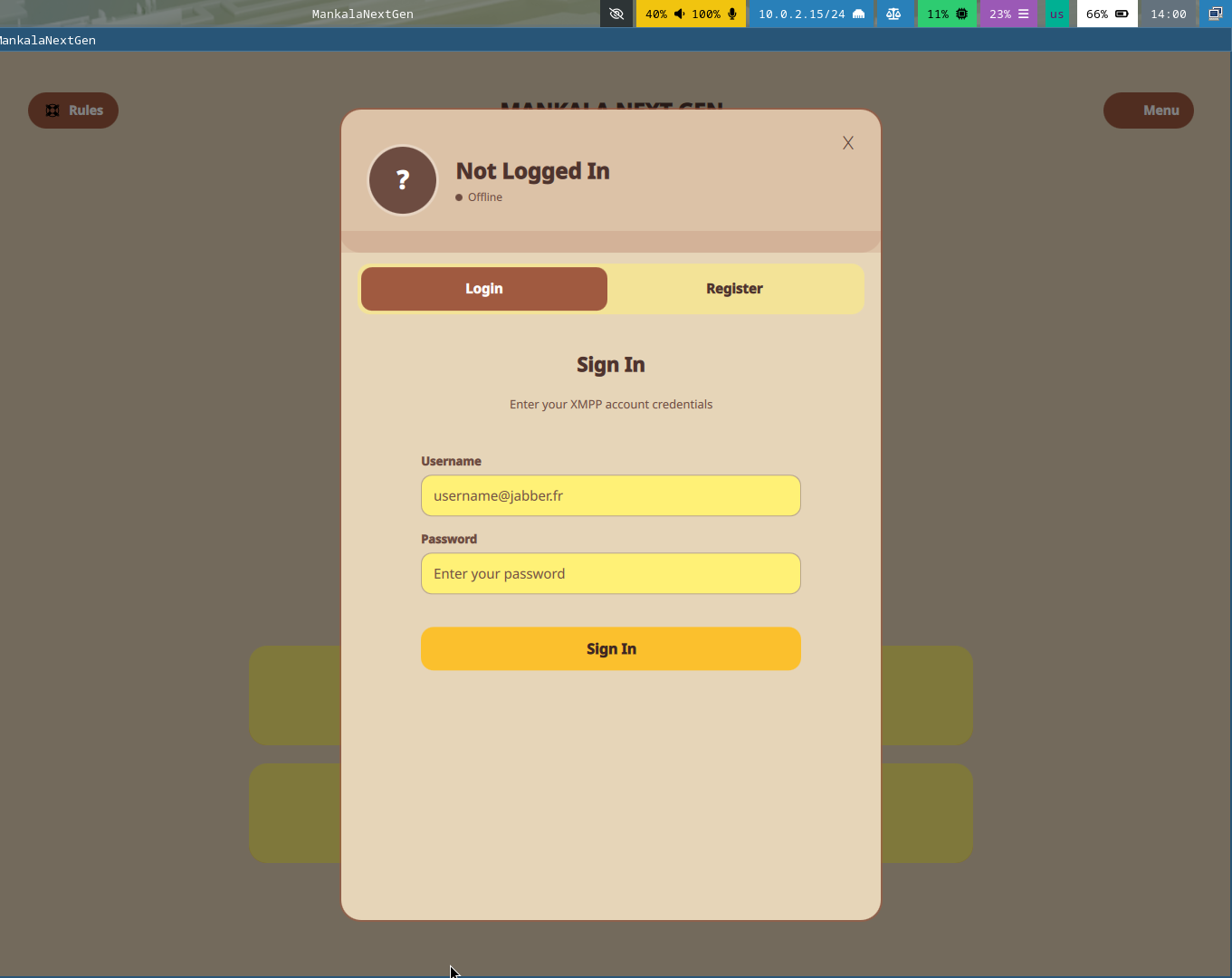
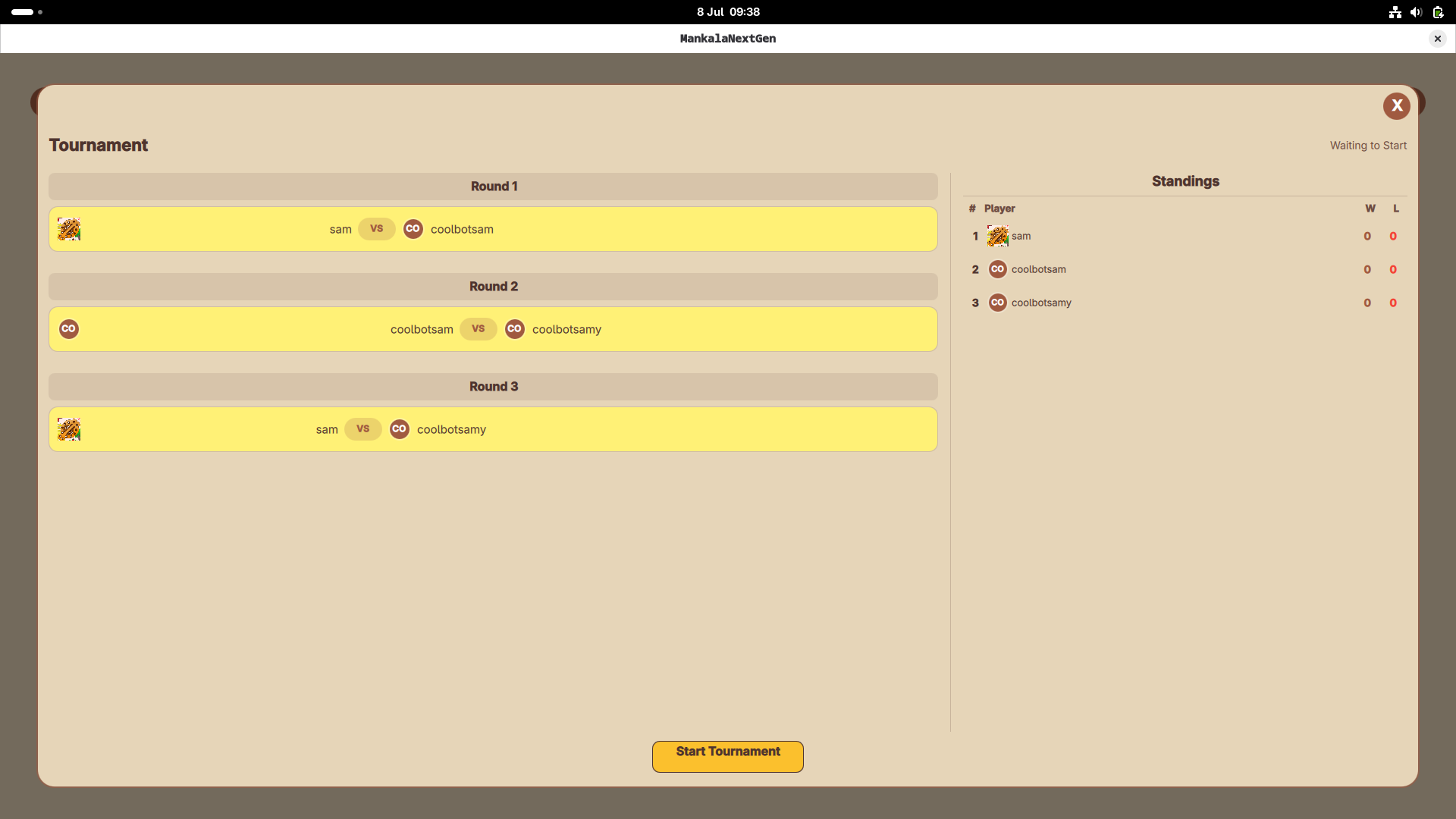
Eight weeks ago, I wrote an excited post about joining Season of KDE 2026. Now, as the program wraps up, it's time to look back at what we built. My project had two goals: make the Mankala AI smarter using parallelism, and give the game a visual refresh. Both are done. What Got Built Digital Assets…
During FOSDEM this year, I met a group of very cool people that put together events about Open Source Design. They invited me to participate this year.
The topic was similar to my talk during FOSDEM, but with a twist on the soft skills needed to complete the creation of a new design system for Plasma.
The conference is only one day. Something really cool they did was to have something like BoF (Birds of a Feather) sessions during the afternoon slot before my talk. We had the opportunity to discuss important aspects proposed by the attendees around design and making your way into the field.
Germany, Berlin. FOSS Backstage Design 2026 – Community, Management and Compliance. 18.03.2026 Photo Jan Michalko
Since I was representing KDE in this project, I brought my newly-acquired tshirt from FOSDEM!
The experience was great. Everyone was awesome and even met up with new contributors to the VDG. Comments from after my talk were very positive and I look forward to participating in even more events of this nature.
Design System Update
At this time, the design system keeps evolving. I have gone back to rework some application icons. After reviewing the current designs and consulting with team members, the consensus is that they should be simpler, more approachable. I have made some concepts that I will keep exploring going forward.
Additional to that, new tokens have been created. We now have shadow tokens, and I have applied them to all the components that I can think of. They have replaced manually-created shadows from the previous time.
Radius and spacing tokens now need to also make their way into the components. Unfortunately, Penpot is struggling today on creating new tokens. I will wait for an update. However, the work involves going through out component buttons and applying foundational spacing tokens to the sides and inner spaces for the components.
While this might be long, it is easy. The spacing numbers are already in the component. My part is to create all the spacing components, locate the margin or padding number I see today in buttons, find the base component, and apply the spacing tokens.
I am also closely following up on Penpot’s new beta, hopefully coming out soon, with their new rendering engine.
I have also connected the Penpot team with our LAS (Linux App Summit) event and hopefully they can attend.
More to come!
If you’re interested in participating in this effort and have some awesome design and integration skills, join us!
This week several new features landed, in addition to a number of user interface improvements and some nice performance improvements and bug fixes. Check ‘em out:
Notable new features
Plasma 6.7
For each additional time zone you add to the Digital Clock widget, it now also shows how far forward or behind that time zone is compared to yours. (Nate Graham, plasma-workspace MR #6417)
If you disable the feature to invoke KRunner by typing on the desktop, instead typing on the desktop invokes “type-ahead”, which allows selecting files by typing the first letter or two of their names. (Guillermo Steren, KDE Bugzilla #427961)
You can now reverse the ordering of items in the System Tray widget. (Nathaniel Krebs, KDE Bugzilla #517016)
Notable UI improvements
Plasma 6.7
Discover now sorts app lists by number of reviews by default, resulting in vastly more relevant results while browsing rather than searching. The old rating-based sorting method is still available, of course. (Nate Graham, discover MR #1274)
Discover now filters out non-apps from its home page, preventing death spirals of negativity where people would leave 1-star reviews saying they were broken (not being launchable apps, the “Launch” button wouldn’t work), causing them to move up higher in the list. (Nate Graham, discover MR #1287)
System Settings and KWin now consistently use the word “pointer” to refer to the mouse/touchpad pointer. (Philipp Kiemle, plasma-workspace MR #6425 and kwin MR #8982)
Screen un-dimming is now faster than dimming, since un-dimming would mean you’re ready to use the system again. (Kai Uwe Broulik, kwin MR #8963)
The currently-active task in a grouped task tooltip now has bold text, to help you pick it out. (Christoph Wolk, KDE Bugzilla #516278)
Labels for Bluetooth devices in the System Tray widget have been re-arranged so that you can always see the battery level no matter how long the device name is. (Kai Uwe Broulik, KDE Bugzilla #515090)
The Global Menu widget’s menu highlights are now rounded consistently with the highlights for other menus. (Akseli Lahtinen, libplasma MR #1459)
You can now set a modifier key all on its own to focus a Plasma panel. (Christoph Wolk, plasma-desktop MR #3547)
Plasma’s panel configuration window now only offers opacity settings if the active Plasma style supports it. (Filip Fila, KDE Bugzilla #516042)
Notable bug fixes
Plasma 6.5.6
Fixed a bug that distorted the image on certain vertically-oriented monitors while displaying the Plasma Login Manager. (Anton Gobulev, KDE Bugzilla #517409)
Plasma 6.6.3
Fixed a case where KWin could crash after changing the Zoom effect’s settings in certain specific ways. (Ritchie Frodomar, KDE Bugzilla #517073)
Fixed a few cases where KDE’s printing management system could crash due to faulty information from printers about their ink levels. (Mike Noe, print-manager MR #311)
The tooltip for the Refresh button in Discover’s Updates section no longer says “F5 (QQuickShortcut(gobbledygook))”, fixing an unexpected side-effect of a recent KDE Frameworks update. (Akseli Lahtinen, KDE Bugzilla #516392)
Plasma 6.6.4
Fixed an issue that made the “bounce keys” accessibility feature break key repeat in the Brave browser. (Ritchie Frodomar, KDE Bugzilla #513268)
In the shortcut conflict dialog opened by System Settings’ Shortcuts page, the “Re-assign” action now works. (Dávid Bácskay-Nagy, KDE Bugzilla #471370)
Made the update count in Discover’s notifications more accurate. (Akseli Lahtinen, discover MR #1284)
Reduced CPU and GPU load for full-screen windows (also known as “direct scan-out”) on screens without the pointer on them. (Xaver Hugl, KDE Bugzilla #516808)
Plasma 6.7
Added support for “3D LUTs” in KWin, which reduces resource usage on GPUs that support color pipelines in hardware. (Xaver Hugl, kwin MR #8475)
The Networks widget now only fetches network speed information while that information is visible. (Ser Freedman, plasma-nm MR #544)
Stopped creating unnecessary OpenGL contexts for apps that don’t use OpenGL, which reduces their memory usage by 10-15 MB or more per app and also speeds up launch times. (Vlad Zahorodnii, plasma-integration MR #209)
Qt 6.10.3
Fixed an issue that broke HDR support while using the Vulkan renderer on certain hardware. (Joshua Goins, Qt patch #711621)
How you can help
KDE has become important in the world, and your time and contributions have helped us get there. As we grow, we need your support to keep KDE sustainable.
Would you like to help put together this weekly report? Introduce yourself in the Matrix room and join the team!
Beyond that, you can help KDE by directly getting involved in any other projects. Donating time is actually more impactful than donating money. Each contributor makes a huge difference in KDE — you are not a number or a cog in a machine! You don’t have to be a programmer, either; many other opportunities exist.
You can also help out by making a donation! This helps cover operational costs, salaries, travel expenses for contributors, and in general just keeps KDE bringing Free Software to the world.
To get a new Plasma feature or a bug fix mentioned here
Last week we released version 1.5 of Marknote, a fast and free
alternative to existing slow and pay-walled note-taking apps. Today we announce a release that fixes some issues and improves a few things across the app.
So here is a list of the most notable changes and improvements:
Pasting text in Source mode no longer clears document content.
Pasting images from clipboard works really well too.
Find and replace text shortcuts are brought back.
Note names are now properly elided.
Markdown syntax highlighter is added to the Source mode.
Code blocks now have their own background.
Items in the Table of Contents will follow active paragraphs.
Edit button is shown in compact mode (for when the format bar is hidden).
Fullscreen mode is brought back for those who need full immersion
(Ctrl+Shift+F on Linux or Alt+Enter on Windows).
The KRunner plugin now works pretty well inside Flatpak.
Single note loading is much faster now.
We optimized image loading and reduced video memory usage by almost
50%.
The future is bright
To address some of the questions since the last release:
Yes, code blocks will have proper highlighting in upcoming versions (please
keep in mind that we don't have the staff of a large enterprise company, and
we probably don't need one either ;)).
Yes again, quotes and some embedded content types are planned to be added too.
Yes once more, cross-platform support is set to be improved. We will release
stable versions for all the major platforms once they get through proper
testing.
And one more thing: the all-new and shiny block editor is a work in progress,
and it will be done when it's done™.
Thank you all
Thanks to everyone for making Marknote your software of choice. We will make sure to keep Marknote up and running at lightning speed for everyone. As always, you can get the latest version of the app via Flatpak, Snapcraft or your favorite package manager. Stay tuned!
Hey there! I'm Vishesh Srivastava, and this is the full write-up for my SoK 2026 project: adding Appium-based UI tests to Lokalize.
So what's Lokalize?
It's KDE's translation tool - the app translators use to work with PO files and manage translation projects. It already had unit tests, but no UI tests. So the goal of this project was to setup a UI testing framework using Appium.
The first task: Bug 514468
Before Appium work started, my first task was Bug 514468. The issue was that copyright year strings in PO headers could become very long, like:
I was asked to write a failing test first, so I added a placeholder simplifyYearString function and wrote a unit test for the expected collapsed output. At first it was pushed with QEXPECT_FAIL, since the actual implementation was meant to be done separately.
This was small compared to the main project, but it helped me get comfortable with setting up KDE's build system and how tests are added to Lokalize.
Building the Appium setup from scratch
Lokalize had no Appium setup at all, so this part started from zero.
The first tests were simple:
simple_open.py just opens Lokalize and closes it
file_open.py opens the File menu and checks that the open dialog path works
workflowtest.py simulates an actual translator workflow
That last one was the main test I was aiming for. It opens a .po file with untranslated entries, types translations into the editor, uses "Approve and Go Next", checks that the UI updates properly, verifies the status bar reaches Not ready: 0, and finally saves the file.
That made it a proper end-to-end test.
Problem encountered in the last test
Appium depends on accessibility information to find and interact with widgets. Lokalize's editor fields did not expose accessibility ids for Appium to call them (found using accessibilityinspector).
So I had to make changes in editorview.cpp to add object names and accessible names to the widgets. Without that, the test scripts could open the app and click menus, but they were basically blind when it came to the translation editor.
Other KDE apps with Appium tests, like Dolphin and KCalc, had tests which used these and were useful references here.
Below is a demo of this working:
Making it run with the rest of the test suite
The next step was integrating the Appium tests into CMake so they could run as part of Lokalize's normal test flow.
I added an appiumtests/CMakeLists.txt and a BUILD_APPIUM_TESTS option, so the tests can be enabled and run through the normal KDE tooling:
That was important because UI tests are much less useful if they live outside the project's regular test workflow. The BUILD_APPIUM_TESTS option was kept because it was not advised to run Appium tests in the CI/CD.
Another issue: Making the tests independent of the local user setup
One issue was that on opening, Lokalize asked for a name and email address which I was earlier typing manually. This was undesired since tests had to be run without user intervention.
So I added a file test_support.py, that creates a temporary config directory, writes a minimal lokalizerc, and launches Lokalize with that isolated configuration. That way the tests do not depend on my own existing settings or require any user input.
I also reused that helper across the test files so they stopped repeating the same Appium setup code again and again.
Writing a failing bug test
After the main workflow test, I also added another Appium test for a real UI bug: after closing a project, translational tab menus should become disabled.
This test is in project_close.py. It opens a project, closes it, and then checks that menus like Edit, Go, and Sync are disabled.
Fixing how the tests are executed
At first, the Appium tests were being discovered and registered individually in CMake. The next task was to run them from a single run_all.py runner. Now all the tests use a single KWin instance like they do in other projects like Dolphin.
This also makes writing new tests simpler since adding a test just means adding a new line in the run_all.py. So instead of CMake looping over every Python file, it now calls the runner once.
There was also one annoying issue here: --run-tests was reporting success even when one of the Appium tests had failed when run manually. Because of that, I had to return sys.exit(1) explicitly from the runner when the test result was not successful. Without that, the tests looked successful even after failing.
Below is a demo of this working:
Outcomes achieved
By the end of the project, Lokalize had:
a working Appium test setup
basic tests for startup and opening files
a full workflow test covering translation editing and saving
helper files to make tests cleaner and independent of local user config
integration into the normal test system through CMake
a single test runner file
documentation on how to run/write tests.
Final thoughts
This was a really enjoyable project. I got to work on Appium testing, the KDE build system, and a bit of bug hunting.
Many thanks to Finley Watson for his guidance throughout the project and for helping whenever I got stuck.
The best part for me is that the work is extendible. New Appium tests can be added without rebuilding the whole setup from scratch, which was the main point of the project in the first place.
Falkon Connect: Architecting a XMPP & WebXDC Bridge from Scratch Computers and networks are faster than ever, yet modern communication software is increasingly bloated, centralized, and locked behind walled gardens like WhatsApp, Slack, or Discord.
The second and third betas for Krita 5.3.0/6.0.0 have been released, with the final release drawing near. There was also a hotfix stable release, 5.2.16, to fix a regression causing problems with HEIF files.
Read on for a look at development news and the Krita-Artists forum's featured artwork from last month.
Development Report
5.2.16 Hotfix Release
This release contains exactly two regression fixes: some HEIF files not loading properly (bug), and the Move Tool movement shortcuts not working until clicking the canvas (bug).
The Krita Manual has been updated with all the new features in 5.3.0, thanks to the efforts of manual writer Wolthera and others.
Having trouble figuring something out? The friendly documentation is there to guide you in multiple languages, thanks to the ongoing work of all the translators!
Second and Third Betas for 5.3.0/6.0.0 Released
The second beta and third beta for 5.3.0/6.0.0 were released, with many bug-fixes and a look at the new splash screen artwork by Tyson Tan.
Thanks to everyone who tested! The beta period is at an end with the final release right around the corner, but you can keep testing the latest nightly builds (found at the bottom of this post), and keep reporting bugs!
Fixes in Beta 2
Zoom In/Out to Cursor is the default canvas input zoom again, and Zoom In/Out to Center is the alternatively configurable action. (bug; change by Carsten)
Qt6 Fixes
Some Krita 6 bugs were caused using an outdated version of Qt6. As updating Qt would cause too many issues before the final release, Dmitry backported the fixes to our version.
On Windows, Krita won't crash when news is enabled (bug; change) and menus won't instantly close when using a stylus with WinTab (bug 1, bug 2; change).
On Linux with Wayland, issues with incorrect stylus cursor position (bug 1, bug 2; change 1, change 2), wrong cursor shape (change), and shortcut keys being auto-repeated (bug; change) are fixed.
The Help menu's Report Bug item is back, so don't be shy to report bugs! (bug; change by Luna)
Fixes in Beta 3
File Layers now allow Inherit Alpha and Layer Styles (change), .kra files used as File Layers now use their color profiles (bug; change), and renaming File, Filter, and Generator Layers is now undoable (bug; change), all thanks to Dmitry.
Agata fixed some regressions. Tools that auto-scroll when dragged to the edge of the canvas, such as the Selection tools, no longer scroll too much when zoomed in (bugchange); Liquify Transform Masks no longer appear different than before (bug; change), plus the new Comics Panel Editing Tool no longer affects text (rather than turning characters into blocks) (bug; change)
On Android, a saving issue where the file is claimed to be unwritable was fixed by Carsten (change).
On Linux with X11/XWayland, there have been reports of Krita 6 running at a low framerate. The fix for this is to switch the OpenGL interface from GLX to EGL. This switch needs testing, so please read the EGL backend testing thread on how to do that and leave some feedback on whether it works or not.
Fixes in the Upcoming Final Release
Crashes were fixed when making a new vector layer after switching to a session (bug; change by Wolthera), converting the only layer of a group into a selection mask (bug; change by Dmitry), or on startup after removing a bundle containing tags. (change by Carsten)
More issues loading and saving HEIF images were fixed (bug; change 1, change 2 by Dmitry).
The Selection Actions Bar was fixed by Luna and Carsten to work with stylus or touch again, and have the right colors. (change 1, change 2; change 3)
More fixes to the Comic Panel Editing Tool by Agata (change): Only cut shapes the cut goes all the way through. Remove shapes that are small enough to be inside the cut gap. Work properly when using Shift for a straight line and putting the cursor on the end of the line. Don't add to the undo stack when nothing happened. The buttons and options have explanatory tooltips now (CCbug; change 1, change 2).
Krita 6 no longer crashes when loading window layouts. (bug; change by Gregg Jansen van Vuren)
On Linux with Wayland, pasting images with multiple sources in the clipboard no longer crashes. (bug; change by Luna)
Krita 6 on Windows no longer crashes when trying to open the background color selector. (bug; change by Dmitry)
A regression in beta 3 that broke translations on Android and Krita 6 has been fixed by Carsten and Freya (bug; change 1, change 2).
Missing translations in Krita 6 were fixed by Dmitry and Ivan (change 1, change 2).
Translations for some standard menu items such as 'New File' or 'About Krita' were also fixed for all versions. (bug; change by Dmitry)
The G'MIC plugin has been updated by Ivan to version 3.7.2 (change) and a crash when using the 'Layers Blend [Seamless]' filter was also fixed by Carsten (bug, change).
Text
The usual plethora of text fixes by Wolthera:
In the Text Properties Docker, Line Height property is now visible by default (change) and the dropdowns are touch-scrollable (change by Carsten). The Style Presets preview now shows properly in paragraph mode (bug; change).
The Text Tool won't modify hidden or locked layers (bug; change). Rendering issues when undoing/redoing text modifications have been fixed (bug; change 1, change 2).
Text-on-path now works properly with RTL and end-anchors (change). Gradients are properly positioned on text-in-shape (change), and flow-text-in-shape only happens for filled shapes (change). Text-on-path can't also be inside a shape (bug; change).
Instead of crashing when loading a font on startup fails, a fallback font is loaded (bug; change). Try harder to load some fonts (CCbug; change 1, change 2).
And Even More!
If that wasn't enough bugfixes for you, there's even more listed in the "Additional Changes" section near the bottom of this post.
Roadmap Revealed
The next major release is almost here! But the work to improve Krita never ends, so the development team got together to decide their next priorities.
Read the 2026 Krita Roadmap post to find out what problems the team wants to address after 5.3/6.0.
Krita is free to use and modify, but it can only exist with the contributions of the community. A small sponsored team alongside volunteer programmers, artists, writers, testers, translators, and more from across the world keep development going.
If this software has value to you, consider donating to the Krita Development Fund. Or Get Involved and put your skills to use making Krita and its community better!
Dockers: Palette: Don't scroll the palette view when the foreground color changes with select nearest palette color on. (change by Carsten Hartenfels)
Android: Fix the UI font being too big with the Enable HiDPI setting disabled. (bug; change by Carsten Hartenfels)
Android: Fix the Add Style Preset dialog being a white box. (bug; change by Carsten Hartenfels)
Android: Go back to the previous way of working around the window not updating when first opening an image. (bug; change by Carsten Hartenfels)
Linux Wayland: Fix a crash when running with --nosplash. (change by Dmitry Kazakov)
Python Plugins: Batch Exporter: Fix script error when exporting. (bug; change by Freya Lupen)
Qt6: Fix line-edits having an unreadable placeholder text color. (bug; change by Freya Lupen)
Qt6 macOS: Fix the SVG Text Editor's background always using macOS style. (change by Freya Lupen)
5.3.0/6.0.0 Beta 3 (Stable pre-release):
Selection Tools: Improve Selection Actions Bar. Switch between light and dark icons. Show the cursor when hovering over it. (change by Luna Lovecraft)
Text Tool: Make sure text selection highlight is synced to changes. (bug; change by Wolthera van Hövell)
Text Tool: Fix double ends being drawn in type setting mode. (change by Wolthera van Hövell)
Text: Avoid crash by testing bounds for cursor pos. (change by Wolthera van Hövell)
Type Setting Mode: Don't maintain pos when there's no selection. (change by Wolthera van Hövell)
File Formats: PNG: Fix the 'Assume sRGB' setting to actually use sRGB for PNG images without a color profile. (bug; change by Dmitry Kazakov)
Input Profiles: Bind mouse button 6 to Eraser Mode in the Krita Default input profile and Eraser Preset in the other default profiles. Bind middle-click on Android to mouse button 6. (change 1change 2 by Carsten Hartenfels)
Bundle Creator: Fix thumbnails of selected resources to not be blank in thumbnails view mode. (bug; change by Dmitry Kazakov)
Plugins: Workflow Buttons: Fix settings button not being visible. (bug; change by Timothée Giet)
Scripting: Avoid crashing if another version of PyQt is on Python's search path, by removing its containing folder (which may contain other modules) from the search path. This also adds a new script function, 'pykrita.qt_major_version()'. (bug; change by Freya Lupen)
Qt6 Dockers: Specific Color Selector: Fix saturation and value/lightness not updating in HSV/HSL mode. (bug; change by Freya Lupen)
Linux Wayland: Fix deploying Wayland client-side-decoration (change by Dmitry Kazakov)
Linux Wayland: Fix error when opening Settings on compositors without the 'wp_color_manager_v1' extension. (change by Luna Lovecraft)
Linux: Make sure Dr.Konqi has a bugreport address (bug; change by Dmitry Kazakov)
Linux Wayland: Fix the Pop-up Palette's docker config dialog not appearing. (bug; change by Luna Lovecraft)
Krita Plus (Stable, 5.3.0/6.0.0):
Tools: Make non-mouse multi-clicks in tools such as Crop and Polyline work. (bug 1, bug 2; change by Carsten Hartenfels)
Freehand Brush Tool: Improve Pixel Smoothing mode and fix it to work with sensor dynamics. (change by Carsten Hartenfels)
Crop Tool: Show negative coordinates in grow mode, snap to the canvas bounds when not in grow mode. (change by Luna Lovecraft)
Comics Panel Editing Tool: Fix the last edge being missing when merging shapes by removing a gutter. (change, by Agata Cacko)
Pasting: Fix missing colorspace with Paste into New Image with a selection. (bug; change by Luna Lovecraft)
Layer Stack: When switching to a mask with a shortcut, show its name in the floating message instead of its parent layer's. (bug; change by Dmitry Kazakov)
Resources: Fix being able to save resources that are inside a subfolder into a document. (bug; change by Dmitry Kazakov)
Palettes: Save modifications to palettes saved in documents. (change by Mike Will)
Palettes: Make the 'Default' palette the default in the FG/BG color selector. (bug; change by Dmitry Kazakov)
Touch Input: Don't touch paint when multiple fingers were down. (bug; change by Carsten Hartenfels)
Touch Input: Disable pointless long-press on the FG/BG color selector. (change by Carsten Hartenfels)
Text Properties Docker: Fix right-clicking slider-spinboxes selecting the text label instead of only the value. (bug; change by Luna Lovecraft)
General: Speed up start-up by making the Text Properties Docker load color theme faster. (change by Carsten Hartenfels)
Krita Next (Unstable, 5.4.0/6.1.0-prealpha):
Pop-up Palette: Add option to not rotate the triangular color selector; 'Settings->Pop-up Palette->Fix sRGB Triangle Selector Rotation'. (change by Dat Le)
Scripting: Add brushFade get/set to the View class. (change by Aqaao Aqaao)
Toolbox Docker: Add horizontal layout and compact mode (remove separators) options to the context menu. (change by Mike Will)
Nightly Builds
These pre-release versions of Krita are built every day.
Note that there are currently no Qt6 builds for Android.
Test out the upcoming Stable release in Krita Plus (5.3.0/6.0.0-prealpha): Linux Qt6Qt5 — Windows Qt6Qt5 — macOS Qt6Qt5 — Android arm64 Qt5 – Android arm32 Qt5 – Android x86_64 Qt5
Or test out the latest Experimental features in Krita Next (5.4.0/6.1.0-prealpha). Feedback and bug reports are appreciated!: Linux Qt6Qt5 — Windows Qt6Qt5 — macOS Qt6Qt5 — Android arm64 Qt5 – Android arm32 Qt5 – Android x86_64 Qt5