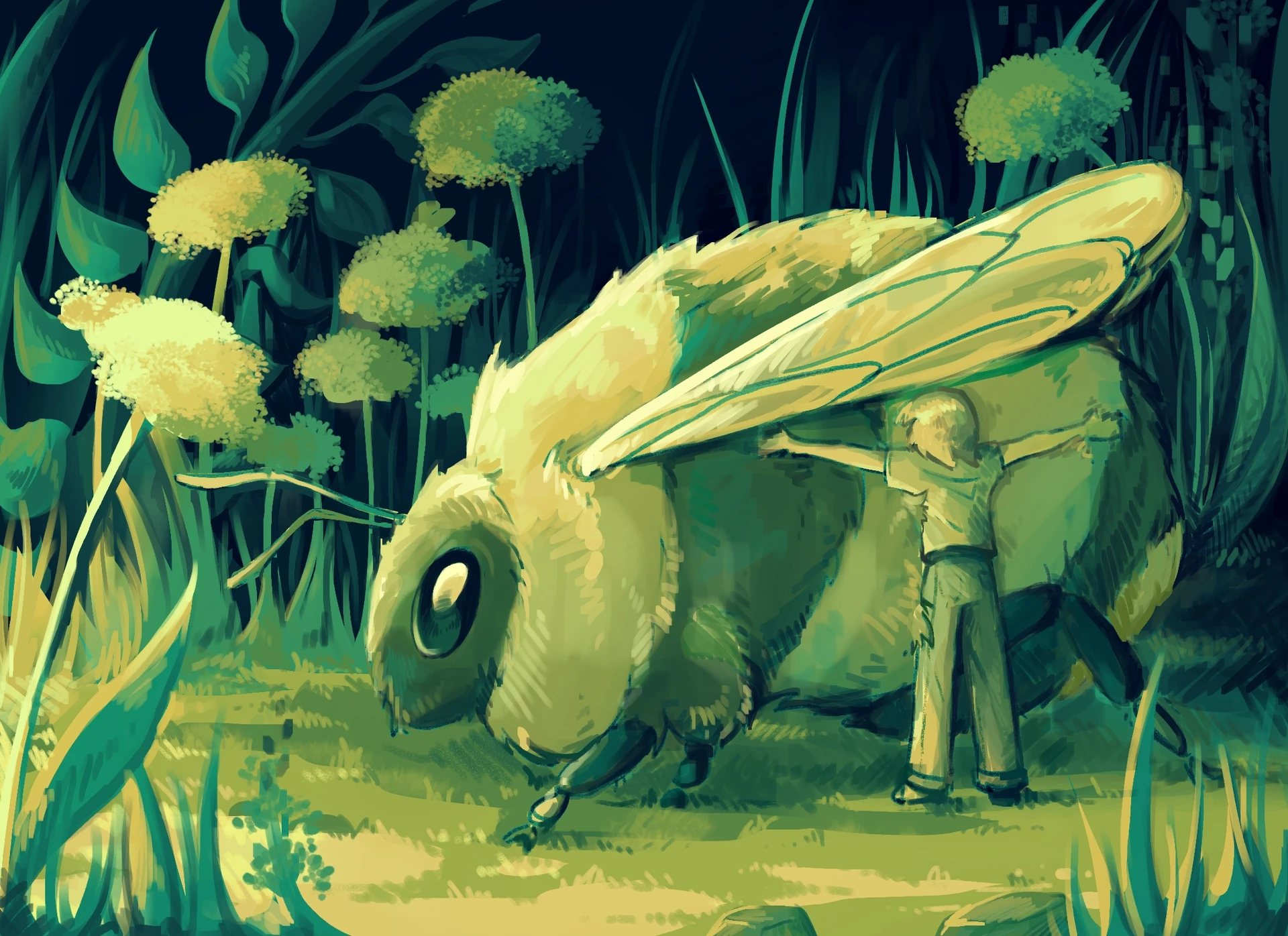
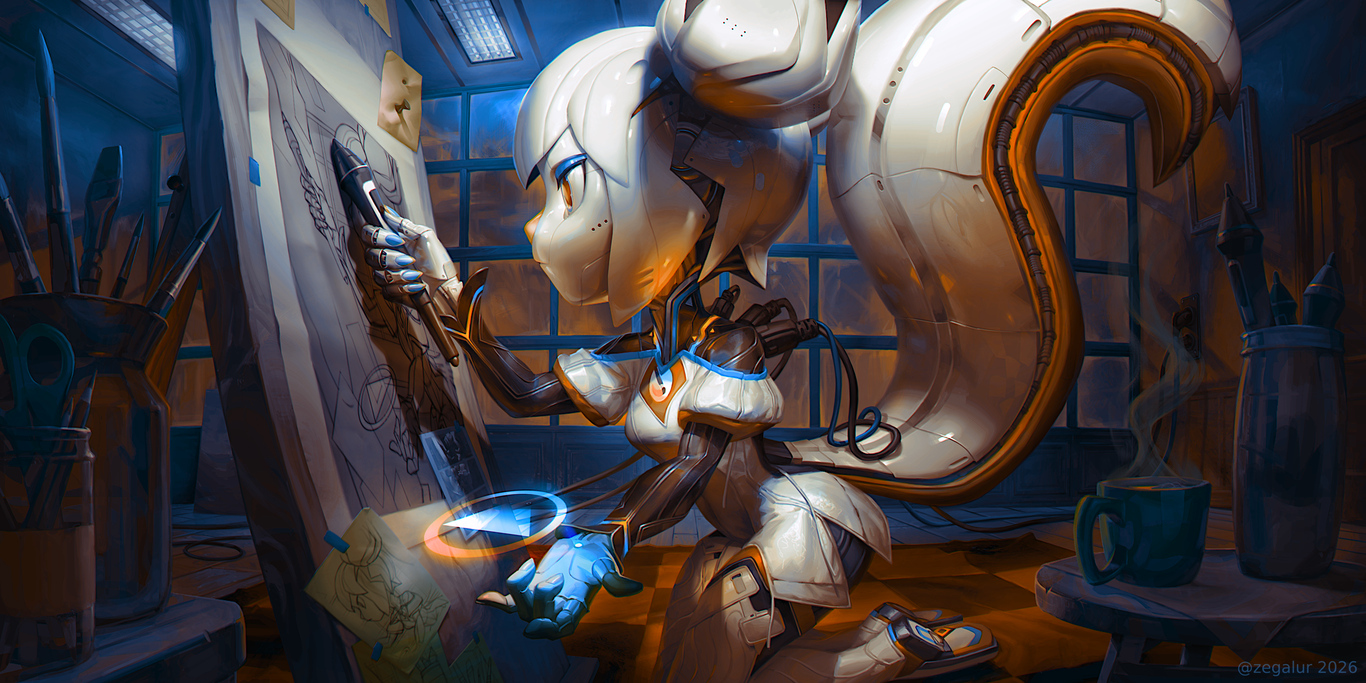
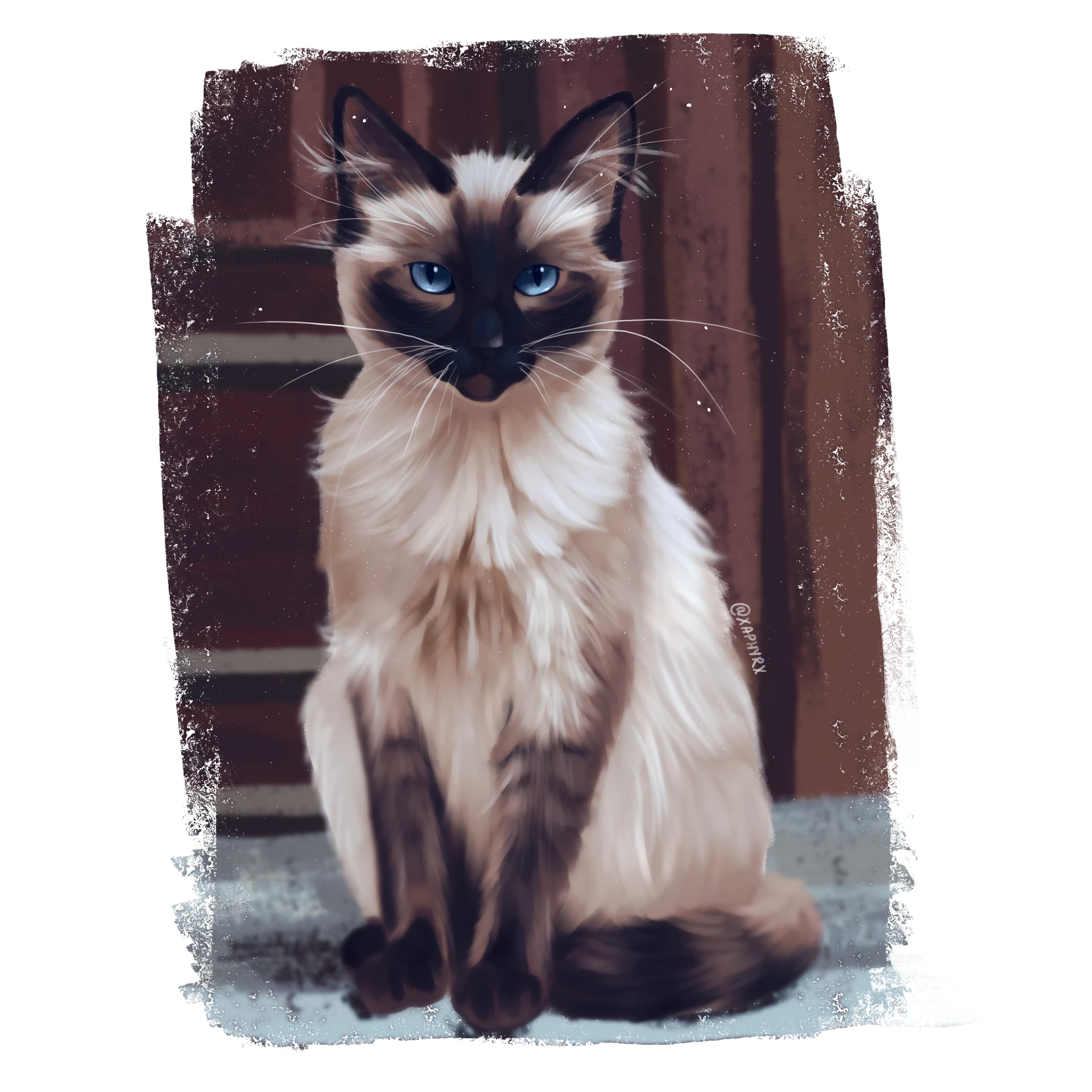
Over the last few weeks me and Pravin Kumar have been filling in some of the gaps in the icon set. There are still quite a few missing icons around the place, but slowly Oxygen is becoming a bit more complete again.
Its fun revisiting this old project after all these years. Sometimes I find myself looking at old icons wondering what younger me was thinking. Sometimes the answer is "not much"or, the answer is "way too much"..
Either way, Oxygen continues to grow.
Talking about fun...
I've also been spending some time investigating QML styling and themeing. And in this case not because i have immediate plans do this, but mostly because i am curious about what is possible and where the limitations actually are.
One thing I learned over the years is that there is often a large gap between what a toolkit "officially" allows and what a sufficiently stubborn designer can get away with
Some of the ideas are probably completely unreasonable. Some not so much
Which usually means they are worth exploring.
I've been experimenting with possible directions for O² and thinking about how a future visual language could work. And this that im doing now is more of an exploration on the range rgther than what it actualy look slike
Nothing concrete yet.
Mostly experiments. Questions. Terrible ideas. Possibly a few good ones hidden among them.
If things continue to move forward we (via KDAB) probably make a video showing some of these investigations, experiments and concepts. Sometimes its easier to explain visual ideas by showing them instead of writing walls of text about them.
So stay tuned
And as always... if you are using Oxygen, thank you.
Its nice seeing that this old project still has a few new stories to tell.
Since the previous report
two month ago, Itinerary got support for booking URLs, a newer foundation
for its Android packages, and more detailed shared vehicle information.
New Features
Booking URLs
Some public transport services provide booking deep links together with their journey search results.
That is, you can directly book the journey you have just searched in Itinerary or KTrip on the provider website, without having
to search for the same journey again there. Both apps provide that option when available now.
Booking link on a train journey.
Infrastructure Work
GBFS v3 support
The handling of shared vehicles in KPublicTransport recevied a rework to properly
support the much more detailed modelling of vehicle types in newer GBFS versions. Since the early
versions of GBFS this has evolved from a simple enum to a complex type describing all kinds of properties of the
available vehicles.
As practically all systems supporting rental vehicles for first/last mile routing (OpenTripPlanner,
MOTIS, etc)
are based on the GBFS datamodel, being limited to an oversimplified set of fixed types was increasingly getting into the
way and prevented using newer features of those backends.
Qt 6.11 upgrade for Android
There has been a long overdue update of the Qt version used for KDE’s Android apps. As noted previously this unfortunately
means losing support for Android versions 8 and below. ARM32 builds have been discontinued in the process as well,
assuming that devices capable of running Android 9 or higher would also be able to run ARM64 code.
There have also been various other fixes related to the Android platform integration:
Notification interaction works properly again.
Notification icons are now handled more in line of what Android does.
Several issues related to safe area margins (ie. rounded screen corners and display cutouts) in
Kirigami haven been fixed.
All of this also benefits all of KDE’s Android apps.
IATA SSIM flight schedules
Air France/KLM published their current flight schedule
as open data, in IATA SSIM format.
A newly built tool allows to convert
that into a GTFS feed that Transitous can then consume,
using Wikidata to provide translated airport and airline information.
Flight data isn’t new in Transitous, but this dataset is particularly interesting given its size. It’s not limited to Air France/KLM themselves,
but also includes all (?) flights from their partner airlines. In total it’s nearly 400.000 flight patterns to almost 1.000 different airports.
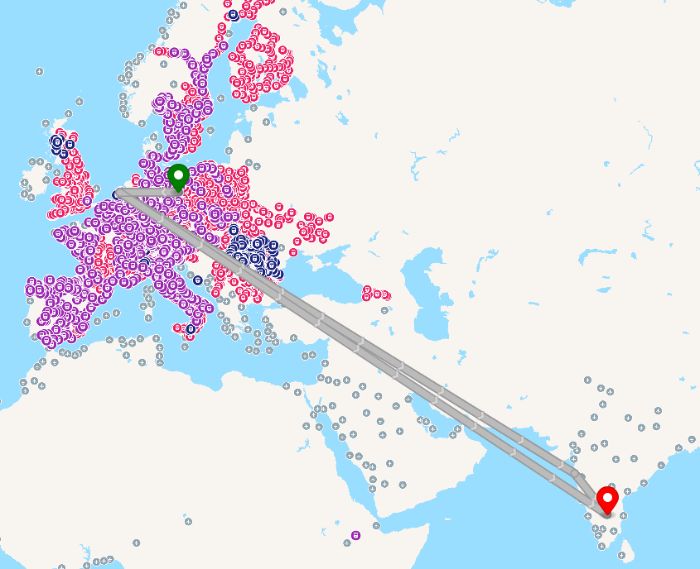
That essentially connects all currently disconnected public transport “islands” we have in Transitous.
Flight from BER to BLR.
The good news is that it’s holding up to that without a loss in performance, and door-to-door routing
from e.g. Berlin to Tokyo actually works.
However, there’s a couple of reasons this isn’t rolled out yet and only available on the test instance:
As with the already existing flight data, connectivity between flights and ground transportation is tricky.
I’ve written about this
years ago already, applying the same approach helps here as well. Additionally,
we get terminal information in the SSIM data in some cases, which further improves this, especially at very large airports.
We have no way yet to model check-in times in MOTIS, resulting in unrealistic transfer times from ground transportation to flights.
It’s on the roadmap there, and also needed for services like Eurostar, or to model security checks at e.g. the Barcelona Sants station.
As a side-effect of that the router also finds clever tricks to bypass minimum transfer times between flights.
Inter-terminal transfers don’t seem to work reliably, probably because OSM routing doesn’t yield viable connections
there. Unlike for railway stations in many countries, airport internals are unfortunately rarely mapped in detail in OSM yet.
For more details see also the discussion in PR 2090.
Events
Registration for this year’s Open Transport Community Conference in October in Bern, Switzerland, opened
a few days ago. That’s as close as it gets to an Itinerary conference. If you are interested in attending
better sign up quickly, many tickets were already gone after the first day.
Fixes & Improvements
Travel document extractor
Added or improved travel document extractors for Condor and monbus.es.
This has been made possible thanks to your travel document donations!
Public transport data
Improved parsing of trip and route names in OpenTripPlanner responses (bug 519906).
Adapted to Deutsche Bahn journey query API changes, fixing missing departure and arrival times there.
Added support for wheelchair accessibility information from MOTIS.
Added support for querying free-floating rental vehicles from Entur.
Removed accidental apostrophe in front of flags in the country selector.
Fixed Itinerary showing an empty page when opening a file with it on a fresh installation.
Fixed barcode scan mode on Android.
Added support for Matrix SSO login.
Fixed arrival platform display in journey search results.
Show calendar icons/colors when available.
Don’t load all reservation data when initializing the grouped statistics model.
This improved performance of the first access to the My Data page.
Be slightly more clever when to clear seat reservation from alternatives.
How you can help
Feedback and travel document samples are very much welcome, as are all other forms of contributions.
Feel free to join us in the KDE Itinerary Matrix channel.
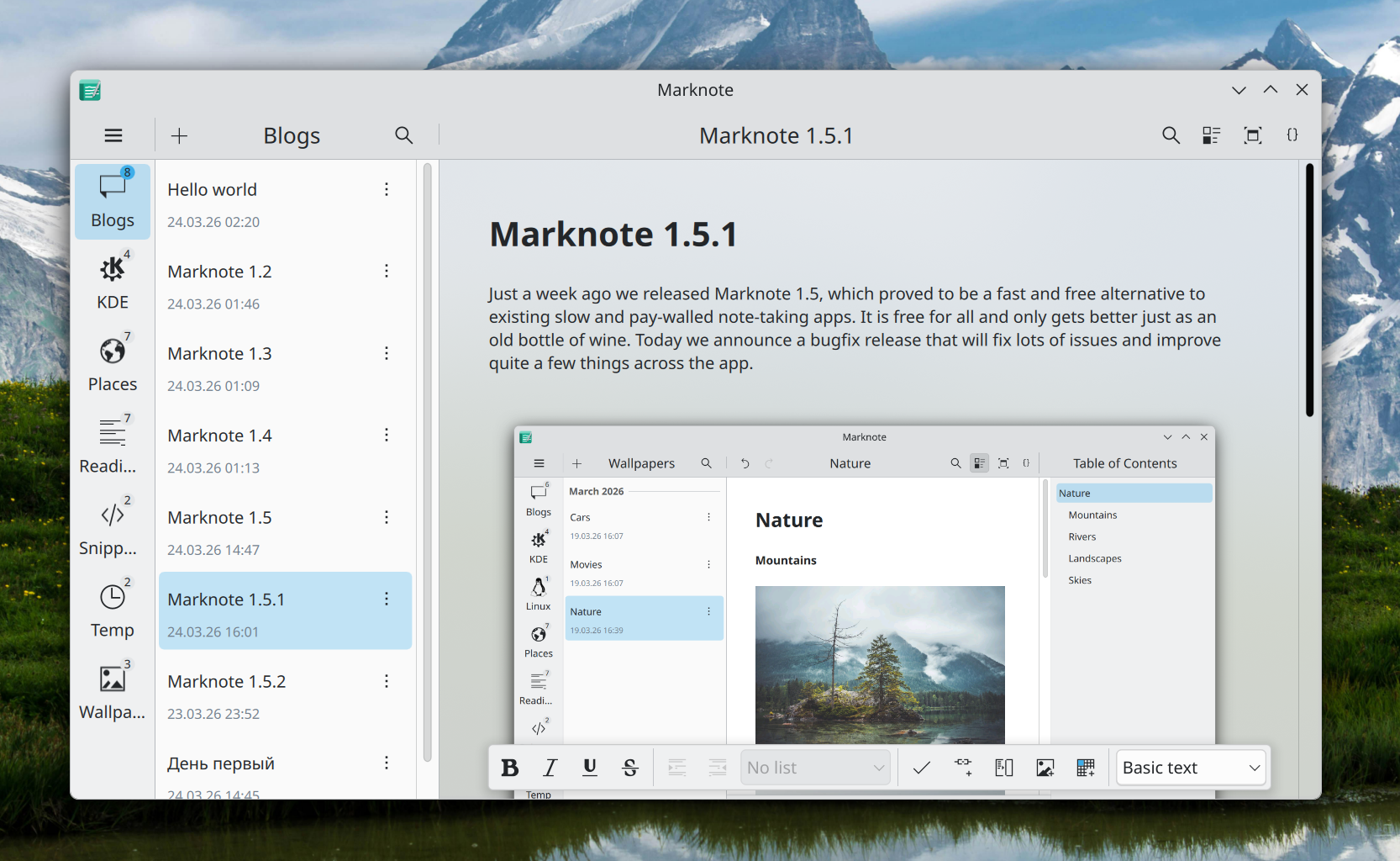
After a few months of development, Marknote 1.6.0 is out!
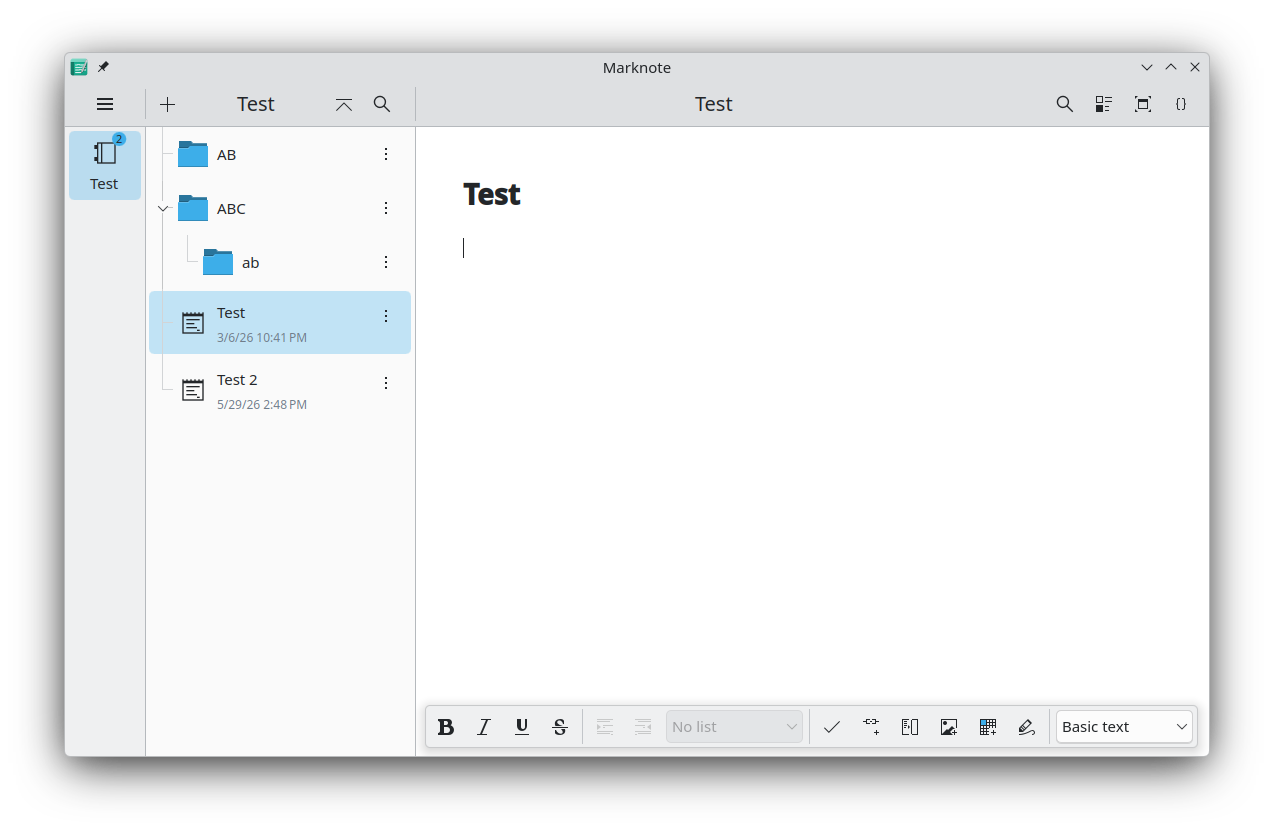
This release is packed with new features. First of all, sub-folders are finally supported. This allows you to better organize your notes. This feature is still very new and at the moment, we don’t support creating these sub-folders in Marknote and you will need to create them in Dolphin or your preferred file manager. But we are planning to improve this further in future releases. Each notebook now also displays how many notes are stored inside.
Another big new change is that the command bar exposed by Marknote, now allows you to search for notes across all your notebooks.
If you feel fancy, we also added an optional background blur effect for the editor similar to what is also available in other KDE apps like NeoChat.
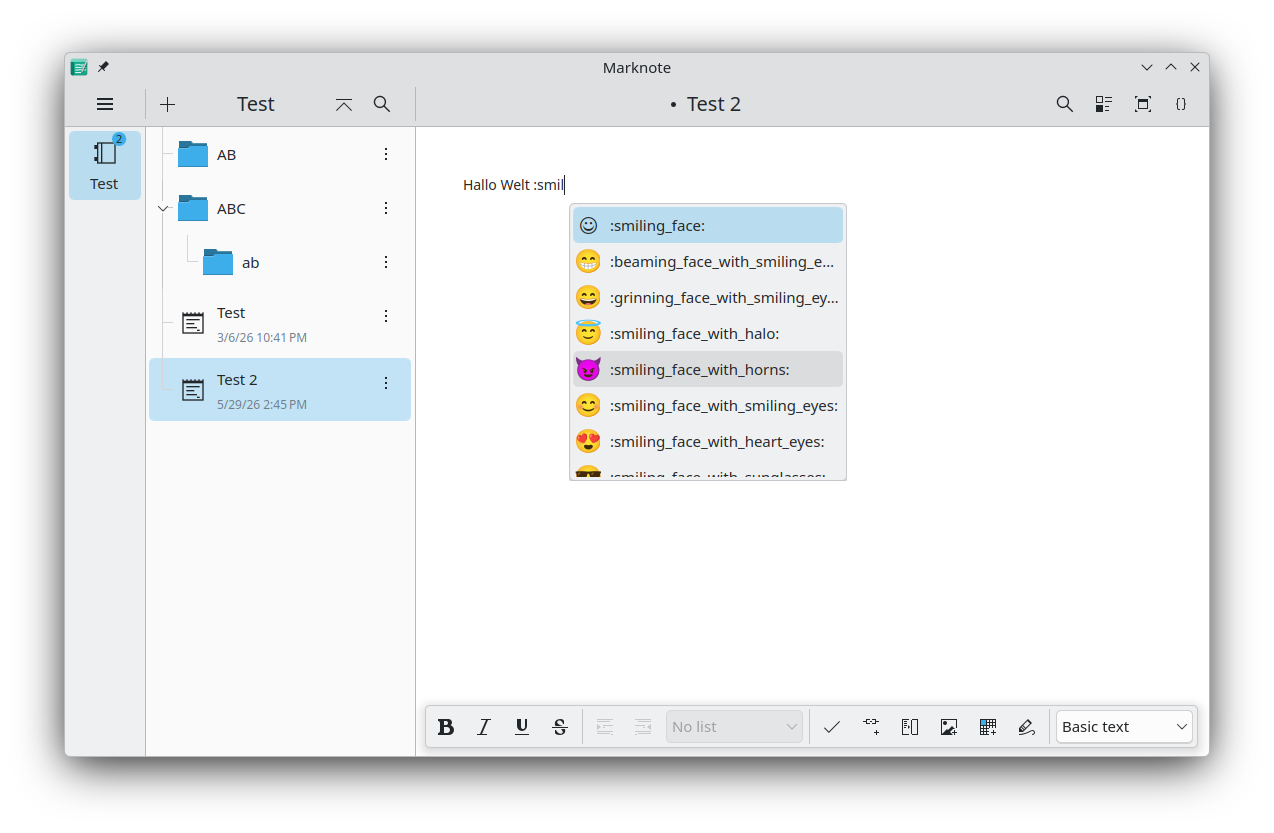
Finally, we made it easier to add emojis to your notes by adding emoji completions to the text editor.
This release also fixes various minor bugs; contains small refactoring and improves the state of the translations.
The SPDX Cryptographic Algorithm List keeps growing. New cryptoClass values, a structured docs folder, PQC as a new property, and SCANOSS as our first user-contributor. Here is what happened in the past months.
The community bonding period is over, and coding started, so this feels like the right moment for a first blog post. I'm contributing to KeepSecret this summer as part of GSoC 2026, working on single-wallet UX and page navigation architecture.
What I did during community bonding:
->Close/dismiss button for entry detail panel
Before the Community Bonding Period:
Resolving three issues:
!17 (focus the search field when the Search action is triggered),
!18 (fix the "New Entry" dialog title, which was incorrectly saying "Create New Item") and
!20 (hides the sidebar when only one wallet exists, worked on the five layout states and cover edge cases like narrow windows with multiple wallets, single-wallet with an item open, and all three pages visible at once).
Week 1 plan:
This week, I'm working on Import/export: study existing wallet data structures in KeepSecret. Define file format and design the export flow.
Port KeepSecret's actions to the new org.kde.kirigami.actioncollection API from kirigami-app-components. This wasn't in the original proposal but it's a good addition, suggested by my mentor, notmart (Marco Martin) — it means users will be able to configure keyboard shortcuts for actions like "New Wallet" and "New Entry" through a standard KDE dialog.
More updates next week. The code is at invent.kde.org/utilities/keepsecret
Today we're releasing Krita 5.3.2 and 6.0.2. This release fixes a number of issues with the text tool, and improves the Selection Action Panel significantly. Furthermore, Android now handles resource copying in the background, preventing a common crash on startup. In addition to that, many more bugfixes were made, including some by new contributors!
Fix conversion of layers names passed to GMic (Bug 517975)
Fix reversal of the layers when importing .kra as layers (Bug 514760)
Fix font selection in qt6 and improve font dropdown.(Bug 515548)
Fix text not getting selected when created on a normal layer (Bug 516006)
Make keyframe selection change layer selection.
Fix text shape not handling whitespace chars properly.
Fix KisAnimationRenderingOptions not loading frameExportConfig.
Several fixes for RGBE file loading.
Check for export status of every animation frame and error out on QFile::copy failure, Improve KisAnimationRender error handling (Thanks, Raidon Chrome).
Add a Selection Action Panel toggle to the selection tool options docker.
Android: Copy assets without blocking main thread. This could take so long that Android thinks the application is not responding and prompts the user to terminate it.
Several fixes to testing whether the file can be created when saving a document.
Switch base image to Clang 21 on Windows.
Fix number of pixels in A1 paper preset (Thanks, Ming-Chuan Lin).
Add a context menu to the Selection Action Panel, and add these to the global menu bar too.
fix segfault in PSD COS parser (Thanks, Arimil).
Fix word selection when there's hard breaks present (Bug 518338).
Create a qquickwidget based popup for handling popups with qquickwidgets, to improve the look and feel of the font dropdown.
Fix freeze on opening a hi-dpi image with a vector layer (Bug 519785)
Text: avoid potential assert when checking the text type.
Text: fix a bunch of potential array index crashes by using a dedicated function.
Don't move line origin if Alt is held at start (this interferes with users binding the Alt key to the line tool quick switch).
Fix saving the title element on paths correctly. This broke some symbol libraries (Bug 520345).
Check out the release notes for a full overview of all the new features in Krita 5.3 and 6.0.
⚠️ Warning
A particularly annoying set of bugs with the layer docker crept in. We're releasing a fix as soon as possible. We recommend waiting for the fix.
⚠️ Warning
One again, we consider Krita 5.3.2 suitable for productive work; 6.0.2 is, because of the many changes from Qt5 to Qt6 more experimental.
Download 5.3.2
Windows
If you're using the portable zip files, just open the zip file in Explorer and drag the folder somewhere convenient, then double-click on the Krita icon in the folder. This will not impact an installed version of Krita, though it will share your settings and custom resources with your regular installed version of Krita. For reporting crashes, also get the debug symbols folder.
For source archives, please download one of the 6.0.2 archives and build with Qt5.
Download 6.0.2
Windows
If you're using the portable zip files, just open the zip file in Explorer and drag the folder somewhere convenient, then double-click on the Krita icon in the folder. This will not impact an installed version of Krita, though it will share your settings and custom resources with your regular installed version of Krita. For reporting crashes, also get the debug symbols folder.
Krita 5.3.2/6.0.2 is here. Read on for a look at development news and the Krita-Artists forum's featured artwork from last month.
Development Report
Krita 5.3.2/6.0.2 Released
Krita 5.3.2/6.0.2 was released, containing various bugfixes and improvements from the nearly two months since 5.3.1/6.0.1.
Fixes Since Last Month
In the Text Properties docker there are now buttons to toggle Bold and Italic next to the Font Style chooser, toggling italics with Ctrl+I works properly the first time, and an issue where some fonts wouldn't allow choosing Regular style was fixed (bug; CCbug; change).
A freeze on opening a high PPI image with a vector layer was fixed, as well as the image progress bar getting stuck (bug; change 1, change 2).
Developments in the Unstable Builds
In Krita Next, the Selection Tools now have a tool option to Move Selected Content by dragging the inside of a selection. (wishbug; change by Ricky Ringler)
Wolthera has made some improvements to the Wide Gamut Color Selector. L*a*b* and YCbCr are converted to LCh (lightness, chroma, hue) instead of directly using their channels, meaning they are now able to map properly to the HSV-based selector layouts (change). Additionally, the static hue edge option is now implemented for when hue is shown in a bar instead of a ring (change).
Krita is free to use and modify, but it can only exist with the contributions of the community. A small sponsored team alongside volunteer programmers, artists, writers, testers, translators, and more from across the world keep development going.
If this software has value to you, consider donating to the Krita Development Fund. Or Get Involved and put your skills to use making Krita and its community better!
Additional Changes
Krita Plus (Stable, 5.3.2/6.0.2):
Preset Image Sizes: Correct the A1 at 300ppi preset to be 7016x9933px instead of 7008x9933, and the A1 600ppi preset to be 14031x19866px instead of 7008x11811. (change by Ming-Chuan Lin)
File Formats: PSD: Fix a crash in text parsing. (change by Arimil)
Text: Fix detection of hard breaks as a word boundary when selecting words. (bug; change by Wolthera van Hövell)
SVG: Fix symbol libraries with title elements being mis-positioned when drag-and-dropped. (bug; change by Wolthera van Hövell)
Transform Tool: Fix Warp transform preview being empty until modifying the transform. (bug, bug; change by Ivan Valenzuela)
Line Tool: Don't move line origin when Alt is held at start of a line, only afterward. If the Activate Line Tool canvas input was assigned to Alt+Left Click, it would start off moving an empty line. (change by Carsten Hartenfels)
Selection Actions Bar: Add actions to disable or configure the Selection Actions Bar to the Select menu and a right-click context menu on the bar itself. (change by Luna Lovecraft)
General: Add icons for the Python plugin import, show log, and calligraphy increase/decrease angle/width actions. (change 1, change 2, change 3 by Arkady Flury)
Android: Fix startup crash on Android 7. (bug; change by Carsten Hartenfels)
Krita Plus (Stable, 5.3.3/6.0.3-prealpha):
File Formats: Avoid crash when export ICC profile has no TRC present, but colorants are. (bug; change by Wolthera van Hövell)
Krita Next (Unstable, 5.4.0/6.1.0-prealpha):
File Formats: PNG: Use 72ppi when a PNG file has undefined resolution, instead of ending up with an undefined number around 60million that crashes Krita when attempting to adjust it. (bug; change by Ivan Yossi)
General: Skip adding empty image updates into the updates queue, to prevent getting stuck if an update area is hugely miscalculated. (CCbug; change by Dmitry Kazakov)
Linux Wayland: Color Management: Add a CIE color diagram to the OS-managed display color management settings. (change by Wolthera van Hövell)
Windows: Fix file type names displayed in File Explorer. (bug; change by Elena Sagalaeva)
Nightly Builds
These pre-release versions of Krita are built every day.
Note that there are currently no Qt6 builds for Android.
Get the latest bugfixes in Stable Krita Plus (5.3.3/6.0.3 prealpha): Linux Qt6Qt5 — Windows Qt6Qt5 — macOS Qt6Qt5 — Android arm64 Qt5 – Android arm32 Qt5 – Android x86_64 Qt5
Or test out the latest Experimental features in Krita Next (5.4.0/6.1.0-prealpha). Feedback and bug reports are appreciated!: Linux Qt6Qt5 — Windows Qt6Qt5 — macOS Qt6Qt5 — Android arm64 Qt5 – Android arm32 Qt5 – Android x86_64 Qt5
I have been tinkering with Helix editor lately since I quite like it.
It's a fun little editor. Can recommend for those who like modal editing. I do not know if it'll ever replace Kate editor for me, but I'm challenging myself to try new tools, just for the fun of it.
With Helix, I've used this git tool called gitu that is rather quick and easy to work with. Though I still use lazygit for more complex tasks.
Main pain point for me has been how to use some of these tools like gitu within Helix. Lazygit could be done with some magic, but I was never really satisfied with it.
I also tried Zellij for terminal multiplexing and running commands between two splits and so on. It was a bit cumbersome to get it to work as I wanted, since Zellij has tons of features I'll never need. This also caused my fingers to get entangled since I had to remember all sorts of shortcuts. Just not for me.
In Konsole terminal, there is a shortcut for splitting views easily and automatically to a fitting size. I use it a bunch. But because I'm lazy, I would have to press the shortcut, go to the other splitview, type the command for other tool, do things and then close commands. I wanted something a bit more automated.
I found that Konsole can be set to allow scripting over dbus commands: Scripting Konsole.
So I made myself a little shell script that I placed in my path: konsole-split.sh!
Here's what it does:
#!/usr/bin/env bash

# In konsole settings, make sure
# - run all konsole windows in single process is disabled
# - enable the security sensitive parts is enabled

if [ $# -eq 0 ]; then
    echo "Command is missing!"
    exit
fi

# Split the view automagically. We can use MainWindow_1 since we have only one process
qdbus6 "$KONSOLE_DBUS_SERVICE" /konsole/MainWindow_1 org.kde.KMainWindow.activateAction split-view-auto >/dev/tty

# Get the session of the current terminal window
CURRENTSESSION=$(qdbus6 "$KONSOLE_DBUS_SERVICE" "$KONSOLE_DBUS_WINDOW" org.kde.konsole.Window.currentSession) >/dev/tty

# Run the given arguments as a command in that session
qdbus6 "$KONSOLE_DBUS_SERVICE" /Sessions/"${CURRENTSESSION}" org.kde.konsole.Session.runCommand "$@" >/dev/tty
It's really simple, but now I can use this in my helix config like this:
[keys.normal."+"]
b = ":sh git log -L %{cursor_line},+1:%{buffer_name}" #This is git log for a line, also useful, kinda like git blame
s = ":sh konsole-split.sh 'exec scooter'" # Scooter is a search and replace in multiple files tool, very handy
g = ":sh konsole-split.sh 'exec gitu'"
In practice, what happens is:
In helix, i press +
Then I select the command, in this case gitu, so g
Konsole splits itself automatically to a comfortable size
It then gets the session of that new split
And runs the gitu command with exec
So if the execution stops/fails, it just closes the split instantly
This works really well for my needs, and I was surprised to see how simple it was to create something like this. I think the error handling when command does not work could be better, but oh well, works for me for now.
Let me know if you do anything similar or have any improvement ideas! :)
We are almost at the end of our community bonding period. It’s been nearly 1 month since GSOC 2026 results, and the time to formulate a proper plan for the future plan of action regarding our project💡
Here is the breakdown of a rough plan of what I want to achieve during these 12 weeks.
(Project Setup and Implementation Plan) 💻
Week 1:
Set up the project environment and go through the implementation of https://kibao.org/
Discuss and plan the changes to be started first based on priority.
Examine ‘main.cpp’ and other game files to understand how the working and how ‘tournaments.cpp’ can be implemented.
Week 2:
Fix the user registration page with options for username and icons.
Design pre-defined selectable icons in ‘Krita’.
Write a blog post about “how to add tournaments”.
Week 3:
Start with ‘tournaments.cpp’ and check if the strings like ‘usernames’ and ‘icons’ can be retrieved from the user pages.
Week 4:
In ‘tournaments.cpp’, make the logic for detecting players online or joining tournaments with ‘room codes’.
Create a Blog post on current progress.
Week 5:
Create a page for users to host and enter tournaments. In the hosted ‘tournament’, allow superusers/organizers to edit rules like number of days, variant type, and number of players.
Week 6:
Filling empty spots with computerized opponents using the same logic as the ‘Play with AI’ option.
Examine and fix matchmaking between the players in tournaments, if the elimination and hierarchy work after elimination.
Week 7:
Design the UI for ‘tournaments.qml’, integrating the logic of the.cpp file.
Week 8:
Make the leaderboard where the winner rankings show up.
Create a Blog post describing the implementation.
Week 9 and 10:
Examine the working and the build after completing the tournaments.cpp and tournaments.qml.
Test and play with others in demo tournaments to get feedback on the working process.
Add Voice chat for users playing the game. (if possible)
Week 11 and 12:
Document the changes made, review the overall codebase, and finalize it for the submission.
I am a C++ engineer who is currently writing code for KDE community for GSoC '26.
My project involves performing "font subsettting" on a PDF rendering library called Poppler which Okular (KDE's Universal PDF Viewer uses).
This site will contain general blogs as well as the official documentation and progress updates on what I did through the whole journey including:
My approach and plan.
The problems I faced and how I solved them.
My thinking process wherever possible.
This is an introductory page to see if the site works correctly. Thanks :D

 pinheiro


 @vkrause:kde.org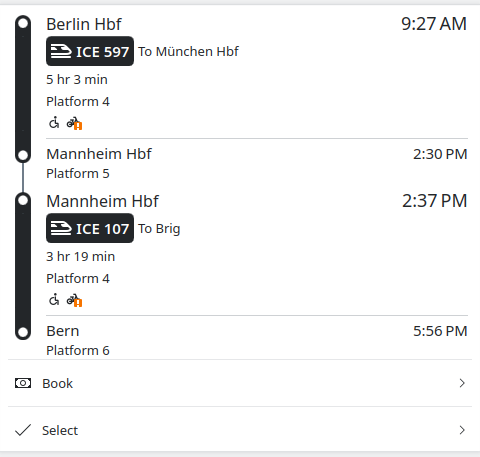

 GSoC
GSoC