Skip to content

Sunday, 26 October 2025

New features in Krita, Calligra Plan ported to Qt6 and a simplified Itinerary UI

Welcome to a new issue of "This Week in KDE Apps"! Every week (or so) we cover as much as possible of what's happening in the world of KDE apps.

Getting back to all that's new in the KDE App scene, let's dig in!

Travel Applications

Last weekend, some of the developers behind Itinerary and KTrip were in Vienna for the first edition of the Open Transport Community Conference, where there were many discussions relevant to Itinerary and Transitous.

KDE Itinerary Digital travel assistant

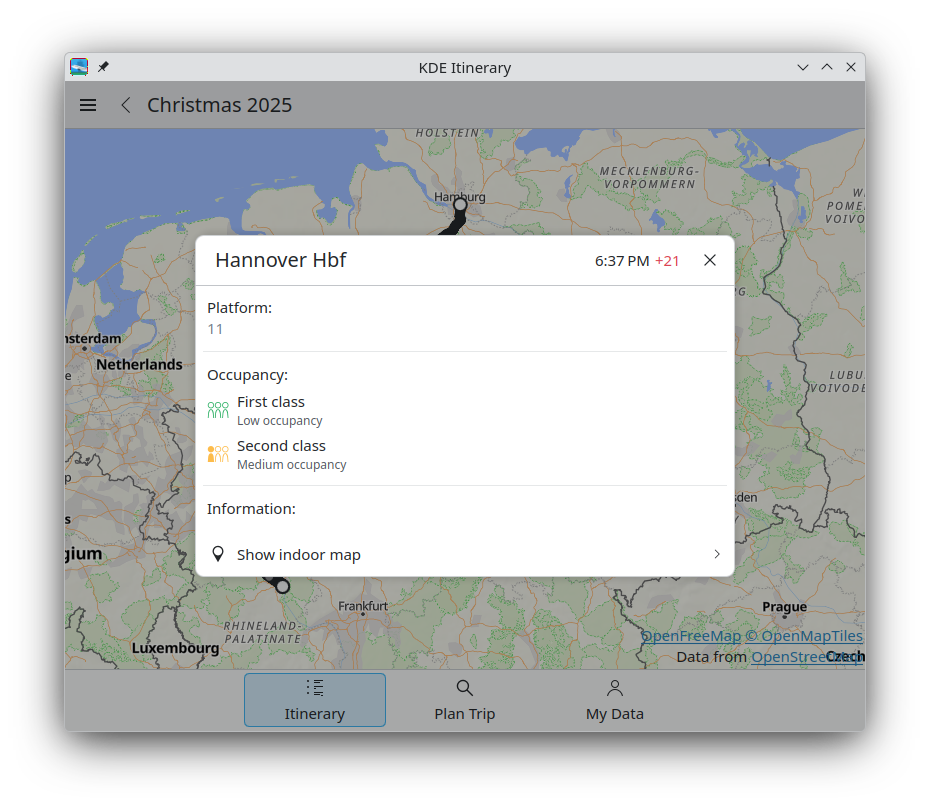
Jonah Brüchert simplified the journey selection by moving the mode of transport selection to a separate page (25.12.0 - link) and by asking for a trip group after selecting a journey (25.12.0 - link).

Jonah also brought back the top-level import action in the trip group list page (25.12.0 - link)

Volker Krause added the altitude information to the live status map when the information is available (25.12.0 - link).

David Pilarčík added 10 new extractors and improved some existing ones (25.12.0 - link)

Joshua Goins made the United extractor more resilient when parsing multi-passenger tickets (25.12.0 - link)

PIM Applications

Volker Krause and Albert Astals Cid fixed some safety issues found by the newly added OSS-Fuzz tests in KMime (25.12.0 - link 1 and link 2).

Office Applications

Plan Project Management

miko53 ported Calligra Plan to Qt6 (link).

Creative Applications

Krita Digital Painting, Creative Freedom

Carsten Hartenfels added a Marker blend mode to Krita, which works like Alpha Darken but properly adheres to channel flags (so it e.g. obeys alpha lock and inherit alpha) and interpolates colors without artifacts. When you use it on a brush in build-up mode, it will only increase opacity up to your stroke's intended opacity but not compound what's on the layer, while the colors get interpolated. It works like Paint Tool SAI's marker tool, hence the name. (link)

Wolthera van Hövell improved the support for loading and saving PSD files and now text, shapes, and guides are supported (link).

Pavel Shlop added the possibility to edit icons for toolbar actions in the toolbar editor (link).

Kdenlive Video editor

Jean-Baptiste Mardelle improved the audio view in the clip monitor (link).

Utilities Applications

KAIChat AI Chat

Laurent Montel released a new version of KAIChat. This version adds tools support, make it possible to download Ollama on Windows and macOS and add some configuration options to some plugins.

Kate Advanced text editor

Waqar Ahmed enabled bracketed paste when piping text to the terminal (link).

KRegexpEditor

Matthias Mailänder fixed some UI elements when using KRegexpEditor with dark mode (link)

System Applications

Dolphin Manage your files

Marco Martin removed some unnecessary animations in Dolphin (25.12.0 - link 1 and link 2)

…And Everything Else

This blog only covers the tip of the iceberg! If you’re hungry for more, check out Nate's blog about Plasma and be sure not to miss his This Week in Plasma series, where every Saturday he covers all the work being put into KDE's Plasma desktop environment.

For a complete overview of what's going on, visit KDE's Planet, where you can find all KDE news unfiltered directly from our contributors.

Get Involved

The KDE organization has become important in the world, and your time and contributions have helped us get there. As we grow, we're going to need your support for KDE to become sustainable.

You can help KDE by becoming an active community member and getting involved. Each contributor makes a huge difference in KDE — you are not a number or a cog in a machine! You don’t have to be a programmer either. There are many things you can do: you can help hunt and confirm bugs, even maybe solve them; contribute designs for wallpapers, web pages, icons and app interfaces; translate messages and menu items into your own language; promote KDE in your local community; and a ton more things.

You can also help us by donating. Any monetary contribution, however small, will help us cover operational costs, salaries, travel expenses for contributors and in general just keep KDE bringing Free Software to the world.

To get your application mentioned here, please ping us in invent or in Matrix.

Saturday, 25 October 2025

Video version:

We’re excited to share a major milestone in the development of the Ocean Design System for the Plasma Desktop! The project is moving away from Figma and fully migrating to the open-source platform Penpot.

This shift was made possible by significant improvements in Penpot, which now supports critical features needed for a robust design system.

The Move to Penpot: Open Source and Component Cleanup

The team begun a clean-up and migration of all design assets into Penpot. We’ve created the Ocean Design Systems Foundations Library, which is the central Penpot file housing all our graphical assets. It contains all the foundational elements of the design system, but now features shared assets.

Progress Highlights in Penpot

Foundations and Shared Component

These are the second level, or more advanced design elements used in ui. Buttons, sliders, progress bars, etc. Using these elements, users are able to actually compose and deliver small UI elements for developers to use.

New Feature: Variants

A massive win for our design process is Penpot’s new support for variants. Variants allow us to group components with different states (e.g., a badge with an icon or an avatar). This makes it incredibly easy to design on the fly—you can drop a component and quickly switch its size, state, and type without having to manually redesign.

Exciting News from Penpot Fest 2025

The recent Penpot Fest brought some fantastic announcements that will further accelerate our work:

  • New Rendering Engine: Penpot is developing a new rendering engine based on Skia and Web Assembly (like what Chrome uses) to dramatically improve performance and speed, especially for math-oriented design work. We’ve already signed up for the beta!
  • Layer Blur and Tokens: They are bringing layer blur into the system and allowing for the creation of more tokens for things like typography and complex multi-layered shadows.
  • Better Shape Control: The new engine also promises better shape control, which is great news as we explore creating our Ocean icons directly in Penpot.

Sharing the Library

We’ve now published the first iterations of our Ocean Design Foundations library. To enable worldwide collaboration, we are periodically exporting the Penpot file and uploading it to our GitLab repository (currently hosted in a personal repo, but moving to a Plasma-backed one soon). This means anyone can clone the repository and work with the same assets we do.

Link here: https://invent.kde.org/abetts/ocean-design

What’s Next?

While these UI elements are not yet live in Plasma, we are preparing for the completion of the Union engine. Our current focus remains on:

  1. Migrating the rest of our assets to Penpot.
  2. Building new application icons to replace the existing colorful ones.

We welcome any open-source designers to join this exciting effort!

Friday, 24 October 2025

Haruna version 1.6.0 is released.


flathub logo

Windows version:

Availability of other package formats depends on your distro and the people who package Haruna.

If you like Haruna then support its development: GitHub Sponsors | Liberapay | PayPal

Feature requests and bugs should be posted on bugs.kde.org, ignoring the bug report template can result in your report being ignored.


Changelog

1.6.0

Known issues

On Windows the Shortcuts and Custom Commands settings pages don't work.

Features

  • added option to resize playlist
  • added an icon for playback action in playlist header
  • moved the action to add a new playlist/tab to the tabbar
  • moved the action to open a playlist in the "Add" action
  • mouse settings: action asssigned to a mouse event can be changed

Bugfixes

  • fixed looping playlist with a single files
  • fixed playlist tabs not being saved
  • fixed renaming playlists right after adding them
  • fixed next/previous buttons being disabled while adding items via dropping in "Add to Playlist" split area
  • fixed play previous action not wrapping from first item in playlist to the last item
  • fixed not being able to add new playlist tab when yt-dlp is not installed
  • added a workaround for file dialogs not receiving key events; escape and arrow key were not working

A little side project I just published is a KSplash theme (the loading screen while logging into a Plasma session) that uses BGRT, the ACPI Boot Graphics Record Table. Basically: a KSplash theme that displays the vendor logo that also your UEFI shows during the boot process.

Plasma startup screen (black full screen) with a red logo, busy indicator, and “Plasma by KDE” tag in the corner
KSplash theme featuring a conspicuous manufacturer logo

I’ve always been looking for a seamless startup experience, back then playing around with various Plymouth themes, login manager themes, KWin effects, and so on. Say what you will about Windows 8 but ever since its release pretty much every x86 desktop system out there boots up with a black screen and a vendor logo in the middle. Many Linux distributions also ship a BGRT Plymouth theme (the boot splash). Fedora if I recall correctly have also been pioneering a flicker-free boot effort. It included various changes to the Linux kernel, drivers, and other parts of the graphics stack to keep the console from briefly showing up or inadvertently clearing the frame buffer anywhere during the boot process and so on.

This KSplash theme is forked off from the upstream Plasma splash screen, including “Plasma by KDE” tagline, but the Plasma logo was replaced by the logo acquired from BGRT. It obviously is mostly meant for systems configured to automatically login. Right now, KWin Wayland starts rendering as soon as it’s ready which typically results in a couple of black frames with a mouse cursor before KSplash is actually up, breaking the illusion. Nevertheless, I wanted to publish this project for posterity for anyone who might find it useful. :) Since it contains C++ to interact with BGRT, it unfortunately cannot just be published on the KDE Store. It is, however, designed with the prospect of becoming an official part of Plasma in mind, should we want this.

Thursday, 23 October 2025

In preparation for, and at the 2025 display next hackfest, I did a bunch of hacking on using more driver features for improved efficiency and performance. Since then, I polished up the results a lot more, held a talk about this at XDC 2025 and most of the improvements are merged and now released with Plasma 6.5. Let’s dive into the details!

Using more planes

The atomic drm/kms API exposes three important objects to the compositor:

  • connectors, which simply represent the connection to the display. In most cases there’s one per connected display
  • CRTCs, which roughly represent the machinery generating the data stream that’s sent to a display
  • planes, that are used to define which buffers are composed in which way to create the image on a given CRTC. There’s three types, primary, cursor and overlay planes

When trying to drive a display, the compositor needs to put buffers on at least one primary plane, connect it to a CRTC, connect that to a connector, and then do an atomic test to find out if that configuration can actually work. If the configuration doesn’t work, because of hardware or driver restrictions, the compositor needs to fall back to a different (usually simpler) one.

Up to Plasma 6.4, KWin (mostly1) only used primary and cursor planes. Using the GPU, it composited all the windows, decorations and co. into one buffer for the primary plane, and the cursor into another buffer for the cursor plane. Whenever the cursor plane wasn’t available or the configuration using it didn’t work, it would fall back to compositing the cursor on the primary plane instead (which is usually called a “software cursor”).

Why even use multiple planes?

While compositing everything with the GPU allows for fancy features, color management, blur, wobbly windows and more, it does require the GPU to process lots of data. Depending on the hardware, this may be somewhat slow or incredibly fast, but it always takes some amount of time, and often uses a lot of power.

By using a plane for the cursor for example, when you move it, the compositor doesn’t have to re-render the screen, but it can just set the new cursor position on the hardware plane, which basically immediately changes the image that’s sent to the screen - reducing both latency and power usage.

In other cases we don’t really care about latency so much, but power usage is more important. The best situation is possible with video playback: If the application uses hardware decoding and passes the decoded video to the compositor unmodified, it can put the video directly on a plane, and the rest of the GPU can completely turn off! This already works in fullscreen, but with more planes we could do it for windowed mode as well.

So now you know why we want it, but getting there was a longer story…

Preparing the backend

Our drm backend had a relatively simple view of how to drive a display:

  • every output had one primary and one cursor layer, with matching getters in the render backend API
  • this layer wasn’t really attached to a specific plane. Even if your hardware didn’t have actual cursor planes, you’d still get a cursor layer!
  • when rendering, we adjusted to the properties of the actually used plane, and rejected rendering layers without planes
  • when presenting to the display, the code made assumptions about which planes need which features

This was quite limiting. I refactored the backend to instead create a layer for each plane when assigning a plane to an output, have a list of layers for each output, and treat all of them nearly exactly the same. The only difference between the layers is now that we expose information about how the compositor should use them, which is mostly just passing through KMS properties, like the plane type, size limitations and supported buffer formats.

Last but not least, I changed the backend to assign all overlay planes whenever there’s only one output. This meant that we could use overlay planes in the most important case - a single laptop or phone display - without having to deal with the problems that appear with multiple screens. This restriction will be lifted at some later point in time.

Preparing compositor and scene

The next step was to generalize cursor rendering - compositor and scene both had a bunch of code specifically just about the cursor, listening to the cursor image and position changing and rendering it in a special way, even though it was really just another Item, just like every window decoration or Wayland surface. I fixed that by adding the cursor item to the normal scene, and adding a way for the compositor to hide it from the scene when rendering for a specific output. This allowed me to adjust the compositing code to only care about item properties, which could then be reused for different things than the cursor.

As the last cursor change, I split updating the cursor into rendering the buffer and updating its position. The former could and should be synchronized with the rest of the scene, just like other overlays, but the latter needs to be updated asynchronously for the lowest possible latency and to keep it responsive while the GPU is busy. With that done, the main compositing loop could use primary and cursor planes in a rather generic way and was nearly ready for overlays.

Putting things on overlays

The main problem that remained was selecting what to put on the overlay planes that are available. There are some restrictions for what we can (currently) put on an overlay:

  • the item needs to use a dmabuf, a hardware accelerated buffer on the GPU
  • the item needs to be completely unobstructed
  • the item can’t be currently modified by any KWin effect

To keep things simple and predictable, I decided to just make KWin go through the list of items from top to bottom, take note of which areas are obstructed already, and find items that match the criteria and get updated frequently (20fps ore more). If there are more frequently updated items than planes, we just composite everything with the GPU.

Last but not least, we do a single atomic test commit with that configuration. If the driver accepts it, we go ahead with it, but if it fails, we drop all overlays and composite them on the GPU instead. Maybe at some point in the future we’ll optimize this further, but the main goal right now is to save power, and if we have to use the GPU anyways, we’re not going to save a lot of power by merely using it a little bit less.

Putting things on underlays

The concept of underlays is quite similar to using overlay planes, just instead of putting them above the scene, you put them below. In order to still see the item, we paint a transparent hole in the scene where the item would normally be.

This is especially useful whenever there is something on top of the item that isn’t updating as frequently. The best example for that is a video player with subtitles on top - the video updates for example 60 times a second, but the subtiles only once every few seconds, so we can skip rendering most of the time.

There isn’t really that much more to say about underlays - the algorithm for picking items to put on overlays needed some minor adjustments to also deal with underlays at the same time, and we needed to watch out for the primary plane to have enough alpha bits for semi-transparent things (like window shadows) to look good, but overall the implementaiton was pretty simple, once we had overlay plane support in place.

The result however is quite a big change: Instead of getting an overlay in some special cases, KWin can now use planes in nearly all situations. This includes the newly introduced server-side corner rounding in Plasma 6.5! We simply render the transparent hole with rounded corners, and we can still put the window on an underlay with that.

There is one thing that did not land in time for Plasma 6.5 however: The current algorithm for underlays only works on AMD, because amdgpu allows to put overlay planes below the primary one. I have an implementation that works around this by just putting the scene on an overlay plane, and the underlay item on the primary plane, but it required too many changes to still merge it in time for Plasma 6.5.

Required changes in applications

Most applications don’t really need to change anything: They use the GPU for rendering the window, and usually just use one surface. If the entire window is getting re-rendered anyways, like in the case of games, putting the surface on an overlay or underlay is quite simple.

There are however some situations in which applications can do a lot to help with efficiency. If you’re not already using the GPU for everything, you’ll want to put the quickly updating parts of the app on a subsurface. For example, mpv’s dmabuf-wayland backend puts

  • the video background on one surface with a black single pixel buffer
  • the video on separate surface
  • playback controls and subtitles on another separate surface

which is the absolute best case, where we can basically always put the video on an underlay. If the video is also hardware decoded, this can save a lot of power, as the GPU can be completely turned off.

You also want to support fractional scaling properly; while some hardware in many situations is fine with scaling buffers to a different size on the screen, there are sometimes hardware restrictions on how much or even if it can scale buffers.

Using drm color pipelines

The described overlay and underlay improvements are great… but have one big flaw: If presenting the Wayland surface requires color transformations, we have to fall back to compositing everything on the GPU.

Luckily, most GPU hardware can do some color operations on the planes. The API for those color operations has been worked on for a long time, and I implemented support for it in KWin. With the relevant kernel patches, KMS exposes color pipelines - each a list of color operations, like a 3x4 matrix or per-channel 1D and 3D lookup tables, which the compositor can program in whatever way it wants. Every time we attempt to put an item on a hardware plane, we also attempt to match the required color transform to the color pipeline.

With the patchset for that, on my AMD laptop I can open an HDR video in mpv, and even if the video has subtitles, is partially covered by another window and the screen is SDR, the video is presented correctly without the GPU being involved!

How much does it really help?

Now the most interesting part: How much power does this actually save in the long run? I did some measurements with all the patches put together.

To test this, I played each video on a Framework 13 at 50% display brightness, with “Extended Dynamic Range” enabled and the keyboard backlight turned off, and recorded the power usage from the sysfs interfaces for battery voltage and current. The results you see in the table are the averages of 15 minutes of video playback, so the numbers should be pretty reliable.

On the application side, I used YouTube videos in Firefox with gfx.wayland.hdr enabled. As YouTube didn’t allow me to play HDR videos for some reason, I used mpv with the dmabuf-wayland backend to play back a local video instead.

Videowithout overlayswith overlays
4k SDR in Firefox13.3W11.5W
1080p SDR in Firefox11W9.6W
4k HDR in mpv13.4W12.4W

Or in terms of (estimated) battery life:

Videowithout overlayswith overlays
4k SDR in Firefox4.6h5.3h
1080p SDR in Firefox5.5h6.4h
4k HDR in mpv4.6h4.9h

As a reference for these numbers, the laptop being completely idle with the same setup uses about 4.5W, which equals about 13.5 hours of battery life. So while this is a good start, I think there’s still a lot of space to improve. At XDC this year I was told that we may be able to do something about it on the application side by using the hardware decoder more efficiently; I’ll do another run of measurements whenever that happens.

When can I start to use this?

Due to various driver issues when trying to use overlays, like slow atomic tests on AMD as well as display freezes on some AMD and NVidia GPUs, this feature is still off by default.

However, if you want to experiment anyways or attempt to fix the drivers, starting from Plasma 6.5, you can set the KWIN_USE_OVERLAYS environment variable to enable the feature anyways. If you test it, please report your findings! If there’s problems in the drivers, we’d like to know and have bug reports for the GPU vendors of course, but also if things work well that would be nice to hear :)

When we can enable it by default isn’t quite clear yet, but I hope to be able to enable it by default on some drivers in Plasma 6.6.


  1. If there was no cursor plane, it was able pick an overlay plane instead, but that was it. 

Recently, I’ve worked on making certain “less obvious” system settings more accessible for Plasma Mobile users. The modules I’ve worked on fall just outside the typical mobile phone use-case, but can be important to users of other types of devices. Specifically, users that plug in or connect a keyboard once in a while and need to change its layout or language, or devices that are connected using an ethernet cable, as often is the case with embedded industrial devices.

Mobile keyboard settings
Wired network settings

These two settings module offer a subset of their “desktop companions'” settings and cater to simpler use-cases while sporting a leaner and more focused user interface. Most of the business logic and the more complex UI components are also shared with the desktop versions.

Reviewers needed!

The merge requests for both are currently under review and I’d appreciate if people could help ironing out issues so we can go ahead and merge the code:

Update: Both modules have been merged and will ship as part of Plasma 6.6.

Tuesday, 21 October 2025

This is the release schedule the release team agreed on

  https://community.kde.org/Schedules/KDE_Gear_25.12_Schedule

Dependency freeze is in around 2 weeks (November 6) and feature freeze one 
after that. Get your stuff ready! 

Sunday, 19 October 2025

digiKam 8.8.0 Running Under Linux to Preview HEIF Images

Dear digiKam fans and users,

After four months of active development, bug triage, and feature integration, the digiKam team is proud to announce the stable release of digiKam 8.8.0. This version delivers significant improvements in performance, stability, and user experience, with a particular focus on image processing, color management, and workflow efficiency.

The digiKam team remains committed to providing a powerful, open-source digital photo management solution, continuously enhanced with new tools and optimizations for photographers and enthusiasts alike.

Saturday, 18 October 2025

The Skrooge Team announces the release 25.10.0 version of its popular Personal Finances Manager based on KDE Frameworks.

Changelog

  • Correction bug 479854: The tool "Align sub-operation date..." don't update an operation
  • Correction bug 498606: ##WARNING: QFSFileEngine::open: No file name specified
  • Correction bug 507235: bad Unit import for Ms Money
  • Correction bug 507414: Regression: Error importing ISO20022 XML into Skrooge
  • Correction bug 510022: MS Money import: Dividends cause Unit Value = 0
  • Correction bug 510025: MS Money import: split transaction comments lost/overwritten
  • Correction bug 510027: MS Money import: Investment transactions not grouped
  • Correction bug 510115: MS Money import: Ignore (/import?) Classifications
  • Correction bug 492495: Empty New Account after CSV Import
  • Correction bug 491382: Wishlist: Add an option for work days in Schedule Transactions
  • Correction bug: Increase width of unit combo box
  • Correction bug: Not possible to create SEK and NOK units because they have the same symbol. Fiw by using CurrencyUnitSymbolUnambiguous
  • Feature: Search transactions from tool bar
  • Feature: Add benchmark mode in debug page
  • Performances: Improve various sql performances

Thursday, 16 October 2025

The KDE community created in the last decades a lot of interesting projects.

Unfortunately, not all projects survive the test of time, be it because the developers leave or technology moves on and stuff gets less relevant.

The same happens for our communication channels or web sites. 20 years ago, mailing lists and IRC were still kind of common place, today more people hang around on stuff like discuss.kde.org or in our Matrix channels.

Unfortunately our community is not that good at cleaning dead stuff up or deciding that the zombie state of some things hurt.

Dead Web Sites

A no longer updated website might be a small issue, that just looks bad, but most people will see that stuff with news from 2010 will likely be not alive.

Still, I think it makes sense to remove such sites and just redirect them (if there is any follow up information online).

It is no good state if we have stuff up that rots away since a few years, at least if it contains no other valuable info, like documentation or howtos.

Zombie Git Projects

Worse than dead web sites are zombie Git repositories that still get merge requests but nobody takes a look as all people are just gone but the stuff is not clearly marked as archived.

People waste their time and will likely be upset their contributions are not even looked at.

If a project is really dead, that should be archived, one can still resurrect it with easy later on, it is not gone, just clearly marked as dead.

Blackhole Mailing Lists

Even worse are in my eyes dead mailing lists.

People will drop questions there, in worst case that will even already hang for days in moderation or then forever without answer on the list.

That turns away people, you have a question or contribution and it ends in a black hole? No good first contact.

Solutions? Gardening!

What can we do?

We not just need to create new stuff and maintain what we have, we need to do some house cleaning or gardening.

We did that in the past, we can do it again :)

If you want to help, or just turn up and tell that your old project, web site or list it dead, show up on one of these issues:

Discussion

Feel free to join the discussion at the KDE reddit.