Saturday, 10 January 2026

Online publication of the documentation for many KDE applications has been updated to docs.kde.org. Tellico’s current handbook can be found there.
Online publication of the documentation for many KDE applications has been updated to docs.kde.org. Tellico’s current handbook can be found there.
A surprising long time passed since my last status update about KJournald. So it’s time again to shed some light on the recent changes.
KJournald is a KDE project that provides graphical browsing UI for journald log databases. For those who never heard the term “journald”, journald is the system logging service of systemd and it is found in most modern Linux systems. This means, in the journald databases one can find all the system log messages about important incidents happening on a system, which make it very important for system admins but also for all technical users who want to analyze when something is not working correctly on their systems.
The kjournald-browser provides a Qt and Kirigami based UI to efficiently browse and filter those logs (note: there exist different tools for that, even systemd provides its own command line tool “journalctl”). The focus of kjournald-browser are the following use cases:
Since my last blog post, the kjournald-browser application became part of the regular KDE gear releases and nowadays is packages by e.g. Fedora and Suse; unfortunately, it is still not packaged on Debian or Ubuntu yet — if you want to do it and need support please reach out to me! At the moment, also the packaging as Flatpak application on Flathub is ongoing. But already since a long time though, the KDE Flatpak nightly builds provide the latest state of the app.

With the last major release 25.12.0, a few new cool features were added:
One feature was slightly too late for this release, but is already ready for the next:
Since 2026 is still young, there are a few features on the roadmap of this year. The two most important ones in my opinion are:
December was quite an eventful month for me, with over 4,000 km travelled by train. This was in part caused by the holidays and visiting family, but also by the KDE PIM sprint in Paris and the 39th Chaos Communication Congress.
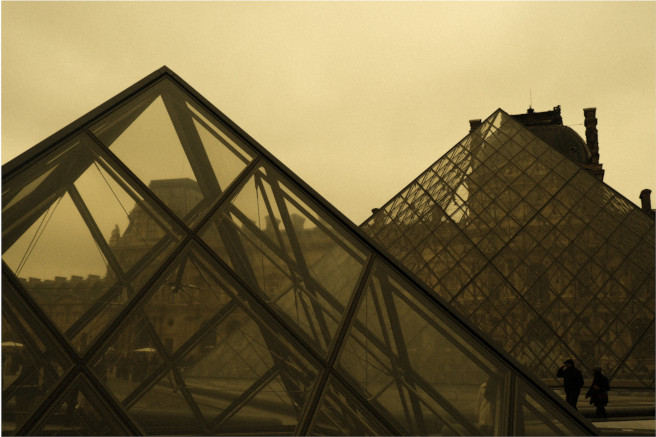
From the 12th to the 14th of December, I was in Paris. It was actually my first time there for more than a day trip, so I arrived a day earlier to explore the city a bit. I went on a walk across the city with Tobias and Nicolas, and I took some photos.
The weekend was also very productive. We advanced our goal of making KMime a proper KDE Framework; made Message-IDs in emails more privacy-conscious; and discussed various important topics such as the retirement of the Kolab resource and the switch to SQLite as the default backend for Akonadi.
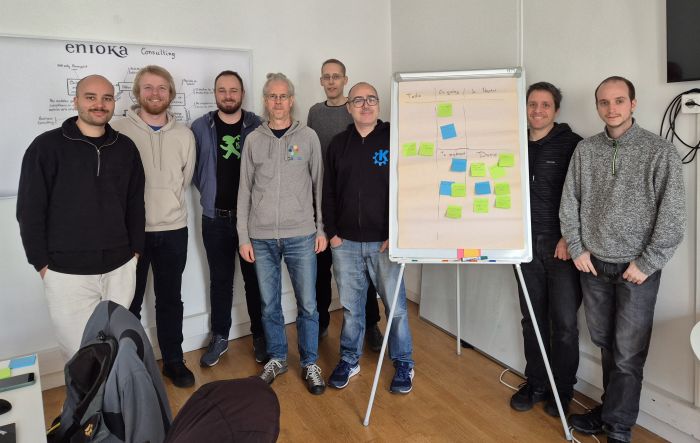
Huge thanks to enioka Haute Couture for having us in their office in Paris.
The sprint being in Paris also allowed me to afterward go visit my grandma, 350 km further south of Paris, so this was particularly convenient.
Another event I went to was 39c3, which is the third year in a row that I attended, and this year again we had an assembly as part of the Bits und Bäume umbrella, thanks to Joseph.
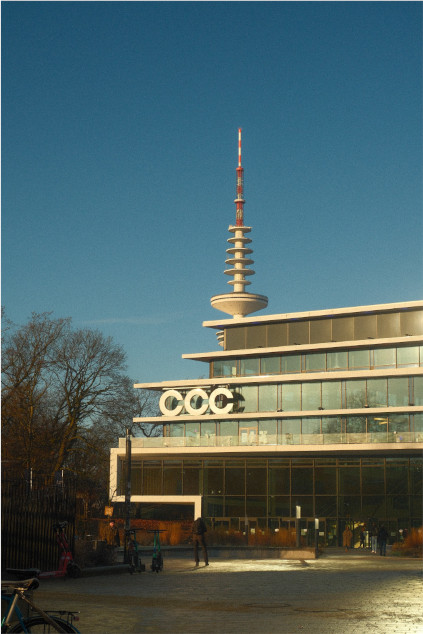
I love the vibe of this event. It’s not very dry or only tech-focused, but also has a big artistic and political aspect to it. And while the number of attendees is very large, at the same time it’s very chill and I don’t feel overwhelmed, unlike at FOSDEM.
At the KDE assembly, we met a lot of interested users, some GNOME friends, and since a bunch of KDE devs were there, we managed to work on a few productive things, like switching the map backend from Itinerary to MapLibre.
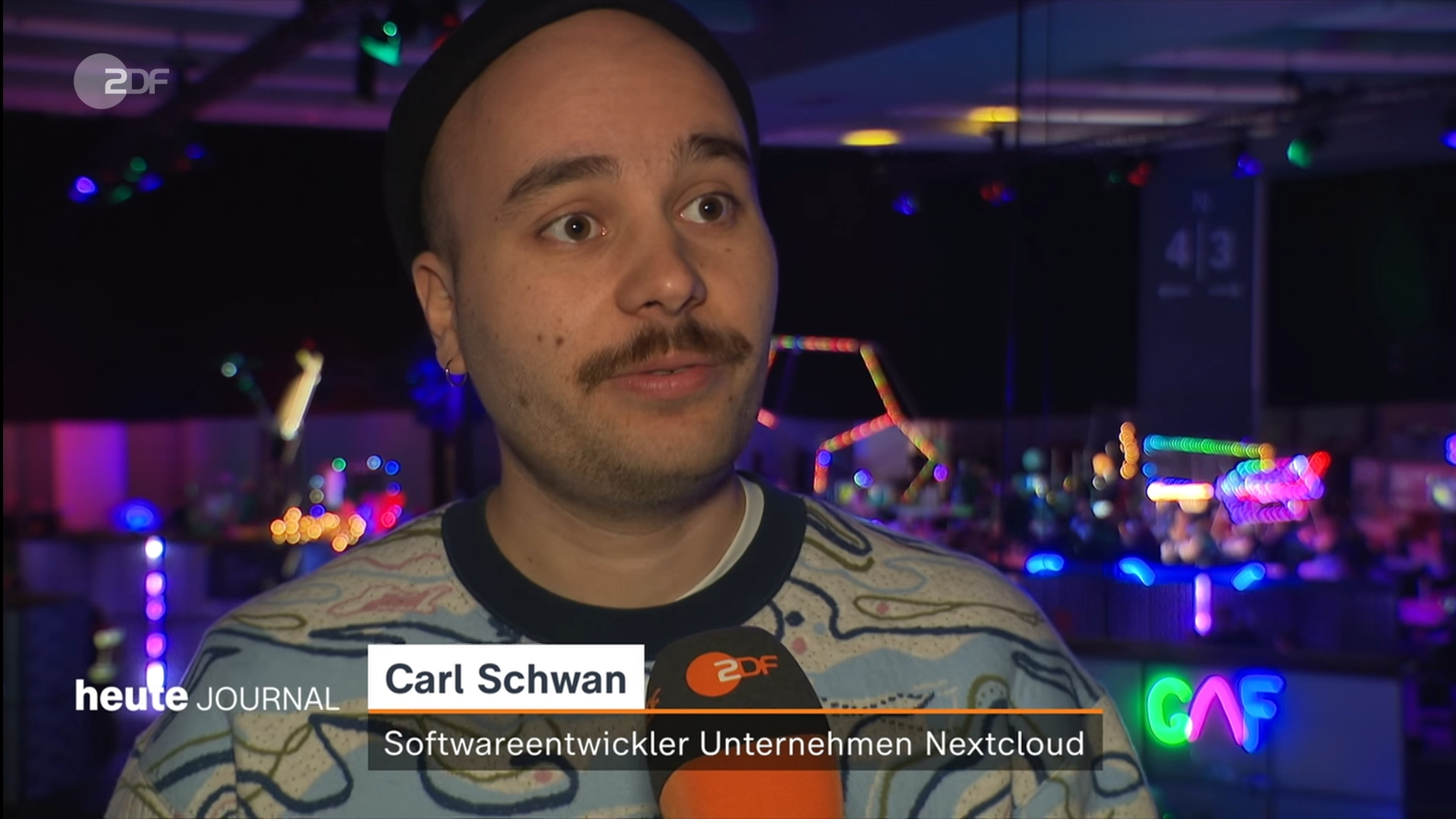
And this year, I even managed to go on national TV for a few seconds to speak about Nextcloud. My German grandma called me the day afterward, very happy to have seen me.
 With the start of the new year, I am very happy to announce the release of version Kraft 2.0.0.
Kraft provides effective invoicing and document management for small businesses on Linux. Check the feature list.
This new version is a big step ahead for the project. It does not only deliver the outstanding ports to Qt6 and KDE Frameworks 6 and tons of modernizations and cleanups, but for the first time, it also does some significant changes in the underlying architecture and drops outdated technology.
Kraft now stores documents not longer in a relational database, but as XML documents in the filesystem. While separate files are more natural for documents anyway, this is paving the way to let Kraft integrate with private cloud infrastructures like OpenCloud or Nextcloud via sync. That is not only for backup- and web-app-purposes, but also for synced data that enables to run Kraft as distributed system. An example is if office staff works from different home offices. Expect this and related usecases to be supported in the near future of Kraft.
But there are more features: For example, the document lifecycle was changed to be more compliant: Documents remain in a draft status now until they get finalized, when they get their final document number. From that point on, they can not longer be altered.
There is too much on the long Changes-List to mention here.
However, what is important is that after more than 20 years of developing and maintaining this app, I continue to be motivated to work on this bit. It is not a big project, but I think it is important that we have this kind of “productivity”-applications available for Linux to make it attractive for people to switch to Linux.
Around Kraft, a small but beautiful community has built up. I like to thank everybody who contributed in any way to Kraft over the years. It is big fun to work with you all!
If you are interested, please get in touch.
Welcome to a new issue of "This Week in KDE Apps"! Every week (or so) we cover as much as possible of what's happening in the world of KDE apps.
We kick off the year with everything that's new in the KDE App scene. Let's dig in!
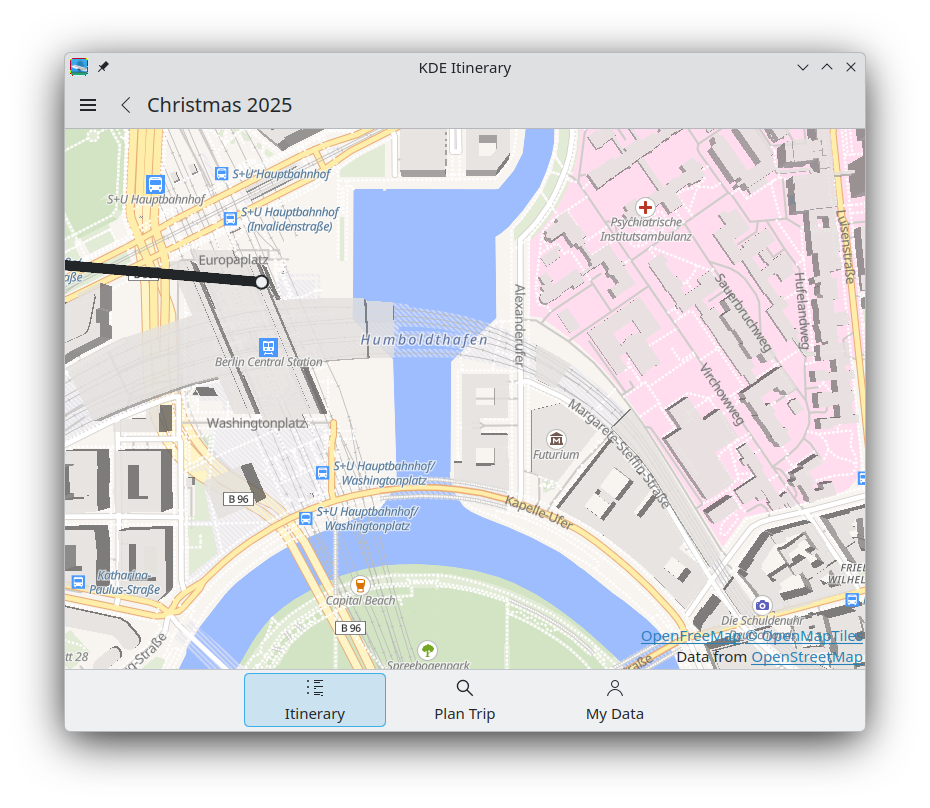
Jonah Brüchert added a MapLibre-based backend to Itinerary maps views. This allows us to render vector-based tiles, which means they can be displayed at any size without visible pixels. Zooming in and out should also be much smoother. Another advantage is that the map now shows labels in the local language as well as English. This makes the map much more useful in case you cannot read a locally used script. In the future, we might even be able to use map tiles that can display labels in your preferred language. (26.04.0 - pim/itinerary MR #454)
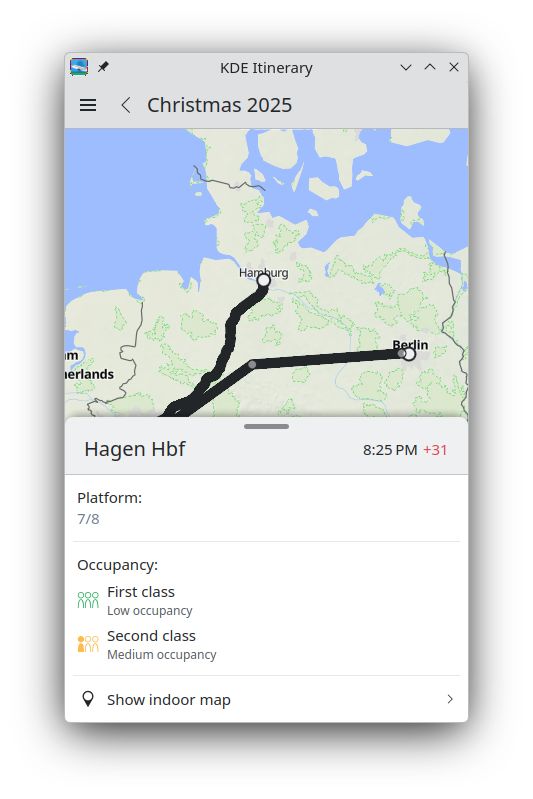
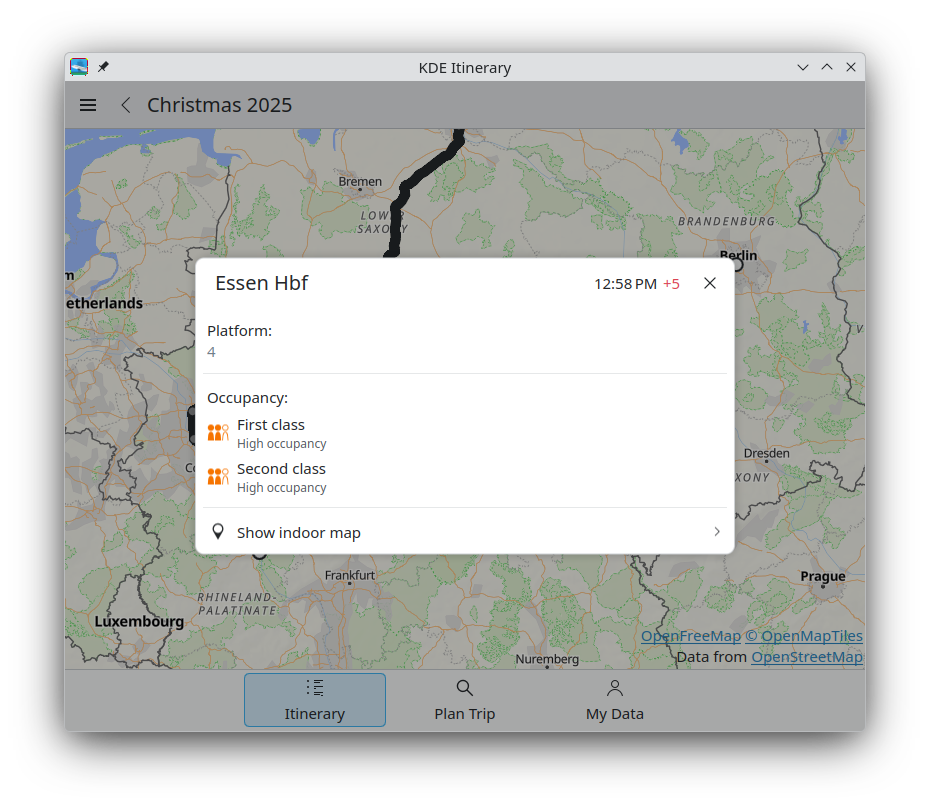
Carl Schwan ported multiple dialogs to a convergent dialog/bottom drawer style (26.04.0 - pim/itinerary MR #413 and pim/itinerary MR #464).
 |  |
|---|
Volker Krause added support for marking reservations as cancelled in your timeline, so that these reservations are not counted in your yearly statistics (26.04.0 - link).
Luca Weiss updated the KLM boarding passes extractor to also extract the boarding group (25.12.1 - pim/kitinerary MR #205). Thomas Arrow added an extractor for KLM's "Ticket for your trip" emails (25.12.1 - pim/kitinerary MR #206).
Tobias Fella added support for extracting GOMUS annual tickets (25.12.1 - pim/kitinerary MR #207).
Albert Astals Cid made KMail's system tray icon also work when KMail is run inside Kontact (26.04.0 - pim/kmail MR #187).
Cody Neiman fixed the extreme downscaling of custom stamps, which resulted in pixelated stamp annotations (25.12.1 - graphics/okular MR #1280).
Thanks to Prayag Jain, KDE has a new whiteboard app called Drawy! It combines a simple interface with an infinite canvas, giving users the freedom to think and draw without limits.
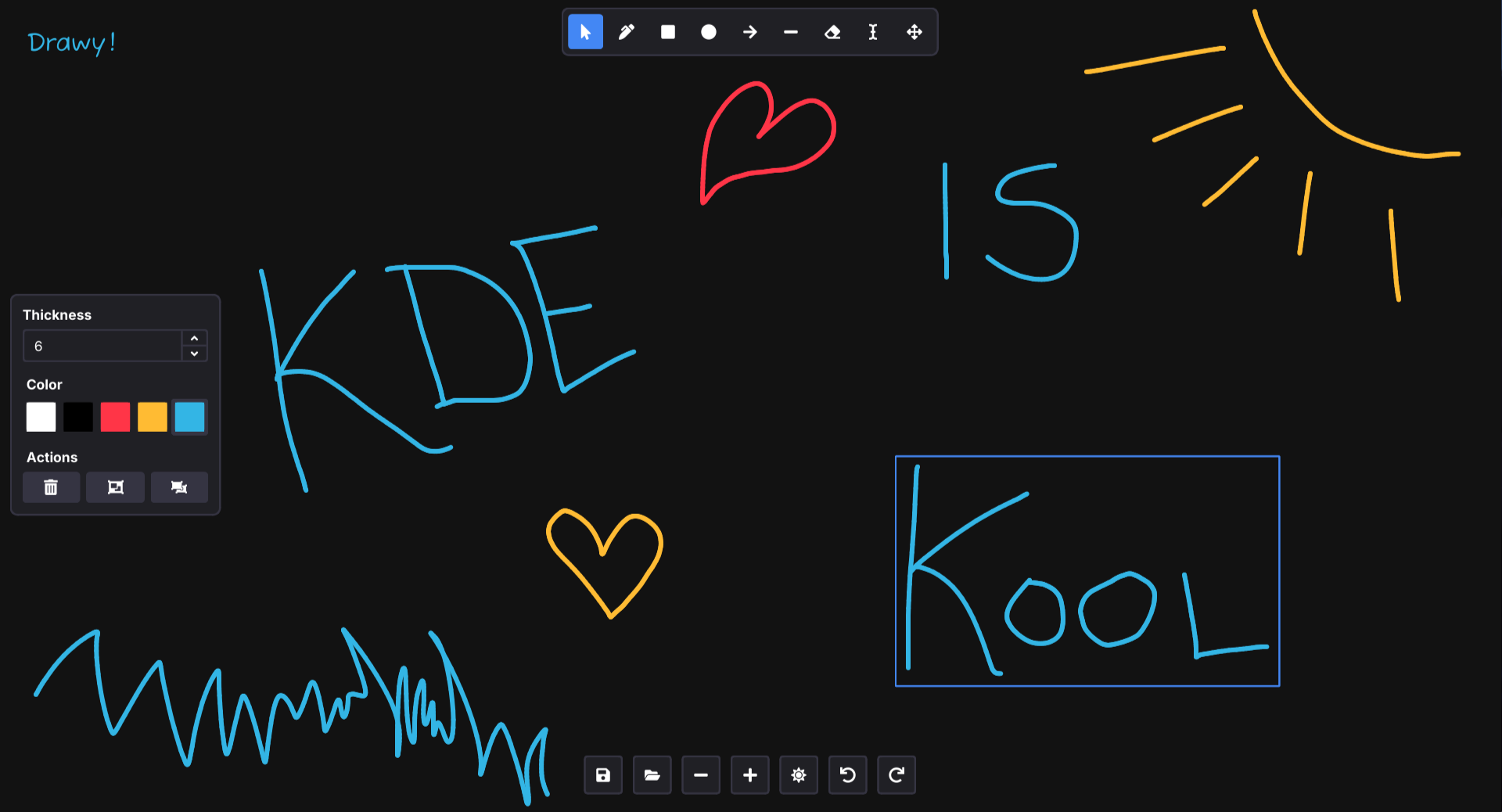
Some of its features are:
Drawy is still under development, but you can already download a nightly flatpak. You are invited to test the app and share feedback to help shape Drawy as your handy, infinite brainstorming tool!
Since the incubation started, Prayag Jain has been fixing various performance issues (graphics/drawy MR #108 and graphics/drawy MR #115), and Laurent Montel did a lot of code cleanup to follow KDE best practices more closely (link).
Leonardo Malaman added a new "Force New Tabs" option to Konsole. This forces Konsole to open a new tab in an already open Konsole window instead of opening a new window (utilities/konsole MR #1112).
Christoph Cullmann added out-of-the-box support for neocmakelsp, an LSP server for CMake (26.04.0 - utilities/kate MR #1974).
Laurent Montel released KAiChat 0.6.0. This release introduces Wikipedia and weather integration, the capability to copy block code to the clipboard, and a quick search widget.
Károly Veres unified the space selection logic, so that using the quick switcher or clicking on a notification to jump to a room will now switch to correct space (26.04.0 - network/neochat MR #2551).
Nate Graham improved the hamburger menu button. Now the menu opens right beneath the button, the button has a pressed state while the menu is open, and the menu will close when clicking on the button again. (26.04.0 - network/neochat MR #2553)
Azhar Momin added a button to cycle through unread highlights (26.04.0 - network/neochat MR #2552).
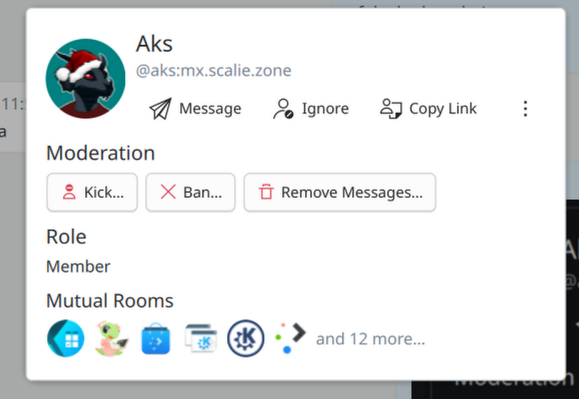
Joshua Goins re-arranged the profile dialog and grouped similar actions together (26.04.0 - network/neochat MR #2544). And he made it possible to view the profile dialog when receiving an invitation (26.04.0 - network/neochat MR #2548).
Tobias Fella added some fixes for the new version of Matrix rooms (26.04.0 - network/neochat MR #2550).
Melvin Keskin released Kaidan 0.14.0. This release allow you to resend failed messages via the context menu, cancel and restart uploads, join group chats or add contacts by their XMPP URIs, and improves compatibility for servers using LDAP.
Alexander Wilms fixed running commands containing spaces in their path (26.04.0 - system/kcron MR #46).
This blog only covers the tip of the iceberg! If you’re hungry for more, check out This Week in Plasma, which covers all the work being put into KDE's Plasma desktop environment every Saturday.
For a complete overview of what's going on, visit KDE's Planet, where you can find all KDE news unfiltered directly from our contributors.
The KDE organization has become important in the world, and your time and contributions have helped us get there. As we grow, we're going to need your support for KDE to become sustainable.
You can help KDE by becoming an active community member and getting involved. Each contributor makes a huge difference in KDE — you are not a number or a cog in a machine! You don’t have to be a programmer either. There are many things you can do: you can help hunt and confirm bugs, even maybe solve them; contribute designs for wallpapers, web pages, icons and app interfaces; translate messages and menu items into your own language; promote KDE in your local community; and a ton more things.
You can also help us by donating. Any monetary contribution, however small, will help us cover operational costs, salaries, travel expenses for contributors and in general just keep KDE bringing Free Software to the world.
To get your application mentioned here, please ping us in invent or in Matrix.

KDE Ni! OS is a custom flavour (configuration, not a separate distribution) of NixOS that showcases KDE software. It builds on NixOS with the aim to reimplement the same features other popular immutable distributions have, while providing a first-class KDE Plasma setup.
This post will show the NixOS way of adding a custom package and explain the benefits of this approach in the context of system immutability.
KDE Ni! OS recently got a new package installed by default – Daniel Vrátil’s Plasma Pass applet.
Plasma Pass is a Plasma applet to access passwords from
pass, the standard UNIX password manager. You can find more
information about the applet in Dan’s blog post.
As NixOS doesn’t currently offer Plasma Pass in its repositories, the package is installed in Ni! OS from the sources as in some other BTW, I use … distributions.
In NixOS, this is easily done via overlays. We can create an overlay
that defines the plasma-pass package so that it can be
installed as if it were a real NixOS package.
This is the overlay definition used in Ni! (ni/packages/plasma-pass.nix):
self: prev: {
  kdePackages = prev.kdePackages.overrideScope (kdeSelf: kdeSuper: {
    plasma-pass = kdeSelf.mkKdeDerivation rec {
      pname = "plasma-pass";
      version = "1.3.0-git-59be3d64";

      src = prev.fetchFromGitLab {
        domain = "invent.kde.org";
        owner = "plasma";
        repo = "plasma-pass";
        rev = "59be3d6440b6afbacf466455430707deed2b2358";
        hash = "sha256-DocHlnF9VJyM1xqZx/hoQVMA/wLY+4RzAbVOGb293ME=";
      };

      buildInputs = [
        kdeSelf.plasma-workspace
        kdeSelf.qgpgme
        self.oath-toolkit
      ];

      meta = with prev.lib; {
        description = "Plasma applet for the Pass password manager";
        license = licenses.lgpl21Plus;
        platforms = platforms.linux;
      };
    };
  });
}
Most of this file is self-explanatory (except for the strange looking syntax of the Nix language :) ).
Since Plasma Pass is a KDE project, we want it visible as a part of
kdePackages collection, and as it uses the common build
setup that all KDE projects use (or should use), it uses
mkKdeDerivation to define the plasma-pass
package. This defines some basic dependencies, commonly used by KDE
projects and adaptations needed for them to work properly in NixOS. For
non-KDE-friendly packages, you’d base your package on the standard
mkDerivation instead.
The project sources are located on the KDE’s GitLab instance at invent.kde.org, therefore the package
definition uses fetchFromGitLab to retrieve the sources. It
is also possible to clone repositories on GitHub, fetch and use source
tarballs, etc. All fetchers are described at NixOS Manual >
Fetchers.
The rev field in the fetchFromGitLab
command is the GIT revision that you want to install, and
hash you can get by using the nix-prefetch-git
command:
nix shell nixpkgs#nix-prefetch-git
nix-prefetch-git https://invent.kde.org/plasma/plasma-pass \
    --rev 59be3d6440b6afbacf466455430707deed2b2358
The buildInputs part defines additional dependencies
needed by Plasma Pass, and meta defines some meta
information about the package such as the description and the
license.
After defining the package, we have to add it to
nixpkgs.overlays in any of our NixOS configuration files.
In the case of Ni! OS, this is done in ni/modules/base.nix which
defines the UI software that Ni! OS installs by default.
nixpkgs.overlays = [
    (import ../packages/plasma-pass.nix)
  ];
With this overlay, plasma-pass can be used as if it was
a normal NixOS package.
environment.systemPackages = with pkgs; [
  ...
  kdePackages.plasma-pass
  ...
  ];
When plasma-pass gets added to the nixpkgs
repository, the only action that will be needed in Ni! OS to switch to
the official version is to remove the
import...plasma-pass.nix from the overlays (this is the
reason why we explicitly placed it in kdePackages
collection – otherwise, we could have just put it top-level).
The main point of this post is not really to announce that a single new package is added to the Ni! OS setup. Even if it is a cool one like Plasma Pass.
The point is to show how a custom package that is not available in
the vast collection of nixpkgs can be added to a
NixOS-based system.
The custom package becomes a proper regular Nix package and gets all the benefits of Nix’s particular approach to immutability. If Plasma Pass gets broken after an update (either if new Plasma version breaks Plasma Pass, or if the new version of Plasma Pass no longer works as expected), you can always boot into the version before the bad update.
With distributions with immutable core and custom applications installed as Flatpaks, downgrading is possible, but a bit more involved and relies on 3rdparty keeping the old package versions still available for download.
With NixOS, all the previous versions remain on your system until you decide to remove them.

P.S. Patches welcome. If you like the merge operator in Nix and think the overlay definition would benefit from it, … :)
I made substantial changes in the KDE Developer Platform documentation over the years. I am effectively its docs maintainer and have the largest number of commits in the repository. This is due in large part because I started contributing to it in 2021, applied as a KDE documentation contractor in late 2023, and started officially working with KDE development onboarding docs in 2024. I'm one of multiple furries contributing to KDE. :3
You can skip reading about my Linux history and go straight to my KDE docs job or to the current state of KDE onboarding docs.
Back in 2015 I was using Windows 8 Home Single Language when I started searching for some art software to learn to draw. Photoshop is actually very unintuitive and the keyboard shortcuts weren't working for me; Paint Tool Sai had better shortcuts, but the UI confused me. It's when I found Krita, which became my favorite software in large part because the basics seemed intuitive and the keyboard shortcuts were so much more comfortable than the alternatives, but also in part because it had a cute mascot drawn by a furry. That's how I heard about KDE for the first time.
Being a Portuguese and German Language and Literature university student who was trying to learn German, in 2016 I was pissed off by Windows making money with licenses that prohibited you from installing other languages. It's effectively knowledge gating for greed reasons, so I went looking for the reasonable alternative, Linux. I started with LXDE and XFCE, of course, since I wanted everything to be lightweight (unlike Windows).
I switched to KDE Plasma 5 in 2017.
A year later, in 2018, I started using Reddit. By then I knew one thing or two about Linux, and started providing user support there. Later on I was dissatisfied with the r/KDE sidebar, so I volunteered to fix it as a moderator; more importantly and selfishly, I wanted custom flairs for myself, so I selflessly fixed all custom flairs on new Reddit (I strongly dislike old Reddit to this day). The current sidebar of the new Reddit version of r/KDE still is 90% of what I did back then.
Whenever I think about that one video from Kurzgesagt about selfish altruism, I think of how I improved r/KDE for others if even tangentially because I wanted a flair and nicer links to docs that I used often. My selfish needs were met by improving things for everyone, that’s how it should be. It's just another way of saying scratch your own itch.
Now being a mod, I started partaking in KDE Promo as well.
In late 2018 I started contributing to the KDE wikis, specifically fixing most of the Get Involved pages. That was around the time I got a job as a translator at an academic papers translation agency / publisher.
Because of this, I started contributing to translations, becoming a trusted KDE translator in late 2019 with an account with merge rights. That would go on until mid 2020.
2019 is when I really started going down the rabbit hole 🐰. I like ergonomics and I was a work overachiever: I produced more than what was needed, and was always seeking ways to optimize my workflow. This partially lead to me being burned out and leaving the company years later.
Hence I made a bunch of keyboard shortcut analyses on my blog at the time. Back then I felt very proud of what I accomplished, if anything, because it lead to a consistent keyboard shortcut scheme in Plasma that uses its virtual desktop strengths instead of trying to imitate GNOME, i3wm or Windows. Meta is associated with moving, Ctrl is associated with switching, and Shift is associated with transferring. Hence, Meta+Ctrl+Shift transfers a window between desktops and Meta+Shift transfers a window between screens; Meta+Ctrl+Shift also switches between desktops as a result of transferring windows between them, Meta+Ctrl switches between desktops without transferring; lastly, Meta moves the window around by snapping it (and additional snapping moves it to another screen). It’s all very smart.
I might now regret those blog posts because of how badly they were written and how overwhelming it is to read them, but I’m definitely proud of the intuitive shortcut scheme I devised.
It was around that same time when I made the "Contributing to KDE is easier than you think" series of blog posts.
Moving on, 2020 was pretty active. I started contributing to KDE web, while still being a Reddit mod and translating occasionally, and playing a bit with desktop publishing and Scribus. That was around the time Phabricator was being deprecated in favor of Gitlab (I think).
I got a large interest in debugging and triaging, though my triaging was very fleeting and didn’t last long. Debugging in particular was reflected in me fixing the wikis as well.
Soon after I’d start learning development while having no formal IT knowledge prior to this. I had tried my hands with multiple programming languages so far, but none actually sticked; the closest was Perl (and Raku is also pretty cool). I'd eventually find out that I actually really liked C++. The parts of C++ I liked the least were actually old C++, as it's closest to C. I quite liked this talk by Kate Gregory about having developers stop teaching C++ like it's C, and I enjoy keeping up to date with the latest C++ 20/23/26 like Concepts, ranges and monadic functions.
Actively focusing on learning development is why in early 2021 I’d start with my first major code contribution: the “Default Applications” section in System Settings. Coming from XFCE, I wanted a good looking default applications page. I made it work, actually! But the requested changes were too much for me even 2 years later, so Méven took over what I did and got it to the finish line in late 2022.
My attempts at development also reflected in learning how to compile raw, with Kate, KDevelop and QtCreator, in attempting to contribute to Subtitle Composer, and in adding many KRunner web shortcuts because Gitlab search just plain sucked.
(On the matter of subtitling, did you know I subtitled Veritasium's What Everyone Gets Wrong about Gravity to Brazilian Portuguese using Subtitle Composer? If you download the subtitles you'll see my credits at the end.)
By then I had a good understanding of KDE infrastructure in all areas, pretty much.
2022 is when I started touching docs.
To summarize my history:
I was originally not a fan of QtQuick and QML. It didn’t help that our Kirigami tutorial was in a terrible shape back then. I knew some C++, so I started with small QtWidgets / KXmlGui.
The most complicated part about our tutorials was actually the poorly explained CMake.
CMake is important because without it you can’t build. So it doesn’t really matter how well written the development part is unless it builds.
Rule number one of documentation:
Never break the docs.
If the user can’t get a functional project by the end of a tutorial, the tutorial failed. So that should be priority number one. I did an entire Akademy talk talking about how docs is part of the product, and broken docs effectively means a broken product.
Now, I actually quite like CMake. I’m just dissatisfied with the state of CMake docs.
To this day I think there is only 5 good resources on CMake, to be checked in this specific order:
Anyway, I first touched KXmlGui by making it fully functional and have screenshots, in addition to mentioning actual build instructions. My fix was so effective, in fact, that there were very few changes to this day.
KXmlGui is our framework for making application windows using only C++. It extends QtWidgets with lots of convenience and standard features, like default Settings and Help menus that show app credits.
I started fixing our flatpak documentation next. In particular I was displeased with the requirement of knowing JSON syntax to be able to even make the thing build (as I myself struggled to understand JSON syntax), so I added some general explanation on how to write a JSON flatpak manifest.
I started a CMake tutorial that went unfinished after a year, and was closed. I still want to make a proper CMake tutorial leveraging our extra-cmake-modules.
extra-cmake-modules (ECM), is a collection of convenience features for CMake, like default compiler settings or the ability to uninstall. Any application using CMake can use it, not just KDE applications!
In 2023 I started touching the Kirigami docs. I finally did the plunge into QML, and the Kirigami tutorial was in a very bad shape. Like real bad. The code samples were incomplete, almost no links, too technical explanation, the order of pages was wrong, when things would build they wouldn’t run, no docs to figure out how to troubleshoot.
I figured it was a priority to fix most links and to at least make things buildable. I made the mistake of doing everything in one go, rendering a merge request with 185 threads and 131 changes.
I then went on to do housekeeping in Develop with smaller fixes. Such a large MR burned me out a bit. In the meantime I started porting KTimeTracker to Qt6, which was a major breakthrough for my development learning, though I would only publish it later on.
With the lessons learned from the KXmlGui and Kirigami tutorials, I made formatting and style guides for Develop. Note the final section about learning about standard documentation practices!
Making established practices known to others is a best practice in the documentation world, and I had been reading about improving documentation since early 2022, so by then I had a good idea of how it works.
I then went on to write docs for Kirigami Addons after I tried my hand at it for a while. It’s a cool QML library for Kirigami settings pages, I felt like new contributors should know about it for their new apps.
Then another majorly significant merge request: Plasma Style. It is one of the docs projects I felt most proud of, and it was recently mentioned in a video from a designer called Juxtopposed.
It was extremely painful and miserable to fix. I had to reverse engineer the inside of SVG files from both Breeze and Oxygen in order to make it a reality. After this I made it look nicer and more readable.
In effect that tutorial is not really a tutorial, but rather a reference guide. The actual tutorial is a video series by Niccolo Veggero, without its foundations I would not have been able to make the guide.
While continuing the housekeeping of Develop, I started looking into other platforms, like Windows. This rendered an interest in Craft and in application styling, or rather, having Kirigami apps actually look correct everywhere. This was a longstanding issue in our Kirigami docs: how inconsistent the resulting project would be when built normally on Linux, as a flatpak, as when built on Windows.
I ended up learning Craft, qqc2-desktop-style and the new KIconThemes effort driven by Christoph Cullmann to make KDE apps look correct in other platforms.
Naturally, this was the next goal to be tackled in our Kirigami docs. The Kirigami tutorial now worked on Linux; it now had to look right and work on Windows, too.
I also got interested in how our infrastructure works, and through playing with my own selfhosted test Gitlab instance, I managed to update our CI wiki page.
By the end of 2023, I saw a job offer as a documentation contractor for KDE, and I took it. I was already a fairly established contributor and I was already working on docs, so I got the job despite having no formal training in technical writing or IT.
Now, I must say two things about this:
This might sound obvious when put into text, but it isn’t. Most people need to be slapped in the face with this for it to actually sink in. Leader training and coaching might be misuse of social psychology to make cash cows using garbage language, but this one thing they get right.
Anyway: if you are passionate about open source and want to put in the effort to improve it, you should check your favorite projects’ websites and see if they have any openings. Then apply. You might get it. I sure hope actual passionate humans will be the ones applying to these sorts of jobs before any LLM sloperators / DevSlops apply to them...
Moving along, now in 2024 I was effectively a contractor. I immediately started searching for technical writing resources to learn more.
Turns out that the vast majority of good technical writing content only exists in books. The rest is just online talks. Unfortunately, of these, too many are enterprise focused, and are thus difficult to apply in open source environments. This means I had to do some filtering.
However, one source stood out as the gateway into this topic: Write The Docs. Go check it out together with the Google Technical Writing courses, it's really good.
While learning on the side, I was also thinking of how to go about KDE docs from then on. I already had plans for Kirigami and the Get Involved pages, but I needed to devise priorities. I also needed more development experience for me to document development practices.
I spent a large amount of time working on KTimeTracker to get development experience and doing work on the KXmlGui API (since at the time the QML docs generation was rather broken). Then I went on to fix our wiki page for getting involved with development.
I had some priorities in mind:
Porting the tutorials to Qt6 was straightforward, although I had to make tutorial adaptations for this.
The development wiki page required some updates and was straightforward to port to Develop. I also made buttons to make it more presentable, but MediaWiki is really not suitable for this.
An Appium tests tutorial was added soon after testing every aspect of the development wiki page, since it was directly related to it. This was actually painful because I had to rely on my weak Python knowledge to understand how other KDE people were doing GUI tests, and it was very difficult to find the correct docs for upstream Appium and Selenium as it’s spread out in multiple places. Like seriously, the upstream docs were both so barebones and so spread out that even our current tutorial linking is all over the place.
In the meantime I’d be learning Python and Rust on the side.
With the money acquired by working for KDE, I managed to purchase a Steam Deck in March 2024. As you probably know, it came with a Plasma 5 X11 session for the desktop. I tried using it as my main computer for quite a while (forcing the Wayland session), and this resulted in two things: the Building KDE software manually and the Building KDE software with distrobox and podman pages. I’m already a podman fan and had been using it before getting my Deck, and with my prior CMake experience all I needed to do was put my knowledge on paper.
I’m proud to say my current CMake docs are effectively one of the best out there (even if it’s just about the cmake tool), and that many of our new contributors have been using distrobox on their immutable systems ever since (but especially in 2025).
In the middle of the year it became clear that we would switch from kdesrc-build to kde-builder as the de-facto tool to develop KDE software, so I put a migration plan in place that would stick around for half a year. It’s important to have a migration plan of some level in our current docs, otherwise we get confused users who effectively lose support docs with no warning. It was nevertheless quite the major effort.
Now the Plasma tutorial... well. That was a jigsaw that required too many pieces for me to assemble. As mentioned before, QML doc generation was broken back then, so the only reasonable source for learning our QML API was the source code docs. But that required knowing Kirigami extensively and... well, our Libplasma QML API was actually lacking even source code docs, so in practice what one needs to do is read the actual source code to figure things out. There was also a lot of historical baggage to go through.
I think you might have noticed by now, but the way documentarians do docs is by first learning the subject and then teaching it. This means becoming enough of an expert on a topic before writing about it. You should never write new docs not based on your knowledge or experience (this also means no LLMs by the way).
Anwyay, Plasma was too large a thing for me to address this soon.
That plus the fact that Plasma itself got an update in Qt6 to use less Libplasma specific stuff and more Kirigami stuff meant I had to focus on Kirigami instead anyway. Additionally, there was now a potential fix for our broken QML doc generation on sight: Qt’s internal QDoc tooling.
The rest of 2024 mostly consisted of doing the required kdesrc-build / kde-builder changes, polishing it together with the Kirigami and Python tutorials. By the end of the year I also helped port quite a bunch of APIs to QDoc, though I definitely wasn’t the star of the show, Nicolas Fella was.
I struggled because I had to learn an entirely new thing, QDoc, as well as address its jank. Every documentation tool has its jank mind you, you just have to deal with the existing problems, and the end result with QDoc was still much better than our previous Doxygen system.
It was cool to finally work with actually well generated QML docs. I was supposed to work on that since the beginning, but it was sure painful by the time I started.
This year, 2025, I managed to work on that and on supporting kde-builder, Craft, Python with Kirigami, adding a new Rust with Kirigami section, test all aspects of kde-builder, test it on all major distros, testing Kirigami on Android, started porting QML things to the new declarative registration, and added many new sections to assist with our existing kde-builder stuff.
And this while having to deal with IRL family health emergencies from the second half of 2024 onwards.
All that just to say that I’m finally content with the state of beginner onboarding docs in our KDE Developer Platform. That is to say, all the beginner docs fixes I wanted to add to Develop are either already there or have merge requests ready or almost ready.
Here’s the following improvements I did in Develop since I started contributing there:
Kirigami tutorial
KXmlGui
Building KDE software
Python tutorial
Rust tutorial
Contribution guidelines
In other words, we have accomplished the following goals:
It took a long time to arrive here, in large part because our building tutorials required a lot of care, and Kirigami has 33+ pages to maintain. This is a lot of pages for one person to maintain actively!
Now the beginner onboarding docs can (hopefully) just get iterative fixes, unless at some point we make larger changes.
That is, ignoring the elephant in the room: Plasma.
Now with QDoc and me fixing the documentation in Libplasma, it should be much easier to actually fix our Plasma widgets tutorial, so it could be a goal for next year. In the meanwhile I see Zren started working on it.
Speaking of next year, I can now actually focus on the non-beginner onboarding docs! In particular I feel like adding content related to branding for companies and distros should align with KDE’s current goals now that Plasma is a strong contender for use in enterprise. That, and fixing the one other section I’ve postponed fixing for too long: the Features section, which showcases our KDE Frameworks libraries.
Now that beginners are well served, we can focus on intermediate content and making our products appealing. This means our flagship product Plasma and our flagship libraries.
Naturally that would go side by side with fixing our API docs. But it sure is looking like a great future: KDE onboarding docs is good now, and it will be awesome next.
This is a recipe post. I’ve written this one down before, in 2010, but this time I used a scale and some measurements that make more sense in the Netherlands. Carrot cake in the Netherlands still elicits exactly two reactions: vies he? and oh, yummy!. That rabbit still doesn’t get it.
For a vegan cake, use vegan egg (chia seed + some water). Kid[0] makes it that way sometimes, but I have not tried it myself.
Stir together:
Then beat in:
Finally, stir in:
This is enough for a small-ish pie dish or baking dish. I have a 24x24cm square tray that is way too big. The batter spreads too thin and it ends up baking too dry. A smaller tray is better.
The batter looks dreadful and runny when you pour it in the baking dish. Bake at 180℃ for 35 minutes or so.
This post has the notes I made while upgrading another laptop from FreeBSD 14 to FreeBSD 15. Since my first upgrade was a long and annoying process, I figured I would take notes for the second round. These notes are “how not to do it”, even if the end-result is KDE Plasma Wayland on FreeBSD 15, as desired.
The laptop I have already upgraded is a Framework 13 with an AMD 7640U CPU and integrated AMD Radeon (Phoenix1) GPU. That ran into the problem that the amdgpu kernel driver would panic with the stock kernel. After building a world and kernel and packages of the driver that are all patched and consistent, the system works fine.
The laptop I’m going to upgrade is a Slimbook Base 14 with Intel i5-10210U and integrated Intel Comet Lake GT2 GPU. This laptop has a FreeBSD 14 install on it, but I’m pretty sure I never ran it as a laptop-daily-driver. This is my openSUSE laptop most of the time.
There is no meaningful user data on the FreeBSD partition, so I’m not going to bother with a backup. The existing installation is on a UFS filesystem. It is running 14.0-CURRENT from .. um .. 2022. That’s probably going to need upgrades before I can even use the external ZFS NVMe drive to get to the 15-update.
freebsd-upgrade to 14.3: fails because that tool is meant for release versions, and won’t stomp all over some random -CURRENT. (This is good, but annoying right now)base.txz and kernel.txz for 14.3: that’s a 250MB download, which is pretty straightforward.So now I’m going to stomp all over everything, which is exactly what the tool is preventing me from doing. Why else would there be a /rescue directory?
/rescue/tar xzf kernel.txz -C / to clobber the kernel./rescue/tar xzf base.txz -C / to clobber everything else except the things that have flag schg (The files that are really fucking important)./rescue/chflags noschg <file> to assert dominance. Ignore all the warnings and error messages that are now being printed because you’ve clobbered half the system./rescue/tar zfs base.txz -C / command again and this time it will nuke everything. Welcome to live-replacing your libc.The base install doesn’t have a root password and doesn’t have any users defined and will overwrite password files, so after the reboot log in as root with no password, and ignore messages about missing user ID for dbus and avahi and whatever. This continues to be a bad-idea approach.
The next step is importing the ZFS pool with my patched world and kernel and 15.0 packages, such as they are. Unfortunately, ZFS in 15.0 has some new feature-flags that even 14.3 doesn’t understand. The pool can be imported read-only, though.
/usr/src, run make installkernel and ignore warnings about it being a read-only filesystem. After all, I just built everything (elsewhere) and am only interested in making this laptop a same-version-as the other laptop.make installworld and get an error message about missing libraries.cp /usr/obj/usr/src/amd64.amd64/tmp/lib/* /lib to replace the missing libraries. This may log you out as you clobber more essential libraries with versions from 15-STABLE./usr/src and run make installworld.etcupdate -B to update system configuration. This probably warns about remaining modified files. Ignore that – I get warnings about opieaccess and telnetd which are lovely reminders of the early 2000s, though.The system has now, in the most cursed-possible way, been upgraded to FreeBSD 15.0-CURRENT.
After doing the cursed upgrade to a new OS version, the rest is reasonably normal:
pkg bootstrap -f to upgrade the packaging tools to the new OS versionpkg update to fetch new packaging informationpkg upgrade to upgrade all the bitsI removed all Qt ports from the system before starting this, so that it wouldn’t have to deal with much in the way of desktop packages. There’s still 2GiB to upgrade, though (including LLVM 13 and 19; I suppose I can clean up some of that).
fwget to get WiFi firmwarepkg remove gpu-firmware-amd-* on this specific laptop, which is never going to have a different GPU)pkg install kde to get the important thingsThe
sysrc(8)commmand should be used to editrc.conf; no need to do everything in a cursed fashion.
keymap="us.ctrl.kbd" to /etc/rc.conf (the FreeBSD installer will do this for you, if you pick that keyboard layout, but this is the manual way after installation or when doing cursed upgrades)kld_list="i915kms" to /etc/rc.confpw groupmod video -m <user> (because that stuff was clobbered, too)I have a couple of extra steps and documentation written down from the last time I tried KDE Plasma Wayland on FreeBSD. Don’t bother with a display manager. SDDM isn’t worth it.
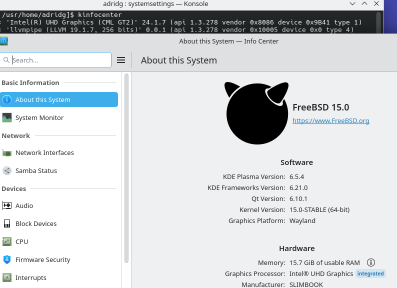
Log out, log back in, run that script, and here’s KDE Plasma Wayland running on FreeBSD 15 on Intel graphics:
This leaves just nVidia graphics to deal with, but for that I need to swap around some hardware in my workstation.

 CoLa
CoLa


 #this-week-kde-apps:kde.org