In order to prepare for the Akademy I started some days before to give my Librem 5 ( an Open Hardware Phone) another try and ended up with a non starting Plasma 6.
Actually this issue was known already, but hasn't been addressed.
In the end I reached the Akademy with my Librem 5 having phosh installed (which is Gnome based), in order to have something working.
I met Bushan and Bart who took care and the issue was fixed two days later I could finally install Plasma 6 on it.
The last time I tested my Librem 5 with Plasma 5 it felt sluggish and not well working.
But this time I was impressed how well the system reacts.
Sure there are some things here and there, but in the bigger picture it is quite useable.
One annoying issue is that the camera is only working with one app and the other issue is the battery capacity, you have to charge it once a day.
Because of missing a QR reader that can use the camera, getting data to the phone was quite challenging.
Unfortunately the conference Wifi separated the devices and I couldn't use KDE Connect to transfer data.
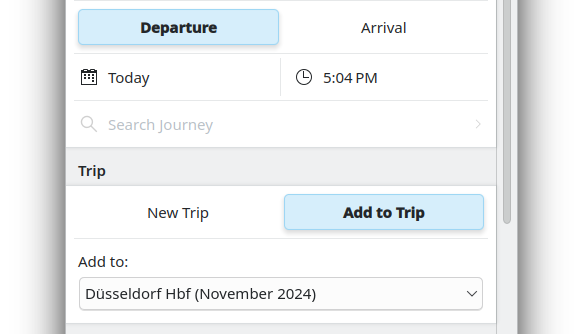
In the end the only way to import data was taking five photos from the QR Code to import my D-Ticket to Itinerary.
With a device with Plasma Mobile, it directly was used for a experiment: How well does Dolphin works on a Plasma Mobile device.
Together with Felix Ernst we tried it out and were quite impressed, that Dolphin does work very well on Plasma Mobile, after some simple modifications on the UI.
That resulted in a patch to add a mobile UI for Dolphin !826.
With more time to play with my Librem 5 I also found an bug in KWeather, that is missing a Refresh option, when used in a Plasma Mobile environment #493656.
Akademy is a good place to identify and solve some issues.
It is always like that, you chat with someone and they can tell you who to ask to answer the concrete question and in the end you can solve things, that seems unsolvable in the beginning.
There was also time to look into the travelling app Itinerary.
A lot people are faced with a lot of real world issues, when not in their home town.
Itinerary is the best traveling apps I know about.
It can import nearly every ticket you have and can get location information from restaurant websites and allow routing to that place. It does add many useful information, while traveling like current delays, platform changes, live updates for elevator, weather information at the destination, a station map and all those features with strong focus on privacy.
In detail I found some small things to improve:
If you search for a bus ride and enter the correct name for the bus stop, it will still add some walk from and to the station. The issue here is that we use different backends and not all backends share the same geo coordinate. That's why Itinerary needs to add some heuristics to delete those paths.
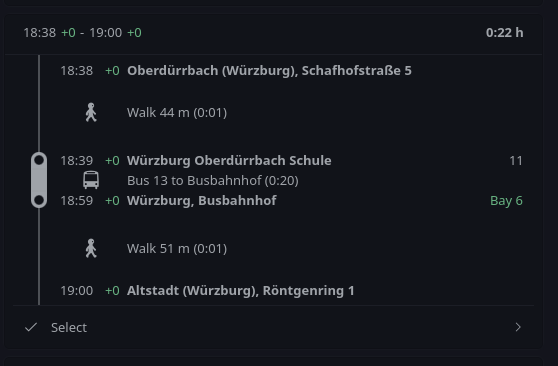
Instead of displaying just a small station map of one bus stop in the inner city, it showed complete Würzburg inner city, as there is one big park around the inner city (named "Ringpark").
- Würzburg has a quite big bus station but the platform information were missing in the map, so we tweaked the CSS to display the platform. To be sure, that we don't fix only Würzburg, we also looked at Greifswald and Aix-en-Provence if they are following the same name scheme.
I additionally learned that it has a lot of details that helps people who have special needs.
That is the reason why Daniel Kraut wants to get Itinerary available for iOS.
As spoken out, that Daniel wants to reach this goal, others already started to implement the first steps to build apps for iOS.
This year I was volunteering in helping out at Akademy.
For me it was a lot of fun to meet everyone at the infodesk or help the speakers setup the beamer and microphone.
It is also a good opportunity to meet many new faces and get in contact with them.
I see also room for improvement.
As we were quite busy at the Welcome Event to get out the badges to everyone, I couldn't answer the questions from newcomers, as the queue was too long.
I propose that some people volunteer to be available for questions from newcomers.
Often it is hard for newcomers to get their first contact(s) in a new community.
There is a lot of space for improvement to make it easier for newcomers to join.
Some ideas in my head are: Make an event for the newcomers to get them some links into the community and show that everyone is friendly.
The tables at the BoFs should make a circle, so everyone can see each other.
It was also hard for me to understand everyone as they mostly spoken towards the front.
And then BoFs are sometimes full of very specific words and if you are not already deep in the topic you are lost.
I can see the problem, on the one side BoFs are also the place where the person that knows the topic already wants to get things done.
On the other side new comers join BoFs, are overwhelmed by to many new words get frustrated and think, that they are not welcome.
Maybe at least everyone should present itself with name and ask new faces, why they joined the BoF to help them joining.
I'm happy, that the food provided for the attendees was very delicious and that I'm not the only one mostly vegetarian with a big amount to be vegan.
At the conference the KDE Eco initiation really caught me, as I see a lot of new possibilities in giving more reasons to switch to an Open Source system.
The talk from Natalie was great to see how pupils get excited about Open Source and also help their grandparents to move to a Linux system.
As I also will start to work as a teacher, I really got ideas what I can do at school.
Together with Joseph and Nicole, we finally started to think about how to drive an exploration on what kind of old hardware is still KDE software running.
The ones with the oldest hardware will get an old KDE shirt.
For more information see #40.
The conference was very motivating for me, I also had still energy at the evening to do some Debian packaging and finally pushed kweathercore to Debian and started to work on KWeather.
Now I'm even more interested in the KDE apps focusing the mobile world, as I now have some hardware that can actually use those apps.
I really enjoyed the workshop how to contribute to Qt by Volker Hilsheimer, especially the way how Volker explained things in a very friendly way, answered every question, sometime postponed some questions but came back to them later.
All in all I now have a good overview how Qt is doing development and how I can fix bugs.
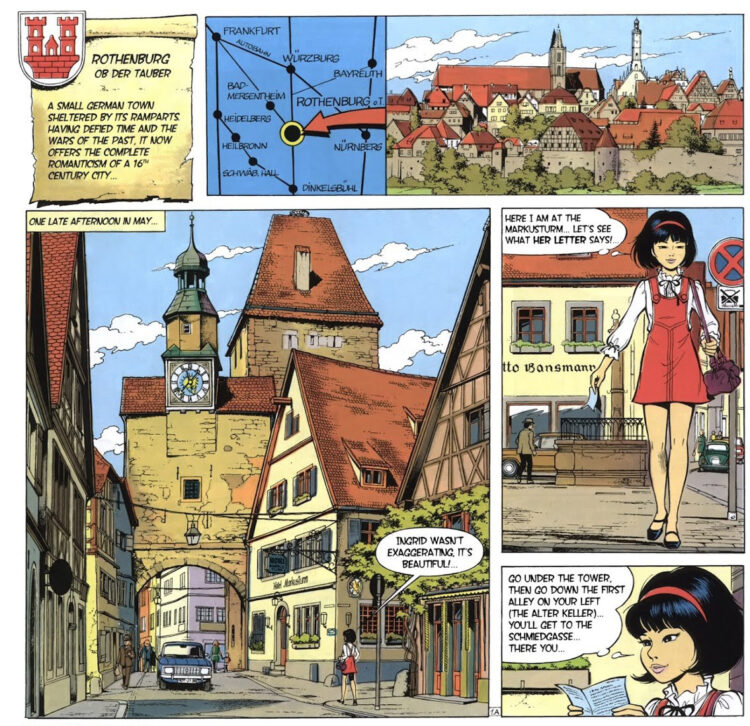
The daytrip to Rothenburg ob der Tauber was very interesting for me.
It was the first time I visited the village. But in my memory it feels like I know the village already. I grew up with reading a lot of comic albums including the good SiFi comic album series "Yoku Tsuno" created by the Belgian writer Roger Leloup.
Yoku Tsuno is an electronics engineer, raised in Japan but now living in Belgium. In "On the edge of life" she helps her friend Ingard, who actually lives in Rothenburg. Leloup invested a lot of time to travel to make the make his drawings as accurate as possible.
In order to not have a hard cut from Akademy to normal life, I had a lunch with Carlos, to discuss KDE Neon and how we can improve the interaction with Debian.
In the future this should have less friction and make both communities work together more smoothly.
Additionally as I used to develop on KDEPIM with the help of Docker images based on Neon I ask for a meta kf6 dev meta package.
That should help to get rid of most hand written lists of dev packages in the Docker file in order to make it more simple for new contributors to start hacking on KDEPIM.
The rest of the day I finally found time to do the normal tourist stuff: Going to the Wine bridge and having a walk to the castle of Würzburg.
Unfortunately you hear a lot of car noises up there, but I could finally relaxe in a Japanese designed garden.
Finally at Saturday I started my trip back.
The trains towards Eberswalde are broken and I needed to find alternative routing.
I got a little bit nervous, as it was the first time I travelled with my Librem 5 and Itinerary only and needed to reach the next train in less than two mins.
With the indoor maps provided, I could prepare my run through the train station so I reached successfully my next train.
By the way, also if you only only use KDE software, I would recommend everyone to join Akademy ;)

 hefee
hefee


 @bjoernbalazs:kde.org
 alex1701c
 Dear digiKam fans and users,